
RecoverHelper
RecoverHelper: A free, safety-focused recovery tool with RAW support and flexible scan modes. Ranked #23 of 44 in Photo Recovery Software by our editors (7.0/10); pricing: Free plan; best for free, safety-focused recovery across platforms.
At a glance
- Editor score7.0 / 10
- PricingFree plan
- Best forFree, safety-focused recovery across platforms
- Free planYes
- Paid fromFree
- Supported platformsMulti-platform
- Facts checked20 Sep 2026
Where it wins
- Supports RAW photos, including CR2, NEF, ARW, DNG, ORF, RAF and PEF
- Read-only scanning, preview, and separate-drive recovery protect the source
- Works with HDDs, SSDs, SD cards, USB drives, and cameras
Where it doesn't
- Formats beyond JPG and PNG require free mobile-app pairing
- Desktop software is limited to Windows and macOS
- Recovery output cannot be written to the source drive
Our verdict on RecoverHelper
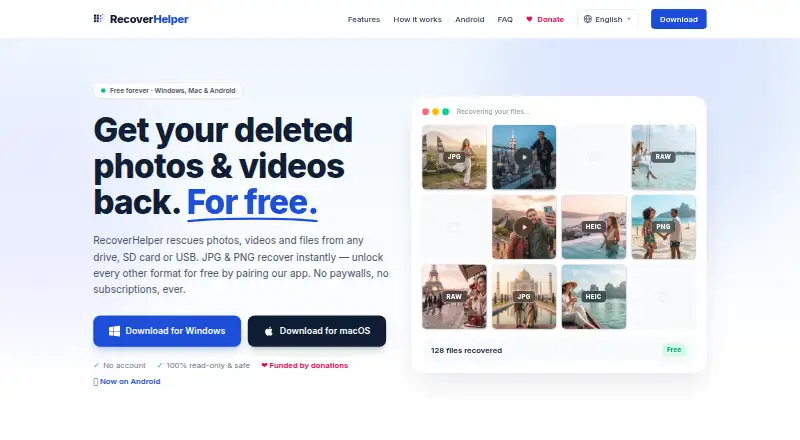
RecoverHelper is a free recovery tool for deleted or lost photos, videos, and other files. It is aimed at people recovering media from internal or external HDDs and SSDs, SD and microSD cards, USB flash drives, and digital cameras. The desktop software runs on Windows and macOS, while Android and iPhone apps unlock additional recovery formats. Photo support includes JPG, PNG, HEIC, and camera RAW formats such as CR2, NEF, ARW, DNG, ORF, RAF, and PEF.
Its strongest area is recovery depth without sacrificing source-drive protection. Quick Scan uses NTFS Master File Table recovery, Deep Scan combines file-system scanning with signature carving, and Carving Only supports FAT32, exFAT, APFS, HFS+, and raw volumes. Bad-sector tolerant scanning broadens its usefulness for damaged storage. Read-only source access, preview before recovery, and blocked output on the source drive add practical safeguards when handling valuable photos. SHA-256 manifests, HTML scan reports, and a live hex visualizer provide additional technical visibility.
The Free plan costs 0 and includes JPG and PNG recovery, Quick, Deep, and Carving Only modes, and preview before recovery. RAW, HEIC, video, audio, document, and archive recovery become available after pairing the desktop app with the free mobile app. That pairing requirement is the main qualification for users who want broader file-format support immediately on desktop. Choose RecoverHelper for free, cross-platform photo recovery with multiple scan methods and careful source handling. Consider another option if mobile-app pairing is unsuitable or if a desktop-only workflow is essential.
Your product? Our editors can test RecoverHelper in depth and publish a review, labelled as paid · from $149/mo →
RecoverHelper pricing
All 1 RecoverHelper plans and prices →
RecoverHelper fact sheet
| Free plan | Yes |
|---|---|
| Paid from | Free |
| Supported platforms | Multi-platform |
| Recovery sources | internal HDDs and SSDs, external HDDs and SSDs, SD and microSD cards, USB flash drives, digital cameras |
| Scan modes | Both |
| Raw photo recovery | Yes |
| Disk image support | Not verified |
| Photo preview | Yes |
| Free recovery limit | Not verified |
| Deployment | Desktop, Mobile |
| Platforms | Windows, macOS, iOS, Android |
| Support | Email, Docs |
| Built for | Solo, Small business (editorial estimate) |
| Pricing | Free plan (source) |
| Website | recoverhelper.com |
| Facts checked | 20 Sep 2026 |
Alternatives to RecoverHelper
- PhotoRecA broad, free recovery tool for difficult media, with a less convenient photo-first workflow.9.3
- EaseUS Data Recovery WizardBroad recovery coverage, but the free plan is limited to two files.9.1
- RecuvaA capable free option for recovering deleted photos from Windows and camera cards.9.0



See all RecoverHelper alternatives →
Also Ranked In
RecoverHelper is ranked in 2 of our directories.
Used RecoverHelper? Be the first to review it
The editor score above is our own research. What this page doesn't have yet is a reader's view — what you used RecoverHelper for, what worked and what didn't. No stars are seeded and no review is paid for; an editor reads every one before it appears.
Write a reviewTwo minutes · verified accounts only · read by an editor before it appears
Featured on iTechGuides

RecoverHelper is listed in our Photo Recovery Software directory. Add the badge to your site — it links back to this page.
<a href="https://www.itechguides.com/products/recoverhelper/"><img src="https://www.itechguides.com/best/badge/recoverhelper.svg" alt="Featured on iTechGuides" width="230" height="46"></a>
Reviewed by iTechGuides Editors · Editorial team · Updated Oct 2026
Advertiser disclosure: iTechGuides is reader-supported. Vendors can pay for top positions in our rankings and for a place on other products' pages, and we may earn a commission when you click some links. Bought places stand at the number bought; this page and our disclosure say so. Paying vendors may get a fuller, more detailed review from our editors, and that review can change their score. How we rank.
Last updated · How we research and update