
Recontrol
Recontrol: A free Mac remapper with useful calibration and mapping controls, limited to one controller. Ranked #22 of 29 in Controller Mapping Software by our editors (7.0/10); pricing: Free plan; best for free Mac users needing basic remapping.
At a glance
- Editor score7.0 / 10
- PricingFree plan
- Best forFree Mac users needing basic remapping
- Free planYes
- Paid fromFree
- Facts checked20 Sep 2026
Where it wins
- Maps controller inputs to keyboard, mouse movement, clicks, and scrolling
- Includes dead-zone configuration, drift calibration, and response curves
- Supports saved mapping switching, JSON import/export, and connection-triggered activation
Where it doesn't
- Available only as a macOS application
- Officially supports one controller at a time
- Does not provide verified per-app profiles, macros, or virtual output
Our verdict on Recontrol
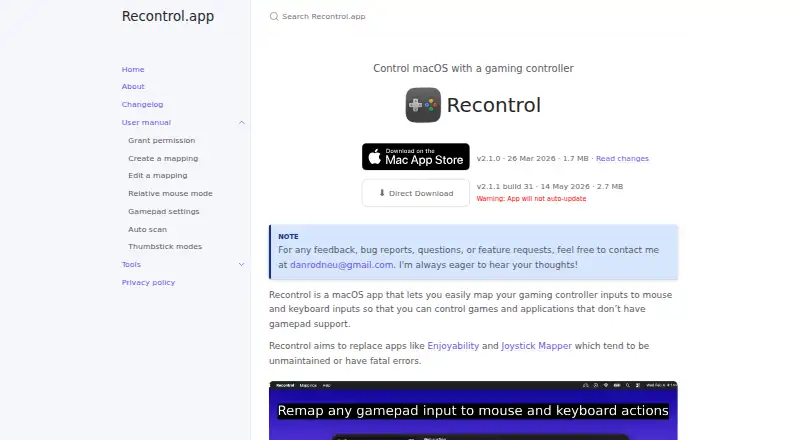
Recontrol is a free macOS utility for mapping gamepad inputs to keyboard and mouse actions. It is aimed at Mac users who want to control games and applications without native controller support, including workflows that need keyboard shortcuts, mouse movement, clicking, or scrolling. The mapping options cover controller inputs to keys and modifier combinations, as well as mouse actions. Smooth and eight-way thumbstick modes provide two movement styles, while configurable response curves add control over mouse behavior.
Its strongest area is controller tuning and mapping management. Recontrol provides per-controller dead-zone configuration and drift calibration, which can help address unwanted stick movement. Users can switch between saved mappings, import and export mappings as JSON, and automatically enable a mapping when a controller connects. These features give the utility a practical workflow for maintaining different control layouts, without adding a paid tier: Apple’s US Mac App Store listing shows the app as Free, and the published plan is Free.
The main trade-off is scope. Recontrol is Mac-only and the vendor states that one controller is officially supported at a time. It also lacks verified per-app profiles, macros, and virtual output, so it is better suited to direct keyboard-and-mouse remapping than to advanced automation or multi-device setups. The application is distributed through the Mac App Store and direct download; the vendor says direct downloads do not auto-update. Choose Recontrol if free, basic remapping with calibration and saved mappings meets your needs. Choose an alternative if you need Windows support, multiple simultaneous controllers, app-specific profiles, macros, or virtual controller output.
Your product? Our editors can test Recontrol in depth and publish a review, labelled as paid · from $149/mo →
Recontrol pricing
All 1 Recontrol plans and prices →
Recontrol fact sheet
| Free plan | Yes |
|---|---|
| Paid from | Free |
| Supported platforms | macos |
| Per-app profiles | Not verified |
| Profile switching | Yes |
| Macro support | Not verified |
| Keyboard and mouse remap | Yes |
| Virtual controller output | Not verified |
| Simultaneous devices | 1 devices |
| Deployment | Desktop |
| Platforms | macOS |
| Support | |
| Built for | Solo, Small business (editorial estimate) |
| Pricing | Free plan (source) |
| Website | recontrol.danneu.com |
| Facts checked | 20 Sep 2026 |
Alternatives to Recontrol
- Steam InputA free, flexible mapping system for Steam players across Windows, macOS, and Linux.9.4
- JoyShockMapperA powerful free mapper for players who want advanced gyro and layered controller configurations.9.2
- DS4WindowsA capable free mapper for Windows users who need profiles, emulation, and advanced input controls.9.0


See all Recontrol alternatives →
Used Recontrol? Be the first to review it
The editor score above is our own research. What this page doesn't have yet is a reader's view — what you used Recontrol for, what worked and what didn't. No stars are seeded and no review is paid for; an editor reads every one before it appears.
Write a reviewTwo minutes · verified accounts only · read by an editor before it appears
Featured on iTechGuides

Recontrol is listed in our Controller Mapping Software directory. Add the badge to your site — it links back to this page.
<a href="https://www.itechguides.com/products/recontrol/"><img src="https://www.itechguides.com/best/badge/recontrol.svg" alt="Featured on iTechGuides" width="230" height="46"></a>
Reviewed by iTechGuides Editors · Editorial team · Updated Oct 2026
Advertiser disclosure: iTechGuides is reader-supported. Vendors can pay for top positions in our rankings and for a place on other products' pages, and we may earn a commission when you click some links. Bought places stand at the number bought; this page and our disclosure say so. Paying vendors may get a fuller, more detailed review from our editors, and that review can change their score. How we rank.
Last updated · How we research and update