RBTray
RBTray: A focused, free utility for keeping Windows taskbars clear. Ranked #59 of 65 in Window Management Software by our editors (3.4/10); pricing: Free plan; best for windows users needing system-tray minimization.
At a glance
- Editor score3.4 / 10
- PricingFree plan
- Best forWindows users needing system-tray minimization
- Free planYes
- Paid fromFree
- Facts checked22 Sep 2026
Where it wins
- Free and open source under the GNU General Public License
- Offers three ways to minimize windows to the system tray
- Supports restoration, startup, and a no-hook compatibility mode
Where it doesn't
- Windows-only availability limits cross-platform use
- Focused on tray minimization rather than broader window organization
- Maintenance mode means no new features are planned
Our verdict on RBTray
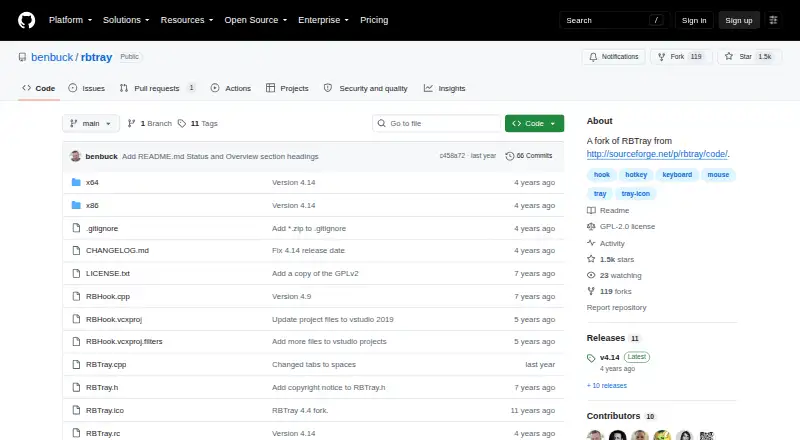
RBTray is a small Windows background utility for users who want to minimize application windows to the system tray instead of keeping them visible on the taskbar. It suits people seeking a focused way to reduce taskbar clutter without paying for a broader window-management suite. The project is free and open source under the GNU General Public License, and it is provided for Windows.
Its main strength is choice in how windows are minimized. Users can right-click the minimize button, Shift-right-click a title bar, or use the Control-Alt-Down keyboard shortcut. Minimized windows appear as tray icons and can be restored from there. Optional automatic startup through the Windows Startup folder supports a set-and-forget workflow, while no-hook mode provides a compatibility option for applications that do not work well with the standard approach.
RBTray remains intentionally narrow. It focuses on moving windows into and out of the system tray rather than managing layouts, tiling, workspaces, rules, or multi-monitor arrangements. The project is in maintenance mode, with bug fixes possible but no new features planned. Choose RBTray if system-tray minimization is the specific task you need and a free, open-source Windows utility fits your setup. Choose an alternative if you need broader window organization, advanced automation, or support beyond Windows.
Your product? Our editors can test RBTray in depth and publish a review, labelled as paid · from $149/mo →
RBTray pricing
RBTray fact sheet
| Free plan | Yes |
|---|---|
| Paid from | Free |
| Platforms | windows |
| Maximum displays | Not verified |
| Layout presets | Not verified |
| Application rules | Not verified |
| Window grouping | Not verified |
| Virtual desktop controls | Not verified |
| Deployment | Desktop |
| Platforms | Windows |
| Support | Docs |
| Built for | Solo, Small business (editorial estimate) |
| Pricing | Free plan |
| Website | github.com |
| Facts checked | 22 Sep 2026 |
Alternatives to RBTray
- i3A configurable X11 window manager for Linux users who want precise tiling and workspace control.9.4
- SwayA free, open-source Wayland compositor for configurable window layouts and i3 users.9.3
- HyprlandA flexible Linux building block for users who want to configure their own desktop.9.2



Used RBTray? Be the first to review it
The editor score above is our own research. What this page doesn't have yet is a reader's view — what you used RBTray for, what worked and what didn't. No stars are seeded and no review is paid for; an editor reads every one before it appears.
Write a reviewTwo minutes · verified accounts only · read by an editor before it appears
Featured on iTechGuides

RBTray is listed in our Window Management Software directory. Add the badge to your site — it links back to this page.
<a href="https://www.itechguides.com/products/rbtray/"><img src="https://www.itechguides.com/best/badge/rbtray.svg" alt="Featured on iTechGuides" width="230" height="46"></a>
Reviewed by iTechGuides Editors · Editorial team · Updated Oct 2026
Advertiser disclosure: iTechGuides is reader-supported. Vendors can pay for top positions in our rankings and for a place on other products' pages, and we may earn a commission when you click some links. Bought places stand at the number bought; this page and our disclosure say so. Paying vendors may get a fuller, more detailed review from our editors, and that review can change their score. How we rank.
Last updated · How we research and update