
Ravada VDI
Ravada VDI: A private, open-source VDI broker for Linux-based infrastructure and virtual desktop access. Ranked #17 of 25 in Virtual Desktop Infrastructure Software by our editors (7.6/10); pricing: Free plan; best for open-source private VDI deployments.
At a glance
- Editor score7.6 / 10
- PricingFree plan
- Best forOpen-source private VDI deployments
- Free planYes
- Paid fromFree
- Deployment modelPrivate
- Facts checked20 Sep 2026
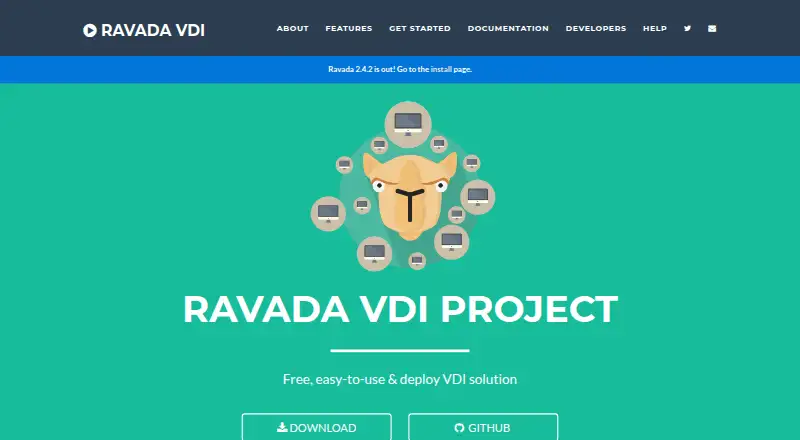
Where it wins
- Web administration with QEMU/KVM and SPICE remote desktop access
- Cloning, kiosk desktops, USB redirection, and GPU PCI passthrough
- LDAP, Active Directory, SQL, OpenID, REST API, and clustering support
Where it doesn't
- Requires administrator-managed private infrastructure
- Focused on virtual desktops rather than application virtualization
- Remote access is built around SPICE viewers
Our verdict on Ravada VDI
Ravada VDI is an open-source virtual desktop infrastructure broker for system administrators deploying virtual desktops on Linux-based infrastructure. Its web interface supports virtual machine creation, configuration, and management, while users connect through SPICE remote desktop access. The platform supports both desktop types and client access from Linux, Windows, macOS, or a web browser. It is best suited to organizations that want to operate a private VDI environment with control over the underlying infrastructure.
Its feature depth centers on virtual machine administration. Ravada supports QEMU/KVM, VM cloning, instant clone creation, kiosk desktops, anonymous volatile virtual machines, USB redirection, multi-node clustering, and GPU PCI passthrough. The REST API includes OpenAPI documentation, which gives administrators an option for programmatic management. These capabilities make it a fit for deployments that need repeatable desktop provisioning, specialized hardware access, or clustered physical hosts rather than a narrow remote-access tool.
Identity and ecosystem fit are also important strengths. Authentication options include LDAP, Active Directory, SQL, and OpenID, while QEMU/KVM and SPICE form the core virtualization and access stack. Ravada is documented as free and open source, with no paid tiers described. The trade-off is operational responsibility: the deployment model is private, and the infrastructure must be managed by administrators. Choose Ravada when open-source control, self-hosting, and VM-level flexibility are priorities; choose an alternative when you need a managed public-cloud or hybrid service or application virtualization.
Your product? Our editors can test Ravada VDI in depth and publish a review, labelled as paid · from $149/mo →
Ravada VDI pricing
Ravada VDI fact sheet
| Free plan | Yes |
|---|---|
| Paid from | Free |
| Deployment model | Private |
| Desktop types | Both |
| Profile management | Not verified |
| Application virtualization | Not verified |
| Identity integration | Yes |
| GPU support | Yes |
| Client platforms | Linux, Windows, macOS, web browser |
| Deployment | Self-hosted |
| Platforms | Web, Windows, macOS, Linux |
| Support | Email, Community, Docs |
| Built for | Small business, Mid-market, Enterprise (editorial estimate) |
| Integrations | 6 integrations: LDAP, Active Directory, OpenID, SQL, QEMU/KVM, SPICE |
| Pricing | Free plan |
| Website | ravada.upc.edu |
| Facts checked | 20 Sep 2026 |
Ravada VDI integrations
Ravada VDI lists 6 integrations on its own site.
- LDAP
- Active Directory
- OpenID
- SQL
- QEMU/KVM
- SPICE
Alternatives to Ravada VDI
- Omnissa HorizonEnterprise VDI with broad infrastructure support, automation, and contact-sales pricing.9.3
- Parallels RASA broad hybrid VDI platform for centralized desktop, application, and remote PC delivery.9.1
- Citrix DaaSBroad VDI coverage for organizations managing complex hybrid and multi-cloud environments.9.0



See all Ravada VDI alternatives →
Used Ravada VDI? Be the first to review it
The editor score above is our own research. What this page doesn't have yet is a reader's view — what you used Ravada VDI for, what worked and what didn't. No stars are seeded and no review is paid for; an editor reads every one before it appears.
Write a reviewTwo minutes · verified accounts only · read by an editor before it appears
Featured on iTechGuides

Ravada VDI is listed in our Virtual Desktop Infrastructure Software directory. Add the badge to your site — it links back to this page.
<a href="https://www.itechguides.com/products/ravada-vdi/"><img src="https://www.itechguides.com/best/badge/ravada-vdi.svg" alt="Featured on iTechGuides" width="230" height="46"></a>
Reviewed by iTechGuides Editors · Editorial team · Updated Oct 2026
Advertiser disclosure: iTechGuides is reader-supported. Vendors can pay for top positions in our rankings and for a place on other products' pages, and we may earn a commission when you click some links. Bought places stand at the number bought; this page and our disclosure say so. Paying vendors may get a fuller, more detailed review from our editors, and that review can change their score. How we rank.
Last updated · How we research and update