Quicksilver
Quicksilver: A free Mac launcher that combines keyboard actions, file operations, scripts, and plugins. Ranked #7 of 40 in App Launcher Software by our editors (8.5/10); pricing: Free plan; best for mac users who want keyboard-driven automation.
At a glance
- Editor score8.5 / 10
- PricingFree plan
- Best forMac users who want keyboard-driven automation
- Free planYes
- Paid fromFree
- Supported platformsMacos
- Facts checked19 Sep 2026
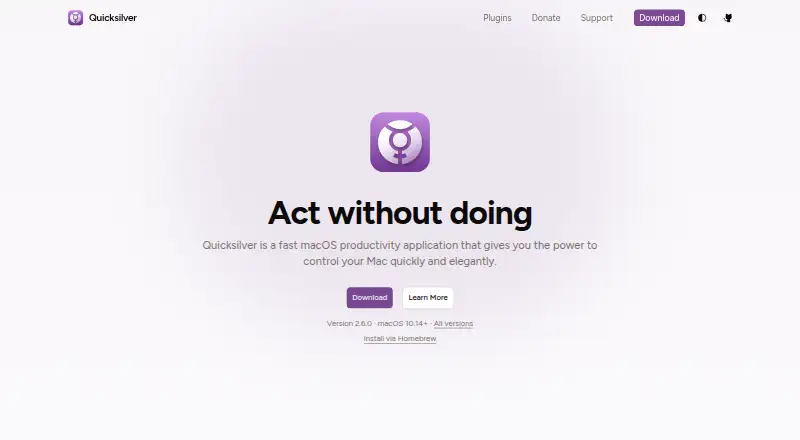
Where it wins
- Launch and search apps, files, folders, and bookmarks from the keyboard
- Perform file actions and run scripts without leaving the launcher
- Extend capabilities with plugins, clipboard history, and Shelf storage
Where it doesn't
- Available only on macOS
- Catalog sources require configuration to shape what Quicksilver indexes
- Some integrations and capabilities depend on its plugin system
Our verdict on Quicksilver
Quicksilver is a free, open-source productivity application for macOS, aimed at people who want to launch apps and work with files through the keyboard. It can search applications, files, folders, and bookmarks, then take actions such as moving, copying, renaming, emailing, compressing, or revealing files. Its scope goes beyond launching: users can run scripts and terminal-related actions, search websites, and store clipboard items or content on a Shelf. That breadth makes it a fit for Mac automation enthusiasts who want one keyboard-oriented interface for both finding items and acting on them.
Catalogs and plugins are central to how Quicksilver can be tailored. Users can choose catalog sources and have them rescanned periodically, while the in-app plugin system supports installing, enabling, disabling, updating, and removing plugins. Published integrations include Apple Mail, Gmail, Safari, Google Chrome, Firefox, Calendar, Reminders, and iTunes. Triggers can bind commands to keyboard shortcuts, mouse actions, system events, or gestures. This is a useful combination for people who want to connect launch behavior with repeatable actions; those seeking a ready-made, minimal launcher may find the configurable catalog and modular plugin approach more involved than necessary.
Quicksilver is described as free and open source, with no paid plan structure to compare. Its strongest case is for Mac users comfortable shaping their launcher around their own sources, commands, and plugins, particularly when file operations, scripts, and clipboard tools belong in the same workflow. The key trade-off is platform scope: Quicksilver is for macOS, so it is not a fit for people who need a launcher across different operating systems. Choose it for a customizable Mac command hub; consider a narrower launcher if you only need to open apps and prefer not to configure a broader set of actions.
Your product? Our editors can test Quicksilver in depth and publish a review, labelled as paid · from $149/mo →
Quicksilver pricing
Quicksilver fact sheet
| Free plan | Yes |
|---|---|
| Paid from | Free |
| Supported platforms | Macos |
| File search | Yes |
| Command launching | Yes |
| Workflow support | Yes |
| Plugin support | Yes |
| Cloud sync | Not verified |
| Shortcut limit | Not verified |
| Deployment | Desktop |
| Platforms | macOS |
| Integrations | 8 integrations: Apple Mail, Gmail, Safari, Google Chrome, Firefox, Calendar … |
| Pricing | Free plan |
| Website | qsapp.com |
| Facts checked | 19 Sep 2026 |
Quicksilver integrations
Quicksilver lists 8 integrations on its own site.
- Apple Mail
- Gmail
- Safari
- Google Chrome
- Firefox
- Calendar
- Reminders
- iTunes
Alternatives to Quicksilver
- RaycastRaycast combines app and file search with commands, extensions, and optional AI.9.4
- WoxWox combines app launching, search, commands, plugins, and cloud sync in an open-source launcher.9.2
- AlfredA capable Mac launcher whose Powerpack adds automation and productivity tools.8.9



See all Quicksilver alternatives →
Quicksilver vs the competition
- Quicksilver vs Raycast
- Quicksilver vs Wox
- Quicksilver vs Alfred
- Quicksilver vs LaunchBar
- Quicksilver vs Keypirinha
- Quicksilver vs Flow Launcher



Compare Quicksilver with any tool side by side →
Used Quicksilver? Be the first to review it
The editor score above is our own research. What this page doesn't have yet is a reader's view — what you used Quicksilver for, what worked and what didn't. No stars are seeded and no review is paid for; an editor reads every one before it appears.
Write a reviewTwo minutes · verified accounts only · read by an editor before it appears
Featured on iTechGuides

Quicksilver is listed in our App Launcher Software directory. Add the badge to your site — it links back to this page.
<a href="https://www.itechguides.com/products/quicksilver/"><img src="https://www.itechguides.com/best/badge/quicksilver.svg" alt="Featured on iTechGuides" width="230" height="46"></a>
Reviewed by iTechGuides Editors · Editorial team · Updated Oct 2026
Advertiser disclosure: iTechGuides is reader-supported. Vendors can pay for top positions in our rankings and for a place on other products' pages, and we may earn a commission when you click some links. Bought places stand at the number bought; this page and our disclosure say so. Paying vendors may get a fuller, more detailed review from our editors, and that review can change their score. How we rank.
Last updated · How we research and update