Quick CPU
Quick CPU: A capable free Windows toolkit for CPU controls, monitoring and stability testing. Ranked #6 of 31 in PC Overclocking Software by our editors (8.2/10); pricing: Free plan; best for free Windows CPU performance controls.
At a glance
- Editor score8.2 / 10
- PricingFree plan
- Best forFree Windows CPU performance controls
- Free planYes
- Paid from$27/yr
- CPU tuningYes
- Facts checked20 Sep 2026
Where it wins
- Free tier includes monitoring, tuning and power-plan management
- Supports Intel Turbo Boost and AMD Precision Boost controls
- Combines per-core testing with real-time CPU, memory and GPU monitoring
Where it doesn't
- Windows-only application
- Advanced settings depend on CPU, BIOS and system firmware
- Pro tiers list the same highlights as the Free plan
Our verdict on Quick CPU
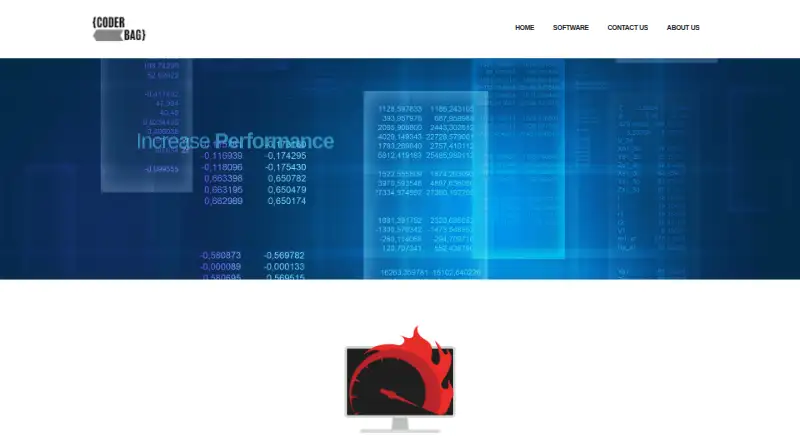
Quick CPU is a Windows application from Coderbag LLC for monitoring and tuning Intel and AMD processor systems. It is aimed at power users, gamers and others who want operating-system-level control over processor performance and efficiency. Its scope includes CPU core parking, frequency scaling, boost policies, power modes, Windows power plans, real-time hardware monitoring, custom profiles and CPU stress and stability testing.
The published plans show a Free tier priced at $0 per year, with system monitoring, performance tuning, memory management and power-plan tools. Pro is listed at $27 as a one-time annual price, while Pro-Extended is listed at $49 as a one-time annual price. Both paid tiers show the same listed highlights as Free: monitoring, tuning, memory management, power-plan management, settings and comparison. That makes the free offering the clearest starting point for users who want the documented core controls without an upfront charge.
Quick CPU’s standout value is the breadth of processor and power-management controls in one Windows utility. It covers Intel voltage, frequency-ratio and current-limit controls, Intel Turbo Boost and AMD Precision Boost, power-plan creation, activation, cloning and export, plus per-core and per-thread workload selection. Stress testing, charts, system-tray monitoring, custom profiles and settings reset add practical control around those adjustments. Advanced settings depend on the processor model, BIOS and system firmware, so it suits users comfortable working within hardware-specific limits. Choose Quick CPU for free Windows CPU tuning and monitoring; choose an alternative if you need support beyond Windows or a broader platform focus.
Your product? Our editors can test Quick CPU in depth and publish a review, labelled as paid · from $99/mo →
Quick CPU pricing
All 3 Quick CPU plans and prices →
Quick CPU fact sheet
| Free plan | Yes |
|---|---|
| Paid from | $27/yr |
| CPU tuning | Yes |
| Memory tuning | Not verified |
| Motherboard controls | Yes |
| Automatic overclocking | Not verified |
| Supported platforms | Windows |
| Hardware scope | Multi-vendor |
| Deployment | Desktop |
| Platforms | Windows |
| Support | Docs |
| Built for | Solo, Small business (editorial estimate) |
| Pricing | Free plan (source) |
| Website | coderbag.com |
| Facts checked | 20 Sep 2026 |
Alternatives to Quick CPU
- Saku OverclockA free, open-source AMD tuning suite with broad controls and a focused hardware scope.9.4
- HYDRAA Windows toolkit for tuning CPU, GPU, and DDR4/DDR5 memory.9.2
- HypertuneA cross-vendor Windows optimizer with CPU, GPU, RAM, and automated tuning tools.8.6



See all Quick CPU alternatives →
Quick CPU vs the competition
- Quick CPU vs Saku Overclock
- Quick CPU vs HYDRA
- Quick CPU vs Hypertune
- Quick CPU vs Universal x86 Tuning Utility
- Quick CPU vs OCCT
- Quick CPU vs ZenMaster

Compare Quick CPU with any tool side by side →
Used Quick CPU? Be the first to review it
The editor score above is our own research. What this page doesn't have yet is a reader's view — what you used Quick CPU for, what worked and what didn't. No stars are seeded and no review is paid for; an editor reads every one before it appears.
Write a reviewTwo minutes · verified accounts only · read by an editor before it appears
Featured on iTechGuides

Quick CPU is listed in our PC Overclocking Software directory. Add the badge to your site — it links back to this page.
<a href="https://www.itechguides.com/products/quick-cpu/"><img src="https://www.itechguides.com/best/badge/quick-cpu.svg" alt="Featured on iTechGuides" width="230" height="46"></a>
Reviewed by iTechGuides Editors · Editorial team · Updated Oct 2026
Advertiser disclosure: iTechGuides is reader-supported. Vendors can pay for top positions in our rankings and for a place on other products' pages, and we may earn a commission when you click some links. How we rank.
Last updated · How we research and update