
Quform
Quform: A low-cost WordPress form builder with strong core features and limited workflow reach. Ranked #47 of 52 in Form Builder Software by our editors (5.3/10); pricing: 7-day trial; best for low-cost basic WordPress forms.
At a glance
- Editor score5.3 / 10
- Pricing7-day trial
- Best forLow-cost basic WordPress forms
- Free planNo
- Paid from$34 one-time
- Conditional logicYes
- Facts checked20 Sep 2026
Where it wins
- $34 one-time Regular License with unlimited forms
- Conditional logic, multi-page forms, uploads, and spam protection
- WordPress entry management with exports and import/export tools
Where it doesn't
- Self-hosted WordPress deployment only
- No verified payment collection or API access
- Extended License is required for sold end products
Our verdict on Quform
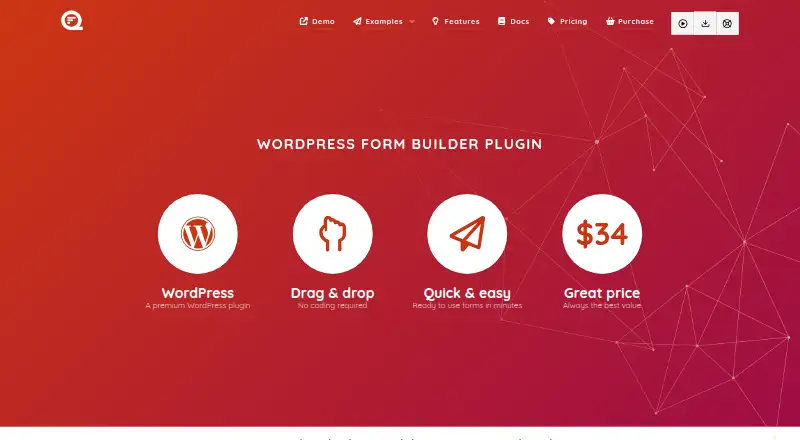
Quform is a self-hosted WordPress plugin for creating contact, booking, survey, registration, and other forms without coding. It is designed for WordPress site owners, developers, and web designers who want forms hosted on their own websites. The drag-and-drop builder supports responsive layouts, customizable themes, multi-page forms, conditional logic, file uploads, email notifications, autoresponder messages, and spam protection through CAPTCHA, honeypot, and reCAPTCHA.
Pricing is based on one-time licenses rather than a recurring subscription. The Regular License costs $34 and covers one end product, website, or project, with unlimited forms, six months of ThemeCatcher support, future updates, and Mailchimp and Zapier add-ons. The Extended License costs $169 and adds use in an end product that is sold, along with unlimited forms, six months of support, future updates, and the Mailchimp add-on. The complete demo is available for 7 days. Because Quform is installed on a customer-controlled WordPress website, fit depends on maintaining that WordPress environment.
Its strongest area is practical form administration inside WordPress. Submitted entries can be viewed, edited, labeled, and searched in the WordPress admin, then exported to XLS, XLSX, CSV, ODS, or HTML. Forms can also be imported and exported across websites. Integrations with Mailchimp, Zapier, and WPML extend its reach, while conditional logic can control fields, pages, notifications, and confirmations. Quform suits teams that need capable forms for a basic WordPress site at a low one-time cost. Organizations seeking verified payment collection, API access, or broader workflow capabilities should choose a different form platform.
Your product? Our editors can test Quform in depth and publish a review, labelled as paid · from $149/mo →
Quform pricing
All 2 Quform plans and prices →
Quform fact sheet
| Free plan | No |
|---|---|
| Paid from | $34 one-time |
| Conditional logic | Yes |
| Workflow approvals | Not verified |
| Payment collection | Not verified |
| File uploads | Yes |
| Response limit | Not verified |
| Branding control | Not verified |
| Form templates | Yes |
| Free trial | 7 days |
| Money-back guarantee | 7 days |
| Deployment | Self-hosted |
| Support | Docs, Community |
| Built for | Solo, Small business, Mid-market (editorial estimate) |
| Integrations | 3 integrations: Mailchimp, Zapier, WPML |
| Pricing | 7-day trial (source) |
| Website | quform.com |
| Facts checked | 20 Sep 2026 |
Quform integrations
Quform lists 3 integrations on its own site.
- Mailchimp
- Zapier
- WPML
Alternatives to Quform
- JotformA feature-rich form builder for teams collecting data across web and mobile.9.4
- TypeformA polished form builder with strong logic, embeds, payments, and analytics.9.2
- FilloutA broad form builder with a free plan, flexible logic, and many integrations.9.0



Used Quform? Be the first to review it
The editor score above is our own research. What this page doesn't have yet is a reader's view — what you used Quform for, what worked and what didn't. No stars are seeded and no review is paid for; an editor reads every one before it appears.
Write a reviewTwo minutes · verified accounts only · read by an editor before it appears
Featured on iTechGuides

Quform is listed in our Form Builder Software directory. Add the badge to your site — it links back to this page.
<a href="https://www.itechguides.com/products/quform/"><img src="https://www.itechguides.com/best/badge/quform.svg" alt="Featured on iTechGuides" width="230" height="46"></a>
Reviewed by iTechGuides Editors · Editorial team · Updated Oct 2026
Advertiser disclosure: iTechGuides is reader-supported. Vendors can pay for top positions in our rankings and for a place on other products' pages, and we may earn a commission when you click some links. Bought places stand at the number bought; this page and our disclosure say so. Paying vendors may get a fuller, more detailed review from our editors, and that review can change their score. How we rank.
Last updated · How we research and update