Quest Change Auditor for Windows File Servers
Quest Change Auditor for Windows File Servers: A focused Windows Server tool for centralized file-change auditing, alerts, and reporting. Ranked #17 of 33 in File Integrity Monitoring Software by our editors (7.1/10); pricing: Pricing on request · 30-day trial; best for windows Server file-change auditing.
At a glance
- Editor score7.1 / 10
- PricingPricing on request · 30-day trial
- Best forWindows Server file-change auditing
- Free planNo
- Real-time alertsYes
- Facts checked21 Sep 2026
Where it wins
- Real-time alerts for file and folder activity
- Centralized auditing across multiple Windows file servers
- SIEM integrations and compliance-oriented reporting
Where it doesn't
- Pricing requires a custom quote
- Supports Windows Server environments only
- Uses assigned agents rather than agentless monitoring
Our verdict on Quest Change Auditor for Windows File Servers
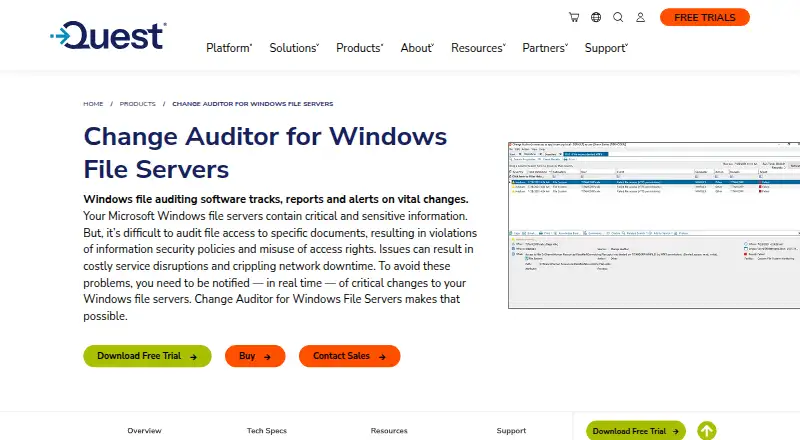
Quest Change Auditor for Windows File Servers is designed for organizations that need to audit and control activity across multiple Microsoft Windows file servers. It tracks changes to files, folders, shares, and permissions, identifies who made a change and where it originated, and provides centralized search, reporting, and real-time alerts. The product supports Windows Server 2016, 2019, 2022, and 2025, with deployment on premises.
The Custom plan requires customers to request pricing from Quest, while a 30-day trial is available. The published plan highlights focus on the core product rather than separating capabilities across multiple paid tiers. Its feature set covers file and folder change auditing, permission-change auditing, protection for selected critical paths, file-system search, and compliance-oriented reporting. Agents are assigned through central configuration, making the product suited to environments that can support agent-based monitoring across their Windows servers.
Ecosystem fit is a clear strength for teams that already operate a security monitoring stack. Activity logs can integrate with Microsoft Sentinel, Splunk, ArcSight, QRadar, and Syslog-compatible platforms, supporting broader investigation and alert workflows. Quest Change Auditor is a strong fit when Windows Server file activity, permissions, and critical-path protection are the priority. Organizations needing agentless monitoring, broader operating-system coverage, or straightforward public pricing should consider a different file integrity monitoring product.
Quest Change Auditor for Windows File Servers pricing
All 1 Quest Change Auditor for Windows File Servers plans and prices →
Quest Change Auditor for Windows File Servers fact sheet
| Free plan | No |
|---|---|
| Paid from | Not verified |
| Deployment | On_premises |
| Real-time alerts | Yes |
| Configuration monitoring | Not verified |
| Compliance reports | Yes |
| Agentless monitoring | No |
| Supported platforms | Windows Server 2016, Windows Server 2019, Windows Server 2022, Windows Server 2025 |
| Free trial | 30 days |
| Deployment | Self-hosted |
| Platforms | Web, Windows |
| Support | Live chat, Tickets, Docs |
| Built for | Mid-market, Enterprise (editorial estimate) |
| Integrations | 5 integrations: Microsoft Sentinel, Splunk, ArcSight, QRadar, Syslog-compatible platforms |
| Pricing | Pricing on request · 30-day trial (source) |
| Website | quest.com |
| Facts checked | 21 Sep 2026 |
Quest Change Auditor for Windows File Servers integrations
Quest Change Auditor for Windows File Servers lists 5 integrations on its own site.
- Microsoft Sentinel
- Splunk
- ArcSight
- QRadar
- Syslog-compatible platforms
Alternatives to Quest Change Auditor for Windows File Servers
- CimTrak Integrity SuiteA broad hybrid integrity suite for organizations managing compliance and infrastructure change.9.4
- Tanium Integrity MonitorEnterprise monitoring with detailed endpoint context, watchlists, and investigation workflows.8.8
- Atomic OSSECBroad security coverage with real-time FIM, starting at $5 per server monthly.8.5


See all Quest Change Auditor for Windows File Servers alternatives →
Used Quest Change Auditor for Windows File Servers? Be the first to review it
The editor score above is our own research. What this page doesn't have yet is a reader's view — what you used Quest Change Auditor for Windows File Servers for, what worked and what didn't. No stars are seeded and no review is paid for; an editor reads every one before it appears.
Write a reviewTwo minutes · verified accounts only · read by an editor before it appears
Featured on iTechGuides

Quest Change Auditor for Windows File Servers is listed in our File Integrity Monitoring Software directory. Add the badge to your site — it links back to this page.
<a href="https://www.itechguides.com/products/quest-change-auditor-for-windows-file-servers/"><img src="https://www.itechguides.com/best/badge/quest-change-auditor-for-windows-file-servers.svg" alt="Featured on iTechGuides" width="230" height="46"></a>
Reviewed by iTechGuides Editors · Editorial team · Updated Oct 2026
Advertiser disclosure: iTechGuides is reader-supported. Vendors can pay for top positions in our rankings and for a place on other products' pages, and we may earn a commission when you click some links. Bought places stand at the number bought; this page and our disclosure say so. Paying vendors may get a fuller, more detailed review from our editors, and that review can change their score. How we rank.
Last updated · How we research and update