QSpace
QSpace: A flexible Mac file manager, with several useful capabilities sold as separate extensions. Ranked #32 of 100 in File Manager Software by our editors (5.8/10); pricing: 30-day trial; best for mac users wanting configurable multi-pane workspaces.
At a glance
- Editor score5.8 / 10
- Pricing30-day trial
- Best forMac users wanting configurable multi-pane workspaces
- Free planNo
- Supported platformsmacos
- Facts checked24 Sep 2026
Where it wins
- 12 layouts support side-by-side folder comparison and file operations.
- Workspaces save pane layouts, folders and display modes, with tab support.
- Connects with cloud storage, network shares and remote file protocols.
Where it doesn't
- Only available for macOS.
- Batch renaming, server connections and archive tools require optional extensions.
- The Mac App Store edition has no trial or refunds.
Our verdict on QSpace
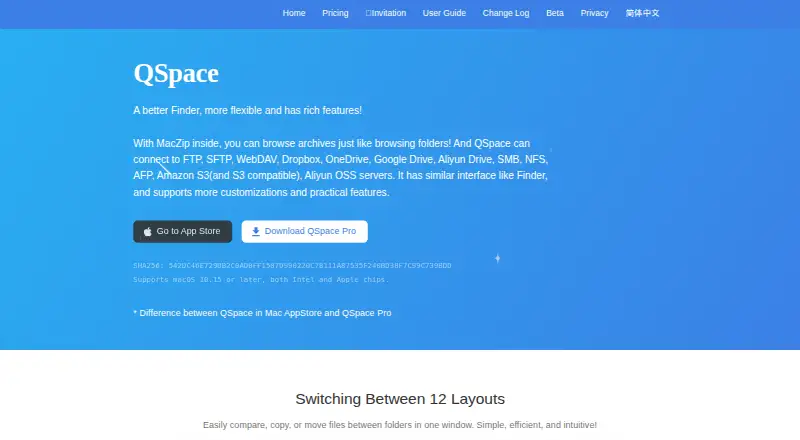
QSpace is a desktop file manager for macOS, aimed at people who want more control over how local files are arranged and moved. Its 12 configurable multi-pane layouts support folder comparison and file operations, while tabs and saved workspaces let users return to pane layouts, folders and display modes. Customizable navigation controls and quick launch for terminals, editors, apps and commands add flexibility for solo users and small teams who manage files alongside other desktop tools.
Its reach beyond local folders depends partly on extensions. QSpace lists support for FTP, SFTP, WebDAV, SMB, NFS and AFP, as well as services including Dropbox, OneDrive, Google Drive and Amazon S3. Remote file operations use the optional Server Connections extension; batch renaming and archive browsing, creation and extraction also sit in optional extensions. That distinction matters: the core manager offers layouts, search and synchronization, but buyers looking for a single package with those specialized tools should check which edition and add-ons they need. Search uses the Spotlight index, and synchronization can run one-way or bidirectionally.
QSpace is paid, with a 30-day free trial for Pro; the Mac App Store edition has no trial and no refunds, while Pro returns are accepted within 3 days. The listed starting price is $12.99, and the Enhanced Archiver extension is shown as free. The two editions differ in included features, so the trial and return terms are worth weighing alongside the extension costs. QSpace suits Mac users who value configurable workspaces and can choose add-ons to match their file workflows. Those needing Windows support, or who prefer core remote access, renaming and archive tools bundled together, should look elsewhere.
Your product? Our editors can test QSpace in depth and publish a review, labelled as paid · from $149/mo →
QSpace pricing
All 6 QSpace plans and prices →
QSpace fact sheet
| Free plan | No |
|---|---|
| Paid from | Not verified |
| Supported platforms | macos |
| Dual-pane view | Yes |
| Tabbed interface | Yes |
| Batch rename | Yes |
| Archive support | Yes |
| Cloud storage access | Yes |
| Portable version | Not verified |
| Free trial | 30 days |
| Money-back guarantee | 3 days |
| Deployment | Desktop |
| Platforms | macOS |
| Support | Email, Docs |
| Built for | Solo, Small business (editorial estimate) |
| Integrations | 12 integrations: FTP, SFTP, WebDAV, Dropbox, OneDrive, Google Drive … |
| Pricing | 30-day trial (source) |
| Website | qspace.awehunt.com |
| Facts checked | 24 Sep 2026 |
QSpace integrations
QSpace lists 12 integrations on its own site.
- FTP
- SFTP
- WebDAV
- Dropbox
- OneDrive
- Google Drive
- Aliyun Drive
- SMB
- NFS
- AFP
- Amazon S3
- Aliyun OSS
Alternatives to QSpace
- Total CommanderA feature-rich file manager for Windows users who want power beyond Explorer.9.3
- DolphinA capable free file manager, especially for Linux and KDE-oriented desktops.9.1
- WinSCPA capable Windows file manager for secure transfers, automation, and synchronization.9.0



Used QSpace? Be the first to review it
The editor score above is our own research. What this page doesn't have yet is a reader's view — what you used QSpace for, what worked and what didn't. No stars are seeded and no review is paid for; an editor reads every one before it appears.
Write a reviewTwo minutes · verified accounts only · read by an editor before it appears
Featured on iTechGuides

QSpace is listed in our File Manager Software directory. Add the badge to your site — it links back to this page.
<a href="https://www.itechguides.com/products/qspace/"><img src="https://www.itechguides.com/best/badge/qspace.svg" alt="Featured on iTechGuides" width="230" height="46"></a>
Reviewed by iTechGuides Editors · Editorial team · Updated Oct 2026
Advertiser disclosure: iTechGuides is reader-supported. Vendors can pay for top positions in our rankings and for a place on other products' pages, and we may earn a commission when you click some links. Bought places stand at the number bought; this page and our disclosure say so. Paying vendors may get a fuller, more detailed review from our editors, and that review can change their score. How we rank.
Last updated · How we research and update