
Qbs
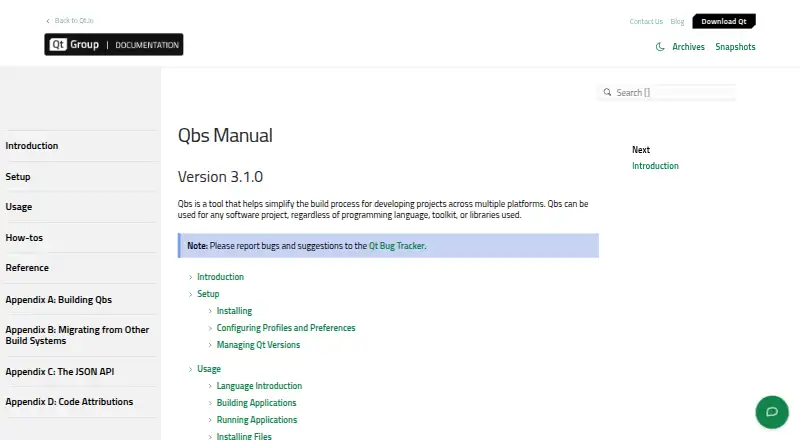
Qbs: A capable open-source build system for Qt projects needing IDE and installer integration. Ranked #42 of 42 in Build Automation Software by our editors (5.4/10); pricing: Open source; best for qt projects needing IDE and installer integration.
At a glance
- Editor score5.4 / 10
- PricingOpen source
- Best forQt projects needing IDE and installer integration
- Paid fromFree
- Facts checked15 Sep 2026
Where it wins
- Persistent incremental build graphs with parallel execution across CPU cores
- Cross-compilation with multiple toolchain profiles
- Qt Creator, Visual Studio Code, and installer integration
Where it doesn't
- Declarative QML-based project files add a specialized workflow
- Installer generation targets macOS and Windows
- Commercial licenses are offered alongside open-source licenses
Our verdict on Qbs
Qbs is a build automation tool for software projects that uses declarative, QML-based project files to model products, dependencies, rules, and artifacts. It is suited to Qt projects and development teams working across Windows, macOS, and Linux, especially when builds need cross-compilation, multiple toolchain profiles, installation steps, or installer generation. Command-line support covers building, installing, resolving, and profile management, while IDE integration connects Qbs with Qt Creator, Visual Studio Code, and Visual Studio.
Its strongest technical distinction is the combination of a persistent build graph and parallel execution across CPU cores. That model supports incremental builds while retaining explicit relationships between products, modules, dependencies, and generated artifacts. Custom modules, rules, probes, and file taggers extend the build description for projects with specialized workflows. The result is a system that can represent more than a simple compile command: it can also install generated outputs and use installer modules for macOS and Windows packaging.
Qbs fits teams that want build logic expressed declaratively and need one workflow across multiple operating systems and toolchains. Its open-source availability supports evaluation and use within projects that prefer an openly licensed build tool, while commercial licenses are also available. The trade-off is a more specialized project model than a plain command-driven build process, with QML-based files at the center of the workflow. Teams focused on Qt development, IDE integration, cross-compilation, and packaging should consider Qbs; projects that prefer a different project-file language or do not need these capabilities may be better served by another build system.
Your product? Our editors can test Qbs in depth and publish a review, labelled as paid · from $149/mo →
Qbs pricing
Qbs fact sheet
| Free plan | Not verified |
|---|---|
| Paid from | Free |
| Build as code | Yes |
| Dependency locking | Not verified |
| Build caching | Yes |
| Remote execution | Not verified |
| Artifact packaging | Yes |
| Supported operating systems | Multi-platform |
| Deployment | Desktop |
| Platforms | Windows, macOS, Linux |
| Integrations | 3 integrations: Qt Creator, Visual Studio Code, Visual Studio |
| Pricing | Open source |
| Website | doc.qt.io |
| Facts checked | 15 Sep 2026 |
Qbs integrations
Qbs lists 3 integrations on its own site.
- Qt Creator
- Visual Studio Code
- Visual Studio
Alternatives to Qbs
- BazelA powerful open-source choice for large polyglot builds and remote execution.9.4
- PantsA capable open-source choice for monorepos that need precise caching and dependency handling.9.3
- NxA capable choice for JavaScript monorepos that need affected builds and managed CI scaling.9.1



Used Qbs? Be the first to review it
The editor score above is our own research. What this page doesn't have yet is a reader's view — what you used Qbs for, what worked and what didn't. No stars are seeded and no review is paid for; an editor reads every one before it appears.
Write a reviewTwo minutes · verified accounts only · read by an editor before it appears
Featured on iTechGuides

Qbs is listed in our Build Automation Software directory. Add the badge to your site — it links back to this page.
<a href="https://www.itechguides.com/products/qbs/"><img src="https://www.itechguides.com/best/badge/qbs.svg" alt="Featured on iTechGuides" width="230" height="46"></a>
Reviewed by iTechGuides Editors · Editorial team · Updated Sep 2026
Advertiser disclosure: iTechGuides is reader-supported. Vendors can pay for top positions in our rankings and for a place on other products' pages, and we may earn a commission when you click some links. Bought places stand at the number bought; this page and our disclosure say so. Paying vendors may get a fuller, more detailed review from our editors, and that review can change their score. How we rank.
Last updated · How we research and update