QAI
QAI: A GitHub-focused test analytics tool that explains failures and scores pull-request risk. Ranked #16 of 30 in Test Analytics Software by our editors (7.9/10); pricing: Free plan · 7-day trial; best for gitHub teams wanting AI failure explanations.
At a glance
- Editor score7.9 / 10
- PricingFree plan · 7-day trial
- Best forGitHub teams wanting AI failure explanations
- Free planYes
- Paid from$29/mo
- Flaky-test detectionYes
- Facts checked21 Sep 2026
Where it wins
- Clusters failures by root cause and explains likely causes with AI
- Adds pull-request risk scores, merge recommendations, and fix suggestions
- Tracks trends, flaky tests, and Playwright behavior through trace analysis
Where it doesn't
- CI integration is centered on GitHub Actions
- The Free plan is limited to 1 repository and 50 CI runs monthly
- Slack alerts, priority support, and unlimited team members require Team
Our verdict on QAI
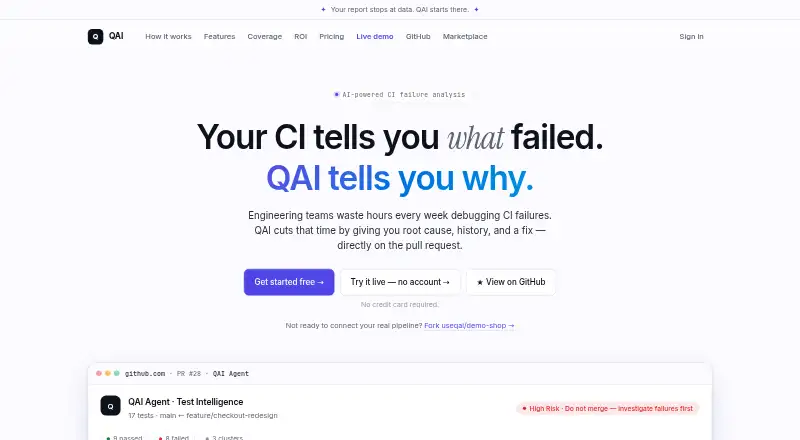
QAI is a test-intelligence product for engineering teams that need clearer CI failure analysis inside GitHub workflows. Its GitHub Action ingests JUnit XML and, for Playwright runs, traces and reports. The platform analyzes failures, groups them by root cause, scores pull-request risk, recommends whether to merge, and reports results on pull requests. It supports Playwright, Selenium, WebdriverIO, Jest, Vitest, pytest, Maven/JUnit, Go, NUnit, and RSpec. A web dashboard, API, and free open-source GitHub Action support different ways to work with the product.
Pricing is structured around a usable free entry point and paid expansion. The Free plan costs $0 per month and includes 1 repository, 50 CI runs per month, a pull-request risk score, failure clustering, 30-day cluster history, and 1 team member. Pro costs $29 per month and adds unlimited repositories and CI runs, AI root-cause analysis, Playwright trace analysis, AI fix suggestions, and 50 monthly uses of Ask QAI in PR. Team costs $99 per month and adds unlimited team members, unlimited Ask QAI in PR, Slack alerts, and priority support. A 7-day free trial is also available.
QAI fits teams whose development process already runs through GitHub Actions and pull requests. Its strongest differentiator is the combination of failure clustering, AI explanations, risk scoring, trace analysis, historical execution trends, flakiness tracking, and behavioral coverage maps from Playwright traces. GitHub Issues, Slack, email, webhooks, and automated rules extend its workflow connections. Teams needing broader CI/CD coverage beyond GitHub Actions, or a simpler tool without AI analysis, may prefer an alternative. Choose QAI when failure interpretation and pull-request decisions are central to the workflow.
Questions about QAI
Does QAI have a free plan? Yes, there is a free plan; paid plans start at $29/mo (Pro).
How much does QAI cost? QAI lists 2 paid plans; the lowest is Pro at $29/mo.
Is there a free trial of QAI? Yes: a 7-day free trial; no card is needed.
What does QAI run on? Web. It runs in the cloud.
What does QAI integrate with? 6 integrations, including GitHub Actions, GitHub pull requests, Slack, GitHub Issues and email.
Does QAI offer a money-back guarantee? Yes: 7 days.
Who is QAI built for? Small businesses and mid-market companies (our editorial estimate).
Your product? Our editors can test QAI in depth and publish a review, labelled as paid · from $149/mo →
QAI pricing
QAI fact sheet
| Free plan | Yes |
|---|---|
| Paid from | $29/mo |
| Supported frameworks | Playwright, Selenium Java with JUnit 5, Selenium Java with TestNG, Selenium Python with pytest, WebdriverIO with Mocha, Jest, Vitest, pytest, Maven/JUnit 4/5, Go with gotestsum, NUnit, RSpec |
| CI/CD integrations | GitHub Actions |
| Flaky-test detection | Yes |
| Failure analysis | Yes |
| Execution trend reports | Yes |
| Data retention | Not verified |
| Self-hosted deployment | Not verified |
| Free trial | 7 days · no card needed |
| Money-back guarantee | 7 days |
| Deployment | Cloud |
| Platforms | Web |
| Support | Email, Docs |
| Built for | Small business, Mid-market (editorial estimate) |
| Integrations | 6 integrations: GitHub Actions, GitHub pull requests, Slack, GitHub Issues, email, webhooks |
| Pricing | Free plan · 7-day trial (source) |
| Website | useqai.dev |
| Facts checked | 21 Sep 2026 |
QAI integrations
QAI lists 6 integrations on its own site.
- GitHub Actions
- GitHub pull requests
- Slack
- GitHub Issues
- webhooks
Alternatives to QAI
- Allure ReportA broad, free reporting layer for teams that need detailed test analytics across frameworks.9.4
- BrowserStack Test Reporting & AnalyticsA hosted analytics service with broad CI coverage and AI-assisted failure analysis.9.3
- ReportPortalA broad, AI-rich choice for teams that need self-hosted test analytics.9.2



Used QAI? Be the first to review it
The editor score above is our own research. What this page doesn't have yet is a reader's view — what you used QAI for, what worked and what didn't. No stars are seeded and no review is paid for; an editor reads every one before it appears.
Write a reviewTwo minutes · verified accounts only · read by an editor before it appears
Featured on iTechGuides

QAI is listed in our Test Analytics Software directory. Add the badge to your site — it links back to this page.
<a href="https://www.itechguides.com/products/qai/"><img src="https://www.itechguides.com/best/badge/qai.svg" alt="Featured on iTechGuides" width="230" height="46"></a>
Reviewed by iTechGuides Editors · Editorial team · Updated Nov 2026
Advertiser disclosure: iTechGuides is reader-supported. Vendors can pay for top positions in our rankings and for a place on other products' pages, and we may earn a commission when you click some links. Bought places stand at the number bought; this page and our disclosure say so. Paying vendors may get a fuller, more detailed review from our editors, and that review can change their score. How we rank.
Last updated · How we research and update