Pyzo
Pyzo: A focused, free Python IDE for interactive work, debugging, and scientific computing. Ranked #8 of 25 in Python IDEs by our editors (7.7/10); pricing: Free plan; best for free interactive Python development.
At a glance
- Editor score7.7 / 10
- PricingFree plan
- Best forFree interactive Python development
- Free planYes
- Paid fromFree
- Integrated debuggerYes
- Facts checked20 Sep 2026
Where it wins
- Interactive shells, cell execution, and workspace inspection
- Debugger with breakpoints, stepping, and post-mortem modes
- Runs on Windows, macOS, and Linux with pip and conda support
Where it doesn't
- No documented integrated test runner
- No documented profiler
- No documented remote-development workflow
Our verdict on Pyzo
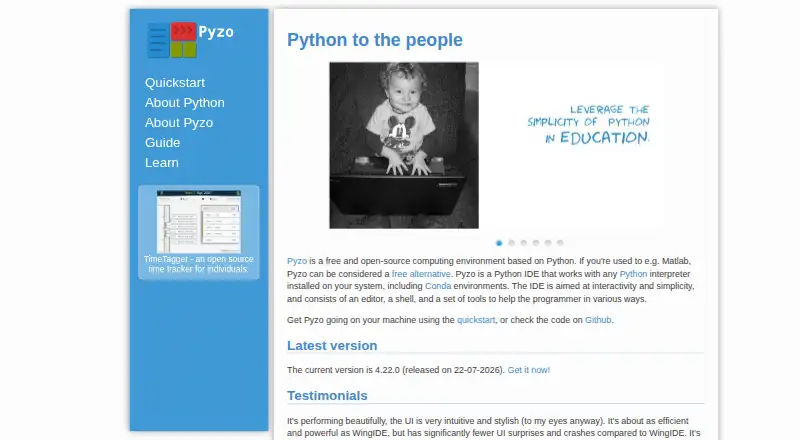
Pyzo is a free, open-source Python IDE built around interactive programming and scientific computing. It combines an editor with Python shells running in subprocesses, source-aware introspection, debugging, source navigation, workspace inspection, and package management. Its audience includes students, hobbyists, scientists, engineers, universities, startups, and other users who want a lightweight Python development environment. Pyzo runs on Windows, macOS, and Linux and can work with installed Python interpreters, including Conda environments.
Its standout strength is the interactive workflow. Cell-based execution, function signatures, interactive documentation, autocomplete, and workspace inspection support iterative exploration without leaving the development environment. The debugger adds breakpoints and next, step, continue, and post-mortem modes. Pyzo also fits projects using Python, Conda, pip, Qt, PySide6, PySide2, PyQt6, or PyQt5, while package management is handled through pip or conda commands. This makes it a practical choice for users who value direct experimentation and visible program state.
Pyzo is less suitable for teams that require a broader development workflow. The published product documentation covers debugging and introspection, but not an integrated test runner, profiler, or remote-development workflow. Those omissions matter for developers who need built-in testing, performance analysis, or development against remote environments. Choose Pyzo when free, open-source, interactive Python development is the priority; choose another Python IDE when testing, profiling, or remote development is central to the workflow.
Questions about Pyzo
What does Pyzo run on? Windows, macOS and Linux. It runs as a desktop app.
What does Pyzo integrate with? 8 integrations, including Python, Conda, pip, Qt and PySide6.
Who is Pyzo built for? Solo users, small businesses, mid-market companies and enterprises (our editorial estimate).
Your product? Our editors can test Pyzo in depth and publish a review, labelled as paid · from $149/mo →
Pyzo pricing
Pyzo fact sheet
| Free plan | Yes |
|---|---|
| Paid from | Free |
| Integrated debugger | Yes |
| Integrated test runner | Not verified |
| Code intelligence | Advanced |
| Remote development | Not verified |
| Integrated profiler | Not verified |
| Supported platforms | windows, macos, linux |
| Python environment tools | Yes |
| Deployment | Desktop |
| Platforms | Windows, macOS, Linux |
| Support | Community |
| Built for | Solo, Small business, Mid-market, Enterprise (editorial estimate) |
| Integrations | 8 integrations: Python, Conda, pip, Qt, PySide6, PySide2 … |
| Pricing | Free plan |
| Website | pyzo.org |
| Facts checked | 20 Sep 2026 |
Pyzo integrations
Pyzo lists 8 integrations on its own site.
- Python
- Conda
- pip
- Qt
- PySide6
- PySide2
- PyQt6
- PyQt5
Alternatives to Pyzo
- PyCharmA full-featured, cross-platform Python IDE with a capable free tier.9.4
- Wing Python IDEA feature-rich Python IDE for teams willing to pay for an integrated workflow.9.0
- SpyderA broad, free Python IDE with strong data inspection, debugging, testing, and remote-development tools.8.8



Pyzo vs the competition


Compare Pyzo with any tool side by side →
Used Pyzo? Be the first to review it
The editor score above is our own research. What this page doesn't have yet is a reader's view — what you used Pyzo for, what worked and what didn't. No stars are seeded and no review is paid for; an editor reads every one before it appears.
Write a reviewTwo minutes · verified accounts only · read by an editor before it appears
Featured on iTechGuides

Pyzo is listed in our Python IDEs directory. Add the badge to your site — it links back to this page.
<a href="https://www.itechguides.com/products/pyzo/"><img src="https://www.itechguides.com/best/badge/pyzo.svg" alt="Featured on iTechGuides" width="230" height="46"></a>
Reviewed by iTechGuides Editors · Editorial team · Updated Nov 2026
Advertiser disclosure: iTechGuides is reader-supported. Vendors can pay for top positions in our rankings and for a place on other products' pages, and we may earn a commission when you click some links. Bought places stand at the number bought; this page and our disclosure say so. Paying vendors may get a fuller, more detailed review from our editors, and that review can change their score. How we rank.
Last updated · How we research and update