pywinauto
pywinauto: A focused, free Python library for Windows GUI automation and functional tests. Ranked #35 of 37 in GUI Testing Software by our editors (5.9/10); pricing: Free plan; best for python automation of Windows desktop apps.
At a glance
- Editor score5.9 / 10
- PricingFree plan
- Best forPython automation of Windows desktop apps
- Free planYes
- Paid fromFree
- Supported targetsBoth
- Founded2006
- Facts checked21 Sep 2026
Where it wins
- Free and open source for Windows GUI automation
- Supports Win32 API and Microsoft UI Automation backends
- Finds, controls, waits for, and captures desktop UI elements
Where it doesn't
- Windows-focused rather than cross-platform
- Requires Python code; no codeless authoring
- Does not provide broader testing features
Our verdict on pywinauto
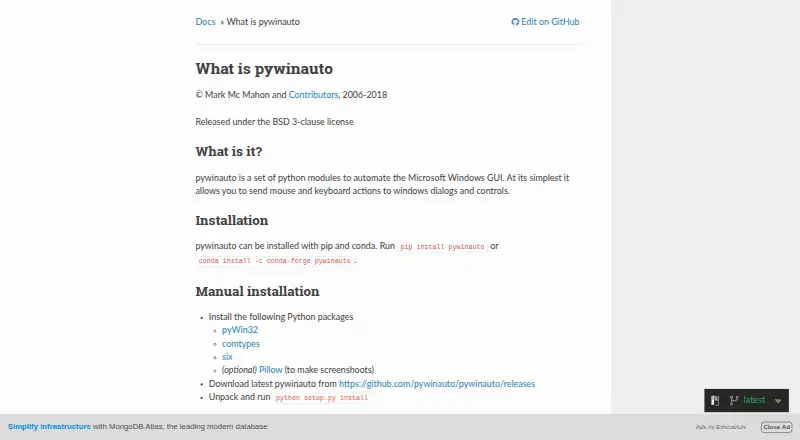
pywinauto is an open-source Python library for automating Microsoft Windows graphical interfaces. It is designed for developers and QA teams writing GUI automation or functional tests for windows, dialogs, and controls. The library sends mouse and keyboard input, retrieves interface text and properties, waits for UI states, and captures control images. Its local installation model suits teams that want a code-based desktop automation library rather than a hosted testing service.
Its standout strength is Windows UI control. pywinauto supports both the Win32 API and Microsoft UI Automation backends, giving automation projects two documented approaches to interacting with desktop applications. Applications can be started or connected to, while the Desktop object enables cross-process automation. Controls and windows can be discovered through titles, properties, and control types, then queried, operated, or monitored as part of an automation flow. Screenshot capture through capture_as_image() adds a direct way to record a control’s visual state.
The trade-off is a narrow platform and product scope. pywinauto is focused on Windows desktop automation, with the published positioning centered on Windows rather than established core support for Linux or macOS. It also requires Python code and does not offer codeless authoring or AI features. Teams seeking scripted automation for Windows applications should consider it; teams needing broader testing capabilities, a hosted testing service, or a wider platform target should choose a product built around those requirements instead.
Your product? Our editors can test pywinauto in depth and publish a review, labelled as paid · from $149/mo →
pywinauto pricing
pywinauto fact sheet
| Free plan | Yes |
|---|---|
| Paid from | Free |
| Supported targets | Both |
| Codeless authoring | No |
| Visual validation | Not verified |
| Cross-browser testing | Not verified |
| Parallel execution | Not verified |
| Mobile app testing | Not verified |
| Deployment | Self-hosted |
| Platforms | Windows |
| Support | Docs |
| Built for | Solo, Small business, Mid-market (editorial estimate) |
| Pricing | Free plan |
| Website | pywinauto.readthedocs.io |
| Facts checked | 21 Sep 2026 |
Alternatives to pywinauto
- PlaywrightA free, open-source choice for code-first teams testing across browser engines and devices.9.4
- SeleniumA mature, flexible choice for teams building standard web automation in code.9.2
- AppiumBroad, code-first UI automation for teams spanning mobile and multiple platforms.9.0



See all pywinauto alternatives →
Used pywinauto? Be the first to review it
The editor score above is our own research. What this page doesn't have yet is a reader's view — what you used pywinauto for, what worked and what didn't. No stars are seeded and no review is paid for; an editor reads every one before it appears.
Write a reviewTwo minutes · verified accounts only · read by an editor before it appears
Featured on iTechGuides

pywinauto is listed in our GUI Testing Software directory. Add the badge to your site — it links back to this page.
<a href="https://www.itechguides.com/products/pywinauto/"><img src="https://www.itechguides.com/best/badge/pywinauto.svg" alt="Featured on iTechGuides" width="230" height="46"></a>
Reviewed by iTechGuides Editors · Editorial team · Updated Oct 2026
Advertiser disclosure: iTechGuides is reader-supported. Vendors can pay for top positions in our rankings and for a place on other products' pages, and we may earn a commission when you click some links. Bought places stand at the number bought; this page and our disclosure say so. Paying vendors may get a fuller, more detailed review from our editors, and that review can change their score. How we rank.
Last updated · How we research and update