
PureRestore
PureRestore: A focused desktop restorer for damaged recordings and private batch workflows. Ranked #12 of 22 in AI Audio Restoration Software by our editors (8.0/10); pricing: Paid; best for private local batch restoration.
At a glance
- Editor score8.0 / 10
- PricingPaid
- Best forPrivate local batch restoration
- Free planNo
- Spectral repairYes
- Facts checked20 Sep 2026
Where it wins
- Repairs clipping, wind, hiss, hum, and severe distortion
- Processes audio files or folders in batches
- Local processing and command-line access support private automation
Where it doesn't
- No free plan is available
- Desktop support is limited to macOS and Windows
- The single listed plan may not suit varied workflow requirements
Our verdict on PureRestore
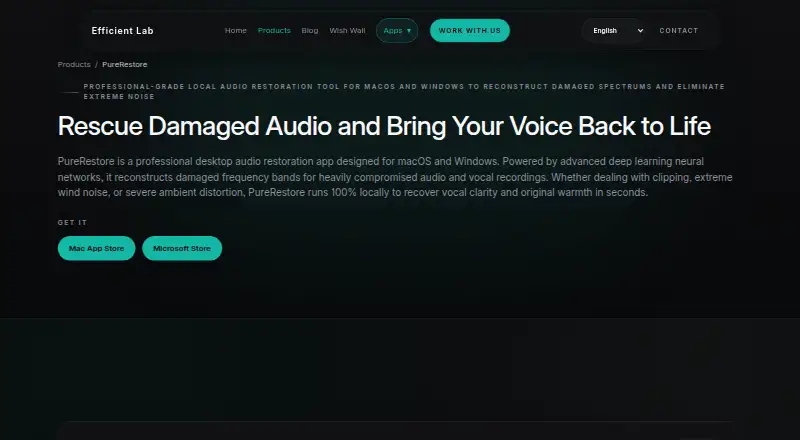
PureRestore is a desktop audio restoration application for macOS and Windows. It is designed for podcasters, video creators, post-production engineers, educators, and professionals working with damaged recordings. Its deep-learning models target compromised vocal recordings affected by clipping, wind noise, distortion, hiss, hum, reverberation, and damaged frequency bands. The three restoration modes give users a choice between lighter correction, broader suppression, and full-spectrum reconstruction.
The product’s strongest fit is private, repeatable processing. PureRestore performs its work locally without network access, which suits recordings that should remain on the device. Batch processing supports audio files or folders, while command-line access allows automated workflows. These capabilities make it more suitable for recurring restoration jobs than for occasional, one-off editing inside a broader cloud platform. The trade-off is that local processing does not provide a network-based workflow for teams that prefer shared, browser-accessible projects.
Its restoration depth is broader than basic noise reduction. Fast Restore handles light noise reduction and band correction; Balanced Restore adds multiband noise suppression and dereverberation; Deep Restore performs full-spectrum reconstruction. The application also addresses clipping, wind noise, hiss, hum, and severe distortion. PureRestore is a good choice for users who need local batch restoration and command-line automation across Windows or macOS. It is less suited to buyers seeking a free option, a web-first product, or a wider collaborative audio production environment.
Your product? Our editors can test PureRestore in depth and publish a review, labelled as paid · from $149/mo →
PureRestore pricing
All 1 PureRestore plans and prices →
PureRestore fact sheet
| Free plan | No |
|---|---|
| Paid from | Not verified |
| Max file duration | Not verified |
| Max file size | Not verified |
| Platform | Web_desktop |
| Batch processing | Yes |
| Spectral repair | Yes |
| Plugin support | Not verified |
| API access | Not verified |
| Deployment | Desktop |
| Platforms | Windows, macOS |
| Support | Email, Tickets |
| Built for | Solo, Small business, Mid-market, Enterprise (editorial estimate) |
| Pricing | Paid (source) |
| Website | efficient-lab.com |
| Facts checked | 20 Sep 2026 |
Alternatives to PureRestore
- iZotope RXA perpetual audio restoration suite with spectral editing, AI tools, and three editions.9.4
- Acon Digital Restoration SuiteA broad perpetual suite for restoring noise, hum, clicks, crackle, plosives and clipping.9.2
- CatharA free, programmable toolkit covering broad audio restoration and batch processing.9.0


See all PureRestore alternatives →
Used PureRestore? Be the first to review it
The editor score above is our own research. What this page doesn't have yet is a reader's view — what you used PureRestore for, what worked and what didn't. No stars are seeded and no review is paid for; an editor reads every one before it appears.
Write a reviewTwo minutes · verified accounts only · read by an editor before it appears
Featured on iTechGuides

PureRestore is listed in our AI Audio Restoration Software directory. Add the badge to your site — it links back to this page.
<a href="https://www.itechguides.com/products/purerestore/"><img src="https://www.itechguides.com/best/badge/purerestore.svg" alt="Featured on iTechGuides" width="230" height="46"></a>
Reviewed by iTechGuides Editors · Editorial team · Updated Oct 2026
Advertiser disclosure: iTechGuides is reader-supported. Vendors can pay for top positions in our rankings and for a place on other products' pages, and we may earn a commission when you click some links. Bought places stand at the number bought; this page and our disclosure say so. Paying vendors may get a fuller, more detailed review from our editors, and that review can change their score. How we rank.
Last updated · How we research and update