
PureRef
PureRef: A focused desktop canvas for arranging, annotating, presenting, and exporting visual references. Ranked #12 of 24 in Mood Board Software by our editors (6.3/10); pricing: Free plan · paid from $7; best for solo visual reference work on desktop.
At a glance
- Editor score6.3 / 10
- PricingFree plan · paid from $7
- Best forSolo visual reference work on desktop
- Free planYes
- Collaboration levelNone
- Facts checked22 Sep 2026
Where it wins
- Flexible image importing, arrangement, grouping, and hierarchy management
- Notes, overlays, always-on-top viewing, and slideshow presentation modes
- Windows, macOS, and Linux support with scene and image export
Where it doesn't
- No collaboration features
- No integrations
- Commercial use requires licensing from version 2.0
Our verdict on PureRef
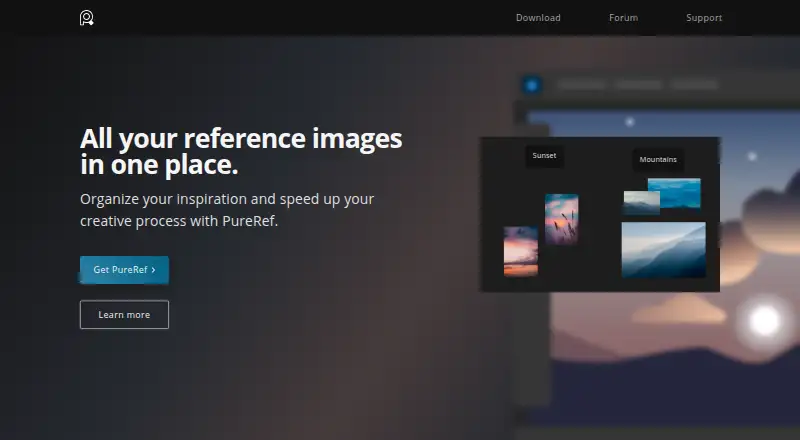
PureRef is a standalone desktop application for artists and designers who need to collect, arrange, annotate, and view visual references. It supports drag-and-drop, pasted, and browser-sourced image importing, then organizes images on a canvas with alignment, grouping, hierarchy management, rich-text notes, and image comments. Its focus fits inspiration gathering, mood boards, painting references, and 3D-model reference workflows. PureRef runs on Windows, macOS, and Linux, making it suitable for solo visual reference work across major desktop platforms.
Pricing is contribution- and license-based rather than a conventional feature-tier structure. Personal use is available as a free download or contribution-based option, while the pricing page displays Personal options at $7 and $15 as one-time payments for personal use, a single user license, and hobbyist or educational use. The Small business plan costs $49 as a one-time payment and includes commercial use, a version license, and free updates for version 2.x. Business plans cost $8 per seat per month with annual billing or $10 per seat per month with monthly billing; both include commercial use and priority support. Commercial use requires licensing from version 2.0.
PureRef’s standout strength is its combination of visual organization and viewing controls. Users can save scenes as .pur files, export scenes or selected images, and export images as JPG, PNG, BMP, or original image formats. Always-on-top, overlay, and mouse-transparency modes support reference viewing alongside other creative work, while slideshow mode provides sequential image viewing. The trade-off is a narrow, desktop-centered workflow: collaboration and integrations are not part of the product’s category specifications. Choose PureRef for focused individual reference boards and scene-based image organization; choose another tool if shared boards or connected workflows are essential.
PureRef pricing
All 3 PureRef plans and prices →
PureRef fact sheet
| Free plan | Yes |
|---|---|
| Paid from | Not verified |
| Collaboration level | None |
| Guest access | Not verified |
| Brand kit | Not verified |
| Presentation mode | Yes |
| Export formats | jpg, png, bmp, original image format |
| Supported platforms | Windows, macOS, Linux |
| Deployment | Desktop |
| Platforms | Windows, macOS, Linux |
| Support | Community, Docs |
| Built for | Solo, Small business (editorial estimate) |
| Pricing | Free plan · paid from $7 (source) |
| Website | pureref.com |
| Facts checked | 22 Sep 2026 |
Alternatives to PureRef
- MilanoteA flexible, collaborative canvas for building rich mood boards across devices.9.1
- RayonA focused workspace for mood boards, CAD assets, presentations, and design collaboration.9.0
- MattoboardA focused web workspace for 3D interiors, materials, AI concepts, and client-ready specifications.8.1


See all PureRef alternatives →
Used PureRef? Be the first to review it
The editor score above is our own research. What this page doesn't have yet is a reader's view — what you used PureRef for, what worked and what didn't. No stars are seeded and no review is paid for; an editor reads every one before it appears.
Write a reviewTwo minutes · verified accounts only · read by an editor before it appears
Featured on iTechGuides

PureRef is listed in our Mood Board Software directory. Add the badge to your site — it links back to this page.
<a href="https://www.itechguides.com/products/pureref/"><img src="https://www.itechguides.com/best/badge/pureref.svg" alt="Featured on iTechGuides" width="230" height="46"></a>
Reviewed by iTechGuides Editors · Editorial team · Updated Sep 2026
Advertiser disclosure: iTechGuides is reader-supported. We may earn a commission when you click some links. How we rank.
Last updated · How we research and update