
Puppeteer
Puppeteer: A free, open-source choice for JavaScript teams automating Chrome and Firefox. Ranked #4 of 62 in Browser Automation Tools by our editors (8.9/10); pricing: Open source; best for javaScript automation focused on Chrome.
At a glance
- Editor score8.9 / 10
- PricingOpen source
- Best forJavaScript automation focused on Chrome
- Paid fromFree
- Facts checked20 Sep 2026
Where it wins
- Supports Chrome and Firefox with CDP and WebDriver BiDi
- Rich selectors, network interception, screenshots, and PDFs
- Runs headless or headful with Chrome extension testing
Where it doesn't
- Focused on JavaScript and TypeScript workflows
- Requires installation as a Node.js package
- Does not include hosted execution plans
Our verdict on Puppeteer
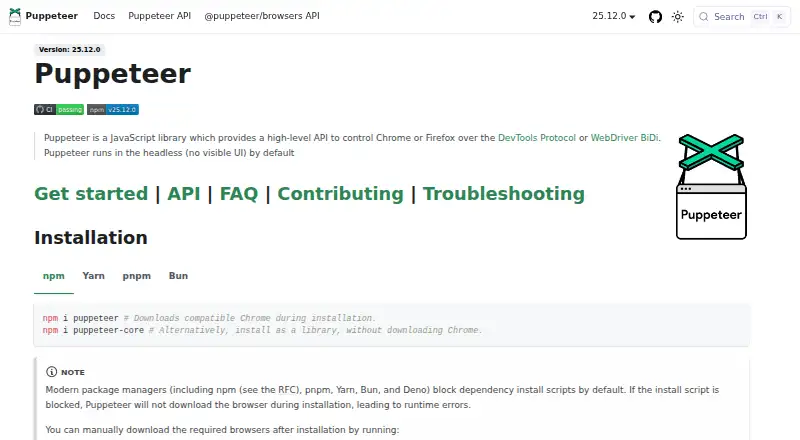
Puppeteer is an open-source JavaScript library for browser automation and testing. It is aimed at developers who need programmatic control of Chrome or Firefox across Windows, macOS, Linux, or through an API. Its high-level browser control API supports form submission, UI testing, keyboard and mouse interaction, single-page application crawling, and pre-rendering. Headless operation is the default, while visible browser sessions are also available.
Its main strength is the breadth of browser interaction and inspection features in one library. Puppeteer supports both the Chrome DevTools Protocol and WebDriver BiDi, along with CSS, XPath, text, ARIA, and Shadow DOM selectors. Teams can intercept network requests, capture screenshots, generate PDFs, record performance timeline traces, and test Chrome extensions. That combination makes it a practical fit for JavaScript-based testing, automation, and browser-driven content workflows, particularly when Chrome is the primary target but Firefox coverage also matters.
Puppeteer is distributed as an installable open-source library rather than a hosted SaaS product. It can manage compatible browser binaries automatically, but the published model still places installation and execution within the developer's Node.js environment. Choose it if you want self-hosted browser automation, detailed browser control, and no paid plan requirement. An alternative may be more suitable for teams seeking a hosted execution service or a workflow centered on programming languages other than JavaScript and TypeScript.
Your product? Our editors can test Puppeteer in depth and publish a review, labelled as paid · from $149/mo →
Puppeteer pricing
Puppeteer fact sheet
| Free plan | Not verified |
|---|---|
| Paid from | Free |
| Browser engines | Multiple |
| Language support | Javascript |
| Cloud execution | Not verified |
| Self-hosted option | Yes |
| Parallel runs | Not verified |
| Monthly run limit | Not verified |
| Deployment | Self-hosted |
| Platforms | Windows, macOS, Linux |
| Support | Community, Docs |
| Pricing | Open source |
| Website | pptr.dev |
| Facts checked | 20 Sep 2026 |
Alternatives to Puppeteer
- PlaywrightA free, open-source framework for cross-browser testing, automation, and API checks.9.4
- SeleniumA mature, standards-based choice for cross-browser web automation at no paid-plan cost.9.2
- BrowserStack AutomateA broad browser and real-device testing platform for enterprise QA teams.9.1



See all Puppeteer alternatives →
Puppeteer vs the competition
- Puppeteer vs Playwright
- Puppeteer vs Selenium
- Puppeteer vs BrowserStack Automate
- Puppeteer vs WebdriverIO
- Puppeteer vs Cypress
- Puppeteer vs Nightwatch



Compare Puppeteer with any tool side by side →
Also Ranked In
Puppeteer is ranked in 4 of our directories.
Used Puppeteer? Be the first to review it
The editor score above is our own research. What this page doesn't have yet is a reader's view — what you used Puppeteer for, what worked and what didn't. No stars are seeded and no review is paid for; an editor reads every one before it appears.
Write a reviewTwo minutes · verified accounts only · read by an editor before it appears
Featured on iTechGuides

Puppeteer is listed in our Browser Automation Tools directory. Add the badge to your site — it links back to this page.
<a href="https://www.itechguides.com/products/puppeteer/"><img src="https://www.itechguides.com/best/badge/puppeteer.svg" alt="Featured on iTechGuides" width="230" height="46"></a>
Reviewed by iTechGuides Editors · Editorial team · Updated Oct 2026
Advertiser disclosure: iTechGuides is reader-supported. Vendors can pay for top positions in our rankings and for a place on other products' pages, and we may earn a commission when you click some links. Bought places stand at the number bought; this page and our disclosure say so. Paying vendors may get a fuller, more detailed review from our editors, and that review can change their score. How we rank.
Last updated · How we research and update