
Pulsar
Pulsar: A free, package-driven desktop editor with language tooling, Git, GitHub, and terminal access. Ranked #10 of 44 in Code Editors by our editors (8.2/10); pricing: Open source; best for free desktop editing with package-based IDE features.
At a glance
- Editor score8.2 / 10
- PricingOpen source
- Best forFree desktop editing with package-based IDE features
- Paid fromFree
- Extension supportYes
- Facts checked20 Sep 2026
Where it wins
- Package manager supports extensions, themes, and custom packages
- Language-server packages add navigation, diagnostics, refactoring, and formatting
- Works across Windows, macOS, and Linux with Git and GitHub integration
Where it doesn't
- Language features depend on installing and configuring language-server packages
- Its package-centered workflow may require more editor customization
- Desktop-only coverage does not support browser-based editing workflows
Our verdict on Pulsar
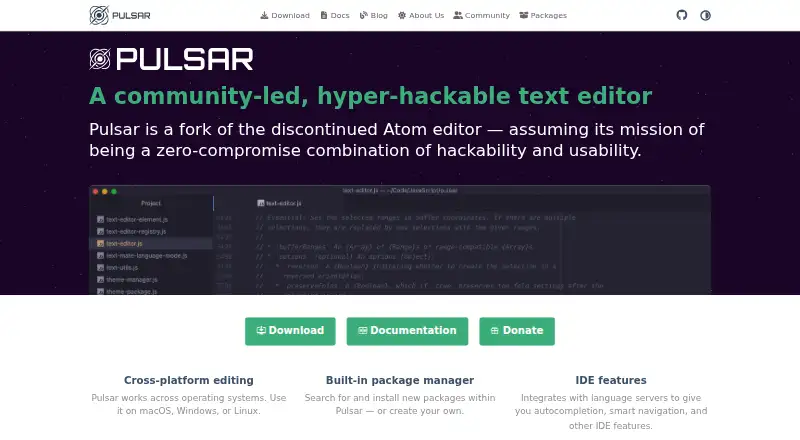
Pulsar is a community-led, open-source desktop text and code editor for developers who want a configurable environment across Windows, macOS, and Linux. Developed as a fork of the discontinued Atom editor, it combines familiar code-editing features with a built-in package manager for installing and creating packages. Its core toolkit includes syntax highlighting, snippets, autocomplete, code folding, a filesystem browser, and multiple editor panes.
The editor’s standout capability is its package-based language tooling. Language-server integrations can provide autocompletion, project-wide symbol search, jump-to-declaration navigation, linting, diagnostics, refactoring, and code formatting. That approach gives developers room to tailor the editor to their languages and workflows, while the package manager also supports extensions and themes. Git support covers branches, staging, and merge conflicts, and GitHub integration includes pull-request viewing. An integrated terminal package keeps common development tasks within the desktop editor.
Pulsar fits developers who value extensibility, desktop editing, and control over how language features are added. The main trade-off is that its deeper IDE functions depend on language-server packages rather than arriving as one fixed workflow, so setup and configuration can be part of adopting the editor. Its platform coverage is limited to Windows, macOS, and Linux, making it unsuitable for teams that require browser-based editing or mobile access. Choose Pulsar for package-driven customization and integrated Git tooling; consider another editor when a more centralized language setup or a non-desktop workflow is the priority.
Your product? Our editors can test Pulsar in depth and publish a review, labelled as paid · from $149/mo →
Pulsar pricing
Pulsar fact sheet
| Free plan | Not verified |
|---|---|
| Paid from | Free |
| Supported platforms | Windows, macOS, Linux |
| Extension support | Yes |
| Built-in debugger | Not verified |
| Remote development | Not verified |
| Language server support | Yes |
| Editor type | Desktop |
| Deployment | Desktop |
| Platforms | Windows, macOS, Linux |
| Support | Community, Docs |
| Built for | Solo, Small business, Mid-market, Enterprise (editorial estimate) |
| Integrations | 3 integrations: Git, GitHub, Language Server Protocol |
| Pricing | Open source |
| Website | pulsar-edit.dev |
| Facts checked | 20 Sep 2026 |
Pulsar integrations
Pulsar lists 3 integrations on its own site.
- Git
- GitHub
- Language Server Protocol
Alternatives to Pulsar
- Visual Studio CodeA free, open-source editor with editing, debugging, Git, terminal, and extension support.9.4
- ZedA fast, open-source editor with strong native tooling and flexible AI integrations.9.1
- VSCodiumA familiar desktop editor for VS Code users who want telemetry-disabled binaries.8.9



Also Ranked In
Pulsar is ranked in 4 of our directories.
Used Pulsar? Be the first to review it
The editor score above is our own research. What this page doesn't have yet is a reader's view — what you used Pulsar for, what worked and what didn't. No stars are seeded and no review is paid for; an editor reads every one before it appears.
Write a reviewTwo minutes · verified accounts only · read by an editor before it appears
Featured on iTechGuides

Pulsar is listed in our Code Editors directory. Add the badge to your site — it links back to this page.
<a href="https://www.itechguides.com/products/pulsar-code-editor/"><img src="https://www.itechguides.com/best/badge/pulsar-code-editor.svg" alt="Featured on iTechGuides" width="230" height="46"></a>
Reviewed by iTechGuides Editors · Editorial team · Updated Oct 2026
Advertiser disclosure: iTechGuides is reader-supported. Vendors can pay for top positions in our rankings and for a place on other products' pages, and we may earn a commission when you click some links. Bought places stand at the number bought; this page and our disclosure say so. Paying vendors may get a fuller, more detailed review from our editors, and that review can change their score. How we rank.
Last updated · How we research and update