
Positron
Positron: A focused Python-and-R IDE with strong data science tooling at no software cost. Ranked #5 of 25 in Python IDEs by our editors (8.4/10); pricing: Free plan; best for data scientists using Python and R.
At a glance
- Editor score8.4 / 10
- PricingFree plan
- Best forData scientists using Python and R
- Free planYes
- Paid fromFree
- Integrated debuggerYes
- Facts checked20 Sep 2026
Where it wins
- Integrated Python and R workflows with consoles, notebooks, and plots
- Advanced completion, Pyrefly static analysis, and Python debugging
- Environment management and SSH remote development across major desktop platforms
Where it doesn't
- No verified testing or profiling features
- Elastic License 2.0 includes hosting restrictions
- Positron Pro is tied to the separately licensed Posit Workbench platform
Our verdict on Positron
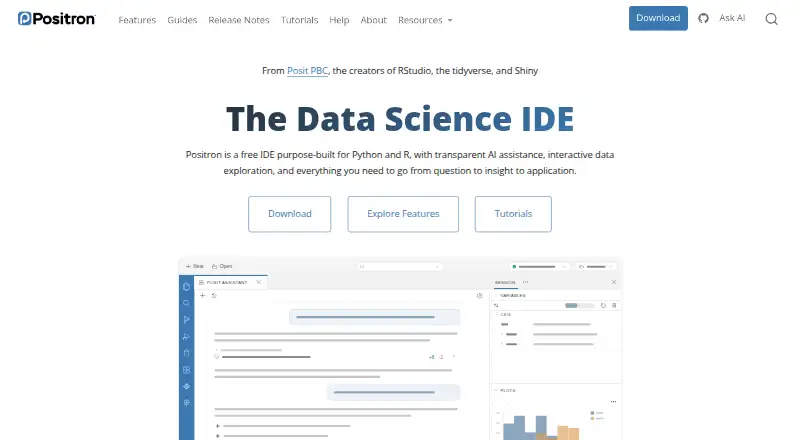
Positron is a free desktop IDE for data science workflows in Python and R. It combines a code editor with runtime-aware completion, Pyrefly static analysis, debugging, interactive consoles, Jupyter Notebook support, data exploration, plotting, environment management, and AI assistance. Windows, macOS, and Linux users can run the application locally, while SSH support connects it to remote Linux environments. Its audience is data scientists who want Python and R in one workspace rather than a Python-only development environment.
The strongest case for Positron is its integrated data science workflow. Python and R consoles support multiple sessions, while the Data Explorer, Variables pane, and Plots pane keep inspection and visualization close to the code. Python debugging includes breakpoints and variable inspection. Environment discovery and creation work with venv, uv, pyenv, and conda, and the IDE connects with Jupyter Notebooks, Quarto, Posit Workbench, Posit Connect, SSH, and VS Code-compatible extensions. These features give Positron a broader analytical focus than a conventional editor centered mainly on application development.
The Free plan includes Python and R support, interactive data exploration, and desktop applications for Windows, macOS, and Linux. Positron itself has no paid software tier; Positron Pro is available through the separately licensed Posit Workbench platform. The product is built on Code OSS and distributed under the Elastic License 2.0, which permits personal, academic, and commercial use with hosting restrictions. Choose Positron for an integrated Python-and-R environment with notebooks, consoles, plots, and remote development. Choose another Python IDE if verified testing or profiling is central to your workflow, or if you need a different licensing model.
Questions about Positron
Does Positron have a free plan? Yes, there is a free plan.
What does Positron run on? Windows, macOS and Linux. It runs as a desktop app.
What does Positron integrate with? 6 integrations, including Jupyter Notebooks, Quarto, Posit Workbench, Posit Connect and SSH.
Who is Positron built for? Solo users, small businesses, mid-market companies and enterprises (our editorial estimate).
Your product? Our editors can test Positron in depth and publish a review, labelled as paid · from $149/mo →
Positron pricing
All 1 Positron plans and prices →
Positron fact sheet
| Free plan | Yes |
|---|---|
| Paid from | Free |
| Integrated debugger | Yes |
| Integrated test runner | Not verified |
| Code intelligence | Advanced |
| Remote development | Yes |
| Integrated profiler | Not verified |
| Supported platforms | windows, macos, linux |
| Python environment tools | Yes |
| Deployment | Desktop |
| Platforms | Windows, macOS, Linux |
| Support | Docs, Community |
| Built for | Solo, Small business, Mid-market, Enterprise (editorial estimate) |
| Integrations | 6 integrations: Jupyter Notebooks, Quarto, Posit Workbench, Posit Connect, SSH, VS Code-compatible extensions |
| Pricing | Free plan (source) |
| Website | positron.posit.co |
| Facts checked | 20 Sep 2026 |
Positron integrations
Positron lists 6 integrations on its own site.
- Jupyter Notebooks
- Quarto
- Posit Workbench
- Posit Connect
- SSH
- VS Code-compatible extensions
Alternatives to Positron
- PyCharmA full-featured, cross-platform Python IDE with a capable free tier.9.4
- Wing Python IDEA feature-rich Python IDE for teams willing to pay for an integrated workflow.9.0
- SpyderA broad, free Python IDE with strong data inspection, debugging, testing, and remote-development tools.8.8



See all Positron alternatives →
Positron vs the competition
- Positron vs PyCharm
- Positron vs Wing Python IDE
- Positron vs Spyder
- Positron vs Eric
- Positron vs PyScripter
- Positron vs LiClipse

Compare Positron with any tool side by side →
Also Ranked In
Positron is ranked in 2 of our directories.
Used Positron? Be the first to review it
The editor score above is our own research. What this page doesn't have yet is a reader's view — what you used Positron for, what worked and what didn't. No stars are seeded and no review is paid for; an editor reads every one before it appears.
Write a reviewTwo minutes · verified accounts only · read by an editor before it appears
Featured on iTechGuides

Positron is listed in our Python IDEs directory. Add the badge to your site — it links back to this page.
<a href="https://www.itechguides.com/products/positron/"><img src="https://www.itechguides.com/best/badge/positron.svg" alt="Featured on iTechGuides" width="230" height="46"></a>
Reviewed by iTechGuides Editors · Editorial team · Updated Nov 2026
Advertiser disclosure: iTechGuides is reader-supported. Vendors can pay for top positions in our rankings and for a place on other products' pages, and we may earn a commission when you click some links. Bought places stand at the number bought; this page and our disclosure say so. Paying vendors may get a fuller, more detailed review from our editors, and that review can change their score. How we rank.
Last updated · How we research and update