
Pop
Pop: A flexible screen-sharing workspace for teams pairing through existing development tools. Ranked #19 of 26 in Pair Programming Software by our editors (6.8/10); pricing: Free plan; best for teams pairing through screen sharing.
At a glance
- Editor score6.8 / 10
- PricingFree plan
- Best forTeams pairing through screen sharing
- Free planYes
- Facts checked22 Sep 2026
Where it wins
- Shared mouse and keyboard control for multiplayer screen sharing
- Voice, video, chat, drawing, and collaborative whiteboarding
- Web, Windows, macOS, Linux, Slack, and Google Calendar support
Where it doesn't
- Built around screen sharing rather than a code-editor workflow
- Pro is labeled free while in beta
- Enterprise support and SAML are limited to the Enterprise plan
Our verdict on Pop
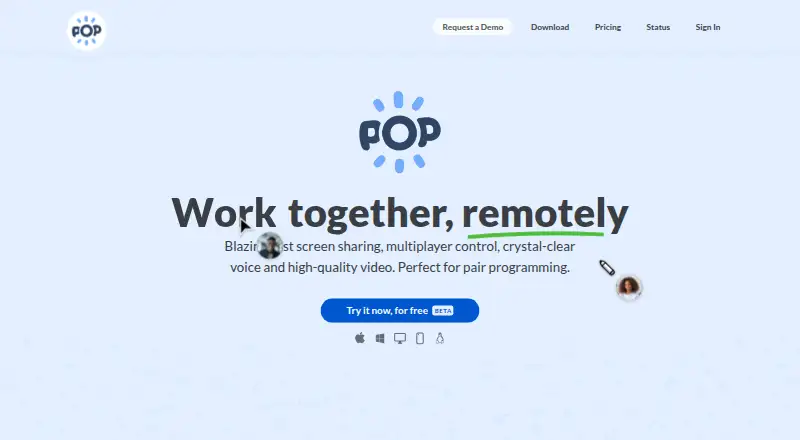
Pop is a remote collaboration tool for pair programming and engineering teams. It combines low-latency screen sharing with shared mouse and keyboard control, voice and video, text messaging, drawing, and collaborative meetings. Participants can join through desktop applications for Windows, macOS, and Linux or supported browsers, including mobile browsers. That makes Pop a practical fit for teams that want to pair inside their existing development environment rather than move work into a separate editor.
Its main strength is the breadth of collaboration around the shared screen. Participants can control the same session, communicate by voice or video, exchange text messages, and annotate with drawing and highlighting. Collaborative whiteboarding extends the tool beyond code review, while Slack integration supports starting meetings from conversations. Google Calendar is also supported. Teams that value quick visual collaboration across platforms should find this combination more relevant than a tool focused only on screen transmission.
The published plans show a freemium model. Starter includes unlimited meeting participation, high-quality screen sharing, remote control, and drawing or messaging. Pro adds meeting creation, unlimited hosting, no time limit, and a public support forum; the pricing page labels Pro as free while in beta. Enterprise includes unlimited access, Single Sign-On through SAML, and support via Slack or email, with paid pricing starting at 25. Pop suits small, mid-market, and enterprise teams that need shared-screen pairing and broader meeting features. Teams seeking an editor-centered pair-programming workflow should consider a more code-specific alternative.
Your product? Our editors can test Pop in depth and publish a review, labelled as paid · from $149/mo →
Pop pricing
Pop fact sheet
| Free plan | Yes |
|---|---|
| Paid from | Not verified |
| Editor support | Not verified |
| Max participants | Not verified |
| Voice audio | Yes |
| Screen sharing | Yes |
| Integrated chat | Yes |
| Self-hosted option | Not verified |
| Deployment | Cloud, Desktop |
| Platforms | Web, Windows, macOS, Linux |
| Compliance & security | GDPR |
| Support | Email, Community |
| Built for | Small business, Mid-market, Enterprise (editorial estimate) |
| Integrations | 2 integrations: Slack, Google Calendar |
| Pricing | Free plan (source) |
| Website | pop.com |
| Facts checked | 22 Sep 2026 |
Pop integrations
Pop lists 2 integrations on its own site.
- Slack
- Google Calendar
Alternatives to Pop
- CodeTogetherA strong fit for teams that collaborate across IDEs, terminals, and development servers.9.3
- DucklyAffordable IDE-to-IDE pairing with sharing, calls, and terminal collaboration.9.2
- DrovioA flexible remote collaboration tool for pairing in any IDE or app.9.0



Used Pop? Be the first to review it
The editor score above is our own research. What this page doesn't have yet is a reader's view — what you used Pop for, what worked and what didn't. No stars are seeded and no review is paid for; an editor reads every one before it appears.
Write a reviewTwo minutes · verified accounts only · read by an editor before it appears
Featured on iTechGuides

Pop is listed in our Pair Programming Software directory. Add the badge to your site — it links back to this page.
<a href="https://www.itechguides.com/products/pop/"><img src="https://www.itechguides.com/best/badge/pop.svg" alt="Featured on iTechGuides" width="230" height="46"></a>
Reviewed by iTechGuides Editors · Editorial team · Updated Oct 2026
Advertiser disclosure: iTechGuides is reader-supported. Vendors can pay for top positions in our rankings and for a place on other products' pages, and we may earn a commission when you click some links. Bought places stand at the number bought; this page and our disclosure say so. Paying vendors may get a fuller, more detailed review from our editors, and that review can change their score. How we rank.
Last updated · How we research and update