
Podsplice
Podsplice: A paid browser studio for recording, repurposing, and publishing video podcasts. Ranked #16 of 22 in Podcast Recording Software by our editors (6.3/10); pricing: From $29/mo · 14-day trial; best for paid video podcasts focused on repurposing.
At a glance
- Editor score6.3 / 10
- PricingFrom $29/mo · 14-day trial
- Best forPaid video podcasts focused on repurposing
- Free planNo
- Separate participant tracksYes
- Facts checked21 Sep 2026
Where it wins
- Records separate webcam, microphone, screen, and system-audio tracks
- Captures remote video locally on each participant's device
- Adds transcription, karaoke subtitles, vertical clips, and publishing workflows
Where it doesn't
- No free plan is offered
- The lowest paid tier starts at $29 per month
- Advanced team and agency workflows require higher-tier plans
Our verdict on Podsplice
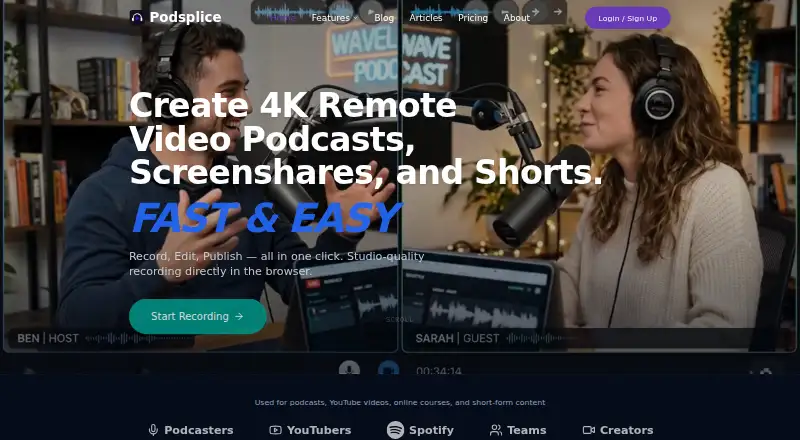
Podsplice is a browser-based recording studio for podcasters, creators, educators, coaches, and content teams. It supports remote video podcasts, screen and webcam recording, system-audio capture, isolated participant and media tracks, cloud synchronization, transcription, subtitles, short-form repurposing, and publishing. Guests can join through a browser link without installing software, while local recording captures each participant's media before synchronizing files to the cloud. It is best suited to paid video podcast workflows that extend beyond a single full-length episode.
Pricing is structured around monthly paid plans. Creator costs $29 per month and includes screen, microphone, webcam, and tab recording; guest interviews, podcasts, and double-ender recording; subtitles and captions; YouTube Live Studio beta; and one Brand Profile. Teams costs $59 per month and adds up to two invited team members, shared editable recordings, clips and assets, up to five Brand Profiles, and 3-person interviews beta. Agency costs $99 per month and adds up to four invited team members, up to ten Brand Profiles, agency-focused onboarding, and the same interview beta. Enterprise provides custom team, storage, and Brand Profile limits, advanced onboarding and migration help, custom workflows, and discussions around API, white-label, or custom integrations. A 14-day free trial is available.
The standout workflow combines local multitrack recording with post-production and distribution features. Each participant's device records locally, and Podsplice captures separate webcam, microphone, screen, and system-audio tracks before cloud synchronization. Multi-track export supports external editing, while AI transcription, karaoke-style subtitles, vertical short-form repurposing, direct YouTube publishing, and multi-channel social publishing connect recording to distribution. Integrations include YouTube, Canva, Zapier, and Notion. Podsplice fits teams that want video podcast production and repurposing in a browser; creators seeking a free plan or a lower-cost entry point should choose an alternative.
Podsplice pricing
All 4 Podsplice plans and prices →
Podsplice fact sheet
| Free plan | No |
|---|---|
| Paid from | Not verified |
| Separate participant tracks | Yes |
| Local recording | Yes |
| Maximum participants | Not verified |
| Audio export format | Wav |
| Video recording | Yes |
| Automatic transcription | Yes |
| Recording platform | Browser |
| Free trial | 14 days |
| Money-back guarantee | 14 days |
| Deployment | Cloud, Mobile, Browser extension |
| Platforms | Web, Android, Chrome extension |
| Support | Email, Tickets |
| Built for | Solo, Small business, Mid-market (editorial estimate) |
| Integrations | 4 integrations: YouTube, TikTok, Instagram, Canva |
| Pricing | From $29/mo · 14-day trial (source) |
| Website | podsplice.com |
| Facts checked | 21 Sep 2026 |
Podsplice integrations
Podsplice lists 4 integrations on its own site.
- YouTube
- TikTok
- Canva
Alternatives to Podsplice
- RiversideA full recording-to-publishing workspace for creators who want polished remote production.10.0
- Adobe PodcastA capable browser studio for remote recording and AI-assisted podcast editing.8.9
- AsyncA full podcast workflow with a free plan and scalable recording, editing, and AI tools.8.5



See all Podsplice alternatives →
Also listed in
Used Podsplice? Be the first to review it
The editor score above is our own research. What this page doesn't have yet is a reader's view — what you used Podsplice for, what worked and what didn't. No stars are seeded and no review is paid for; an editor reads every one before it appears.
Write a reviewTwo minutes · verified accounts only · read by an editor before it appears
Featured on iTechGuides

Podsplice is listed in our Podcast Recording Software directory. Add the badge to your site — it links back to this page.
<a href="https://www.itechguides.com/products/podsplice/"><img src="https://www.itechguides.com/best/badge/podsplice.svg" alt="Featured on iTechGuides" width="230" height="46"></a>
Guides on podcast recording software
Reviewed by iTechGuides Editors · Editorial team · Updated Sep 2026
Advertiser disclosure: iTechGuides is reader-supported. We may earn a commission when you click some links. How we rank.
Last updated · How we research and update