
Adobe Podcast
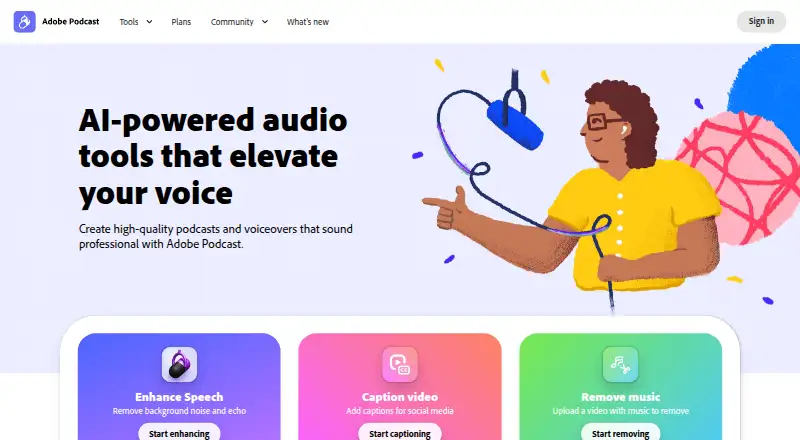
Adobe Podcast: A capable browser studio for remote recording and AI-assisted podcast editing. Ranked #2 of 22 in Podcast Recording Software by our editors (9.2/10); pricing: Free plan; best for teams wanting free recording plus AI editing.
At a glance
- Editor score9.2 / 10
- PricingFree plan
- Best forTeams wanting free recording plus AI editing
- Free planYes
- Paid from$19.99/mo
- Separate participant tracksYes
- Founded1982 · San Jose, California, USA
- Facts checked19 Sep 2026
Where it wins
- Separate local participant tracks support remote guest recording.
- Text-based editing, transcription, and speech enhancement streamline production.
- Free plan includes recording, downloads, and podcast-branded audiograms.
Where it doesn't
- Free downloads are limited to two project downloads per day.
- The Free plan limits Studio project downloads to 30 minutes.
- Video enhancement and unlimited downloads require Firefly Pro.
Our verdict on Adobe Podcast
Adobe Podcast is a browser-based production platform for creators, educators, and teams producing spoken-audio or video podcasts. Its Studio supports solo recording and remote guests through shareable links or email invitations, with separate participant tracks and local recording on each participant’s device. Automatic transcription, text-based editing, audiograms, captions, music, and microphone analysis extend the service beyond basic recording. It runs on the web and through a Chrome extension, making it suited to browser-based workflows rather than desktop-first production.
The free plan covers Enhance Speech for audio, Studio project downloads up to 30 minutes, two project downloads per day, and podcast-branded audiograms. That gives teams a practical way to record and process spoken audio without an ongoing paid plan, while the download limits shape how frequently longer or repeated projects can be exported. The Firefly Pro plan costs $19.99 per month on monthly billing and adds Adobe Podcast Premium, video support in Enhance Speech, bulk enhancement uploads, unlimited Studio project downloads, and downloads of original speaker-separated recordings. Paid access is therefore tied to Firefly Pro rather than a separate Podcast subscription.
Its strongest area is the combination of remote capture and spoken-content editing. Progressive upload and separate participant tracks are designed for distributed recording, while text editing, automatic transcription, noise and echo reduction, and customizable audiograms cover several post-production steps in one browser workflow. Music tools add intros, outros, transitions, and background music. Adobe Podcast is a good fit for teams that want free recording with AI-assisted cleanup and editing, particularly when browser access matters. Teams needing unrestricted free exports, or premium video enhancement without Firefly Pro, should consider an alternative.
Your product? Our editors can test Adobe Podcast in depth and publish a review, labelled as paid · from $149/mo →
Adobe Podcast pricing
All 2 Adobe Podcast plans and prices →
Adobe Podcast fact sheet
| Free plan | Yes |
|---|---|
| Paid from | $19.99/mo |
| Separate participant tracks | Yes |
| Local recording | Yes |
| Maximum participants | Not verified |
| Audio export format | Wav |
| Video recording | Yes |
| Automatic transcription | Yes |
| Recording platform | Browser |
| Deployment | Cloud, Browser extension |
| Platforms | Web, Chrome extension |
| Pricing | Free plan (source) |
| Website | podcast.adobe.com |
| Facts checked | 19 Sep 2026 |
Alternatives to Adobe Podcast
- RiversideA full recording-to-publishing workspace for creators who want polished remote production.9.4
- AsyncA full podcast workflow with a free plan and scalable recording, editing, and AI tools.9.1
- ZencastrA capable free option for creators who need recording, editing, and publishing tools.9.0


See all Adobe Podcast alternatives →
Adobe Podcast vs the competition
- Adobe Podcast vs Riverside
- Adobe Podcast vs Async
- Adobe Podcast vs Zencastr
- Adobe Podcast vs Boomcaster
- Adobe Podcast vs Alitu
- Adobe Podcast vs Hilite


Compare Adobe Podcast with any tool side by side →
Also Ranked In
Adobe Podcast is ranked in 5 of our directories.
Used Adobe Podcast? Be the first to review it
The editor score above is our own research. What this page doesn't have yet is a reader's view — what you used Adobe Podcast for, what worked and what didn't. No stars are seeded and no review is paid for; an editor reads every one before it appears.
Write a reviewTwo minutes · verified accounts only · read by an editor before it appears
Featured on iTechGuides

Adobe Podcast is listed in our Podcast Recording Software directory. Add the badge to your site — it links back to this page.
<a href="https://www.itechguides.com/products/adobe-podcast/"><img src="https://www.itechguides.com/best/badge/adobe-podcast.svg" alt="Featured on iTechGuides" width="230" height="46"></a>
Reviewed by iTechGuides Editors · Editorial team · Updated Oct 2026
Advertiser disclosure: iTechGuides is reader-supported. Vendors can pay for top positions in our rankings and for a place on other products' pages, and we may earn a commission when you click some links. Bought places stand at the number bought; this page and our disclosure say so. Paying vendors may get a fuller, more detailed review from our editors, and that review can change their score. How we rank.
Last updated · How we research and update