PixelStacker
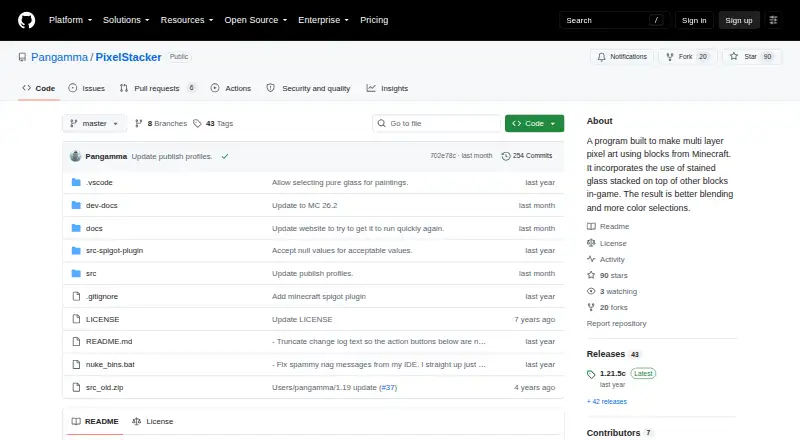
PixelStacker: A capable open-source image-to-build converter for detailed, material-aware Minecraft artwork. Ranked #7 of 22 in Minecraft Pixel Art Generators by our editors (6.6/10); pricing: Open source; best for advanced multi-layer rendering.
At a glance
- Editor score6.6 / 10
- PricingOpen source
- Best forAdvanced multi-layer rendering
- Paid fromNone
- Facts checked20 Sep 2026
Where it wins
- Multi-layer stained-glass rendering supports detailed build designs
- Dithering, color reduction, and custom block palettes improve matching
- Exports schematics, PNG files, and materials lists
Where it doesn't
- The workflow starts with images rather than native Minecraft builds
- Its many rendering and material controls may suit advanced users more than beginners
- The main desktop application targets Windows, with web and API access provided separately
Our verdict on PixelStacker
PixelStacker converts images into Minecraft block pixel art for builders who want control over materials, colors, layers, and exported build files. The Windows desktop application is supported by a web demo and API, while the project is open source and distributed through GitHub. Its workflow is centered on turning an image into a Minecraft-oriented design, making it a fit for planned pixel-art builds rather than general-purpose 3D construction.
Its standout capability is multi-layer rendering, including stained glass over other blocks. Users can select Minecraft materials and block palettes, apply multiple dithering algorithms, reduce colors for rendering, and inspect layers, grids, borders, and textures. Editing tools, material swapping, and filtering add control after generation. This makes PixelStacker particularly suitable for advanced users refining how an image maps to available Minecraft blocks and translucent layers.
PixelStacker also supports several practical output paths: schematic-related formats, PNG, and materials lists. The category specifications include PNG, schem, schematic, NBT, schem3, and materials-list exports, giving builders options for visualization, sharing, and construction planning. Choose it when multi-layer rendering and detailed palette control matter most. It is less suitable for workflows that do not begin with an image or require tools outside its image-conversion and listed export workflow.
PixelStacker pricing
PixelStacker fact sheet
| Free plan | Not verified |
|---|---|
| Paid from | None |
| Input type | Image |
| Minecraft editions | Not verified |
| Output type | Schematic |
| Palette control | Custom |
| Maximum resolution | Not verified |
| 3D build preview | Not verified |
| Export formats | PNG, schem, schematic, NBT, schem3, materials list |
| Deployment | Cloud, Desktop |
| Platforms | Windows, Web |
| Support | Community, Docs |
| Built for | Solo, Small business (editorial estimate) |
| Pricing | Open source |
| Website | github.com |
| Facts checked | 20 Sep 2026 |
Alternatives to PixelStacker
- Minecraft Pixel Art GeneratorA free browser tool that combines AI layouts, editing, guides, calculations, and exports.9.0
- MinecraftArtA free web converter with editing, 3D previews, and WorldEdit-friendly exports.8.2
- MC Build Tools Pixel Art GeneratorA free browser generator with deep editing and export support for Java and Bedrock.7.7



See all PixelStacker alternatives →
PixelStacker vs the competition
- PixelStacker vs Minecraft Pixel Art Generator
- PixelStacker vs MinecraftArt
- PixelStacker vs MC Build Tools Pixel Art Generator
- PixelStacker vs Minecraft Pixel Art Generator & Editor
- PixelStacker vs PixelCraft
- PixelStacker vs mc-pixel



Compare PixelStacker with any tool side by side →
Used PixelStacker? Be the first to review it
The editor score above is our own research. What this page doesn't have yet is a reader's view — what you used PixelStacker for, what worked and what didn't. No stars are seeded and no review is paid for; an editor reads every one before it appears.
Write a reviewTwo minutes · verified accounts only · read by an editor before it appears
Featured on iTechGuides

PixelStacker is listed in our Minecraft Pixel Art Generators directory. Add the badge to your site — it links back to this page.
<a href="https://www.itechguides.com/products/pixelstacker/"><img src="https://www.itechguides.com/best/badge/pixelstacker.svg" alt="Featured on iTechGuides" width="230" height="46"></a>
Reviewed by iTechGuides Editors · Editorial team · Updated Sep 2026
Advertiser disclosure: iTechGuides is reader-supported. We may earn a commission when you click some links. How we rank.
Last updated · How we research and update