
PicBackMan
PicBackMan: A focused desktop tool for moving and organizing media across online services. Ranked #11 of 25 in Photo Backup Software by our editors (6.4/10); pricing: Free plan · paid from $99/yr; best for migrating photos across online services.
At a glance
- Editor score6.4 / 10
- PricingFree plan · paid from $99/yr
- Best forMigrating photos across online services
- Free planYes
- Facts checked20 Sep 2026
Where it wins
- Preserves RAW files, metadata, and folder structures
- Monitors folders and schedules full-resolution uploads
- Supports migration across multiple online services
Where it doesn't
- Desktop coverage is limited to Windows and macOS
- Paid plans cost $99 yearly or $129 one-time
- Does not provide verified mobile backup
Our verdict on PicBackMan
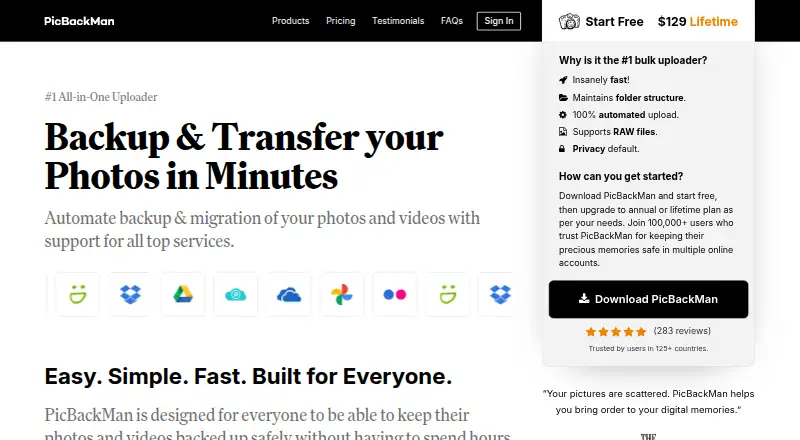
PicBackMan is a desktop application for automatically uploading, backing up, downloading, and migrating photos and videos. It is designed for individuals and families managing personal media across multiple online accounts. Folder and subfolder monitoring, full-resolution transfers, duplicate detection, metadata preservation, RAW-file support, and migration tools make it suited to collections that need more structure than a single-service upload workflow.
The free plan includes photo and video uploads, downloads, migration, and duplicate detection. The Yearly plan costs $99 per year and adds unlimited photo and video uploads, faster upload speed, RAW-file support, and scheduled uploads. The Life Time plan costs $129 as a one-time payment and includes the same listed paid features. The bring-your-own-storage model means PicBackMan works with connected online accounts rather than providing a separate storage tier. Upload and migration logs add visibility into ongoing transfers.
Its ecosystem fit is the central strength. PicBackMan supports Google Photos, Flickr, SmugMug, Dropbox, OneDrive, Google Drive, pCloud, YouTube, Box, and Amazon S3, allowing media to move between supported services while retaining folder structure and metadata. Automatic monitoring and scheduling are useful for recurring desktop workflows, while duplicate removal or relocation helps control repeated files. Choose PicBackMan if your priority is organized migration and backup across several online services from Windows or macOS. Choose another option if mobile backup is essential or if you want a storage service included rather than a desktop transfer tool.
PicBackMan pricing
All 3 PicBackMan plans and prices →
PicBackMan fact sheet
| Free plan | Yes |
|---|---|
| Paid from | Not verified |
| Mobile photo backup | Not verified |
| External drive backup | Not verified |
| NAS backup | Not verified |
| RAW photo support | Yes |
| Version history | Not verified |
| Storage model | Bring_your_own |
| Included storage | Not verified |
| Money-back guarantee | 30 days |
| Deployment | Desktop |
| Platforms | Windows, macOS |
| Support | Email, Live chat, Docs |
| Built for | Solo, Small business (editorial estimate) |
| Integrations | 10 integrations: Google Photos, Flickr, SmugMug, Dropbox, OneDrive, Google Drive … |
| Pricing | Free plan · paid from $99/yr (source) |
| Website | picbackman.com |
| Facts checked | 20 Sep 2026 |
PicBackMan integrations
PicBackMan lists 10 integrations on its own site.
- Google Photos
- Flickr
- SmugMug
- Dropbox
- OneDrive
- Google Drive
- pCloud
- YouTube
- Box
- Amazon S3
Alternatives to PicBackMan
- PhotoSyncA flexible photo backup tool for users who want control over destinations and protocols.9.6
- SyncDropA flexible cross-platform backup tool for users who bring their own storage.8.8
- ImmichA feature-rich self-hosted library for backing up, organizing, and sharing personal media.7.7



See all PicBackMan alternatives →
Used PicBackMan? Be the first to review it
The editor score above is our own research. What this page doesn't have yet is a reader's view — what you used PicBackMan for, what worked and what didn't. No stars are seeded and no review is paid for; an editor reads every one before it appears.
Write a reviewTwo minutes · verified accounts only · read by an editor before it appears
Featured on iTechGuides

PicBackMan is listed in our Photo Backup Software directory. Add the badge to your site — it links back to this page.
<a href="https://www.itechguides.com/products/picbackman/"><img src="https://www.itechguides.com/best/badge/picbackman.svg" alt="Featured on iTechGuides" width="230" height="46"></a>
Guides on photo backup software
Reviewed by iTechGuides Editors · Editorial team · Updated Sep 2026
Advertiser disclosure: iTechGuides is reader-supported. We may earn a commission when you click some links. How we rank.
Last updated · How we research and update