PhotoQt
PhotoQt: A broad-format desktop viewer with metadata, RAW, color management, and conversion tools. Ranked #14 of 33 in Photo Viewer Software by our editors (7.3/10); pricing: Free plan; best for open-source viewers needing broad format support.
At a glance
- Editor score7.3 / 10
- PricingFree plan
- Best forOpen-source viewers needing broad format support
- Free planYes
- Paid fromFree
- Facts checked20 Sep 2026
Where it wins
- Supports more than 140 formats, including RAW images
- Displays metadata and handles embedded or imported color profiles
- Adds slideshows, conversion, GPS maps, panoramas, and QR detection
Where it doesn't
- Available on Windows and Linux rather than broader platforms
- Desktop-focused rather than a mobile or web viewer
- No AI features for image organization or enhancement
Our verdict on PhotoQt
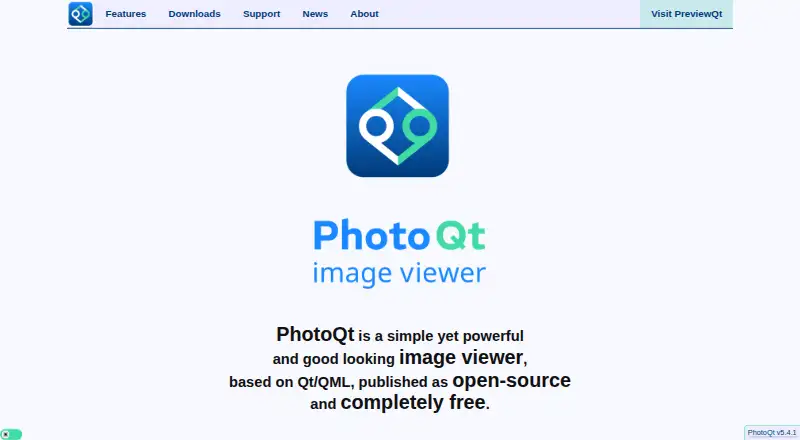
PhotoQt is a free, open-source desktop image viewer based on Qt/QML, designed for people who want broad file support and detailed viewing controls without a paid plan. It runs on Windows and Linux and supports more than 140 image formats, including RAW files. Its audience includes photographers, open-source users, and anyone who needs more than basic image opening and browsing. Touchscreen gestures, configurable controls, and support for motion photos and 360-degree panoramas add flexibility for different viewing setups.
Its strongest advantage is the range of image information and display options available in one viewer. PhotoQt can show EXIF, IPTC, and XMP metadata, use embedded or imported color profiles, and display image GPS locations with maps. Slideshows support random ordering, background music, and subfolders, while the conversion feature can move images between supported formats. QR-code and barcode detection is also included. Chromecast and Imgur integrations extend the product beyond local browsing, although the overall platform scope remains centered on Windows and Linux desktops.
The pricing structure is straightforward: PhotoQt is free and open source, with no paid tier described. Installation options include Linux distributions, Flatpak, and Windows, and source-based installation is documented for users who prefer that route. That gives technically inclined users flexibility, but the project may be less suitable for people seeking a mobile app, browser-based viewer, or a managed commercial product with broader platform coverage. Choose PhotoQt for format breadth, metadata visibility, color management, and specialist viewing features; choose an alternative if AI tools, mobile access, or a wider ecosystem are central requirements.
Your product? Our editors can test PhotoQt in depth and publish a review, labelled as paid · from $149/mo →
PhotoQt pricing
PhotoQt fact sheet
| Free plan | Yes |
|---|---|
| Paid from | Free |
| Supported platforms | Linux, Windows |
| RAW image support | Yes |
| Side-by-side compare | Not verified |
| Contact sheets | Not verified |
| Color management | Yes |
| Metadata viewer | Yes |
| Deployment | Desktop |
| Platforms | Windows, Linux |
| Support | Community |
| Built for | Solo, Small business (editorial estimate) |
| Integrations | 2 integrations: Chromecast, Imgur |
| Pricing | Free plan |
| Website | photoqt.org |
| Facts checked | 20 Sep 2026 |
PhotoQt integrations
PhotoQt lists 2 integrations on its own site.
- Chromecast
- Imgur
Alternatives to PhotoQt
- XnView MPA format-rich desktop viewer with serious cataloging, metadata, and batch tools.9.3
- FastStone Image ViewerA free Windows viewer with RAW support, comparison, batch tools, editing, and scanning.9.1
- IrfanViewA practical Windows viewer for batch conversion, resizing, renaming, and RAW support.9.0


See all PhotoQt alternatives →
Used PhotoQt? Be the first to review it
The editor score above is our own research. What this page doesn't have yet is a reader's view — what you used PhotoQt for, what worked and what didn't. No stars are seeded and no review is paid for; an editor reads every one before it appears.
Write a reviewTwo minutes · verified accounts only · read by an editor before it appears
Featured on iTechGuides

PhotoQt is listed in our Photo Viewer Software directory. Add the badge to your site — it links back to this page.
<a href="https://www.itechguides.com/products/photoqt/"><img src="https://www.itechguides.com/best/badge/photoqt.svg" alt="Featured on iTechGuides" width="230" height="46"></a>
Reviewed by iTechGuides Editors · Editorial team · Updated Oct 2026
Advertiser disclosure: iTechGuides is reader-supported. Vendors can pay for top positions in our rankings and for a place on other products' pages, and we may earn a commission when you click some links. Bought places stand at the number bought; this page and our disclosure say so. Paying vendors may get a fuller, more detailed review from our editors, and that review can change their score. How we rank.
Last updated · How we research and update