Perfect Viewer
Perfect Viewer: A free Android viewer for comics, archives, image files, network sources and cloud plugins. Ranked #33 of 33 in Photo Viewer Software by our editors (5.3/10); pricing: Free plan; best for android comic and archive image viewing.
At a glance
- Editor score5.3 / 10
- PricingFree plan
- Best forAndroid comic and archive image viewing
- Free planYes
- Paid fromFree
- Facts checked21 Sep 2026
Where it wins
- Free Android software with no registration or payment required
- Supports common images, comic archives, thumbnails and dual-page layouts
- Connects to cloud, network, FTP, OPDS and Chromecast sources
Where it doesn't
- Available on Android devices rather than multiple platforms
- Primarily supports page and archive viewing, not photo management
- Some formats, including PDF, XPS and DJVU, require optional plugins
Our verdict on Perfect Viewer
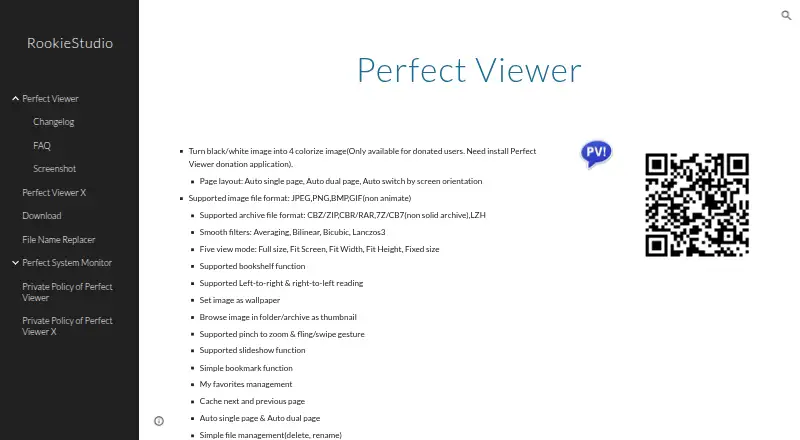
Perfect Viewer is a free Android application for viewing images, comics and ebooks on phones and tablets. It supports JPEG, PNG, GIF, BMP, WebP and TIFF images, along with comic and ebook archives including CBZ, ZIP, CBR, RAR, 7Z, CB7, LZH, CBT and TAR. Its audience is primarily personal Android users who read comics, browse image files or view archive-based content rather than manage a photo library.
Its strongest area is page-oriented viewing. Automatic single- and dual-page layouts suit comic reading, while page, vertical-scroll and horizontal-scroll modes provide different ways to move through content. Folder and archive thumbnails help with navigation, and pinch-to-zoom, swipe gestures and a magnifier support close inspection. Slideshow, bookmarks, favorites, brightness, contrast and gamma adjustments add useful controls for longer reading or browsing sessions.
Perfect Viewer also fits users who keep files across different sources. It opens content from network shares, FTP, SFTP, FTPS and OPDS, and supports Google Drive, Dropbox and OneDrive through source plugins. Chromecast support extends viewing beyond the Android device. The main trade-off is focus: this is a viewer for pages, archives and image files, not a dedicated photo-management application. Android users who want free comic and archive viewing should consider it; users seeking broad platform coverage or photo-library workflows should look elsewhere.
Your product? Our editors can test Perfect Viewer in depth and publish a review, labelled as paid · from $149/mo →
Perfect Viewer pricing
All 1 Perfect Viewer plans and prices →
Perfect Viewer fact sheet
| Free plan | Yes |
|---|---|
| Paid from | Free |
| Supported platforms | Android |
| RAW image support | Not verified |
| Side-by-side compare | Not verified |
| Contact sheets | Not verified |
| Color management | Not verified |
| Metadata viewer | Not verified |
| Deployment | Mobile |
| Platforms | Android |
| Support | |
| Built for | Solo, Small business (editorial estimate) |
| Integrations | 9 integrations: Google Drive, Dropbox, OneDrive, Google Chromecast, CIFS/SAMBA, FTP … |
| Pricing | Free plan (source) |
| Website | sites.google.com |
| Facts checked | 21 Sep 2026 |
Perfect Viewer integrations
Perfect Viewer lists 9 integrations on its own site.
- Google Drive
- Dropbox
- OneDrive
- Google Chromecast
- CIFS/SAMBA
- FTP
- SFTP
- FTPS
- OPDS
Alternatives to Perfect Viewer
- XnView MPA format-rich desktop viewer with serious cataloging, metadata, and batch tools.9.3
- FastStone Image ViewerA free Windows viewer with RAW support, comparison, batch tools, editing, and scanning.9.1
- IrfanViewA practical Windows viewer for batch conversion, resizing, renaming, and RAW support.9.0


See all Perfect Viewer alternatives →
Used Perfect Viewer? Be the first to review it
The editor score above is our own research. What this page doesn't have yet is a reader's view — what you used Perfect Viewer for, what worked and what didn't. No stars are seeded and no review is paid for; an editor reads every one before it appears.
Write a reviewTwo minutes · verified accounts only · read by an editor before it appears
Featured on iTechGuides

Perfect Viewer is listed in our Photo Viewer Software directory. Add the badge to your site — it links back to this page.
<a href="https://www.itechguides.com/products/perfect-viewer/"><img src="https://www.itechguides.com/best/badge/perfect-viewer.svg" alt="Featured on iTechGuides" width="230" height="46"></a>
Reviewed by iTechGuides Editors · Editorial team · Updated Oct 2026
Advertiser disclosure: iTechGuides is reader-supported. Vendors can pay for top positions in our rankings and for a place on other products' pages, and we may earn a commission when you click some links. Bought places stand at the number bought; this page and our disclosure say so. Paying vendors may get a fuller, more detailed review from our editors, and that review can change their score. How we rank.
Last updated · How we research and update