PE Explorer
PE Explorer: A focused Windows utility for static PE inspection, resource editing, unpacking, and patching. Ranked #44 of 72 in Reverse Engineering Tools by our editors (4.2/10); pricing: 30-day trial; best for windows PE inspection and patching.
At a glance
- Editor score4.2 / 10
- Pricing30-day trial
- Best forWindows PE inspection and patching
- Free planNo
- DecompilerNo
- Founded2000
- Facts checked22 Sep 2026
Where it wins
- Edits PE headers, data directories, resources, and checksums
- Disassembles Win32 PE files and scans linked-library dependencies
- Supports unpacking, signatures, imports, exports, and custom plugins
Where it doesn't
- Windows-only desktop application
- No free plan; paid licensing is required after the evaluation period
- Disassembles PE files but does not decompile source code
Our verdict on PE Explorer
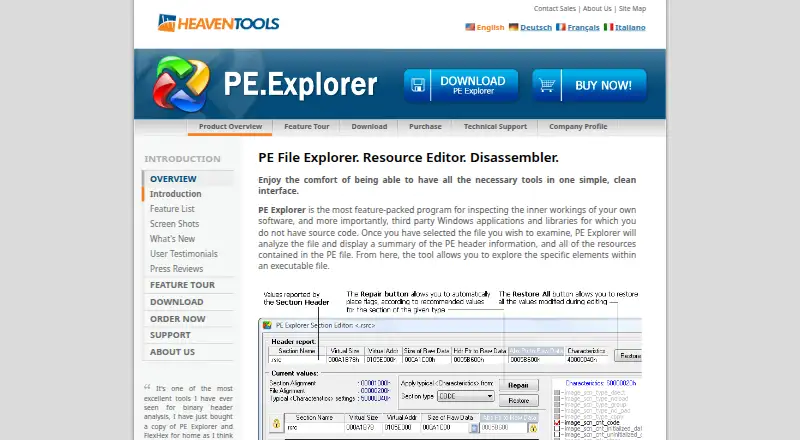
PE Explorer is a Windows desktop application for examining and modifying Portable Executable files, including EXE, DLL, driver, and ActiveX files. It is aimed at software development, reverse engineering, forensics, binary security analysis, and auditing. Its scope is static analysis of 32-bit PE files, combining header and section inspection with resource editing, import and export viewing, dependency scanning, digital-signature inspection, unpacking support, and Win32 assembly-language disassembly.
The feature set suits analysts who need direct visibility into PE structure rather than a broad multi-platform reverse-engineering environment. Users can view and edit PE headers and data directories, inspect linked libraries, work with executable resources, verify integrity, modify checksums, and review digital signatures. UPX, UPack, and NSPack unpacking support adds a practical path for examining packed files, while custom plug-in support extends the application beyond its built-in functions. The published documentation distinguishes disassembly from decompilation, so it is better suited to binary-level inspection than source-code recovery.
PE Explorer is distributed as a downloadable Windows application with a 30-day fully functional evaluation period and no free plan. The published purchase options include Personal, Business, 5-user, and 10-user licensing, with the 5-user business license listed at $949.95 one-time and the 10-user business license at $1,599 one-time. Update and support renewal options are listed at $59 for a personal license, $115 for a business license, $449 for five users, and $799 for 10 users. Choose it for focused Windows PE work; choose an alternative if you need source decompilation or support beyond Windows.
Your product? Our editors can test PE Explorer in depth and publish a review, labelled as paid · from $149/mo →
PE Explorer pricing
All 8 PE Explorer plans and prices →
PE Explorer fact sheet
| Free plan | No |
|---|---|
| Paid from | Not verified |
| Decompiler | No |
| Firmware analysis | Not verified |
| Analysis mode | Static |
| Plugin API | Yes |
| Supported platforms | Windows |
| Supported architectures | Not verified |
| Free trial | 30 days |
| Deployment | Desktop |
| Platforms | Windows |
| Support | Email, Docs |
| Built for | Solo, Small business, Enterprise (editorial estimate) |
| Pricing | 30-day trial (source) |
| Website | pe-explorer.com |
| Facts checked | 22 Sep 2026 |
Alternatives to PE Explorer
- GhidraA broad, free toolkit for native-code and bytecode reverse engineering.9.4
- IDA ProA comprehensive native reverse-engineering suite with substantial annual licensing costs.9.2
- ImHexA desktop binary inspection workbench with editing, patterns, comparison, and disassembly.8.7


See all PE Explorer alternatives →
Used PE Explorer? Be the first to review it
The editor score above is our own research. What this page doesn't have yet is a reader's view — what you used PE Explorer for, what worked and what didn't. No stars are seeded and no review is paid for; an editor reads every one before it appears.
Write a reviewTwo minutes · verified accounts only · read by an editor before it appears
Featured on iTechGuides

PE Explorer is listed in our Reverse Engineering Tools directory. Add the badge to your site — it links back to this page.
<a href="https://www.itechguides.com/products/pe-explorer/"><img src="https://www.itechguides.com/best/badge/pe-explorer.svg" alt="Featured on iTechGuides" width="230" height="46"></a>
Reviewed by iTechGuides Editors · Editorial team · Updated Oct 2026
Advertiser disclosure: iTechGuides is reader-supported. Vendors can pay for top positions in our rankings and for a place on other products' pages, and we may earn a commission when you click some links. Bought places stand at the number bought; this page and our disclosure say so. Paying vendors may get a fuller, more detailed review from our editors, and that review can change their score. How we rank.
Last updated · How we research and update