
PCMark 10
PCMark 10: A broad Windows benchmark suite with a useful free tier and paid automation features. Ranked #4 of 72 in PC Benchmark Software by our editors (8.8/10); pricing: Free plan; best for windows productivity and system benchmarking.
At a glance
- Editor score8.8 / 10
- PricingFree plan
- Best forWindows productivity and system benchmarking
- Free planYes
- Workload areasEssentials, productivity, digital content creation, gaming, Microsoft Office applications, battery life, storage
- Facts checked24 Sep 2026
Where it wins
- Covers productivity, content creation, gaming, battery life, and storage
- Basic Edition includes unlimited runs of the main PCMark 10 test
- Professional Edition adds automation, exports, and commercial-use licensing
Where it doesn't
- Basic Edition locks other benchmarks, features, and settings
- Professional Edition costs $1,795 per annual license
- Applications benchmarking requires Windows 10
Our verdict on PCMark 10
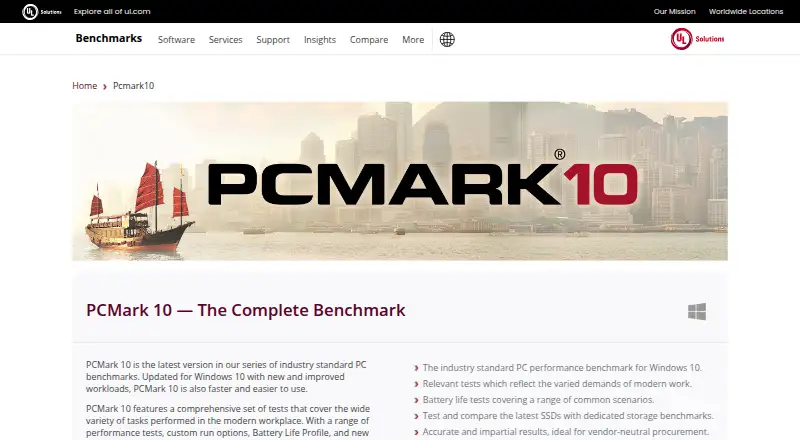
PCMark 10 is a Windows benchmarking suite from UL Solutions for home users, hardware enthusiasts, businesses, procurement organizations, and PC manufacturers. Its workload coverage spans everyday essentials, productivity, digital content creation, gaming, battery life, Microsoft Office applications, and storage. Support covers Windows 7 64-bit or later, with compatibility for Windows 11. The Applications benchmark uses Microsoft Word, Excel, PowerPoint, and Edge.
The edition structure determines how much of that coverage is available. Basic Edition provides unlimited runs of the main PCMark 10 test, while other benchmarks, features, and settings remain locked. Advanced Edition adds PCMark 10, Express, and Extended benchmarks, along with custom runs, hardware monitoring, in-application result comparison, and offline result storage. Professional Edition is listed at $1,795 per annual license and adds a commercial-use license, Applications, Battery Life, and Storage benchmarks, command-line automation, PDF and XML export, and priority support.
For organizations that need repeatable benchmarking, PCMark 10’s automation, monitoring, comparisons, and export options make the higher tiers more relevant than the free edition. Storage results can also be exported to XLSX through the command line, and the product integrates with Testdriver alongside its Microsoft application workloads. The suite suits Windows performance comparisons across broad everyday and professional workloads. Buyers focused on basic PCMark 10 testing can start with Basic Edition; those needing commercial licensing, application or storage testing, and automated reporting should consider Professional Edition. UL Solutions currently recommends Procyon as PCMark 10’s successor, while continuing basic PCMark 10 support.
Your product? Our editors can test PCMark 10 in depth and publish a review, labelled as paid · from $149/mo →
PCMark 10 pricing
All 3 PCMark 10 plans and prices →
PCMark 10 fact sheet
| Free plan | Yes |
|---|---|
| Paid from | Not verified |
| Workload areas | Essentials, productivity, digital content creation, gaming, Microsoft Office applications, battery life, storage |
| Operating systems | Windows 7 64-bit minimum; Windows 10 and Windows 11 supported |
| Comparison database | Yes |
| Result export formats | PDF, XML (Professional Edition) |
| Custom test profiles | Yes |
| CLI or automation | Yes |
| Deployment | Desktop |
| Platforms | Windows |
| Support | Email, Phone, Docs |
| Built for | Small business, Mid-market, Enterprise (editorial estimate) |
| Pricing | Free plan (source) |
| Website | benchmarks.ul.com |
| Facts checked | 24 Sep 2026 |
Alternatives to PCMark 10
- GeekbenchA broad benchmark suite for comparing CPU and GPU performance across five platforms.9.3
- PassMark PerformanceTestA broad benchmark suite with free standard tests and a $39 one-time advanced tier.9.1
- 3DMarkA broad benchmark suite for comparing GPU, CPU, storage, and gaming performance.9.1


See all PCMark 10 alternatives →
PCMark 10 vs the competition
- PCMark 10 vs Geekbench
- PCMark 10 vs PassMark PerformanceTest
- PCMark 10 vs 3DMark
- PCMark 10 vs SPECviewperf
- PCMark 10 vs LuxMark
- PCMark 10 vs Intel VTune Profiler

Compare PCMark 10 with any tool side by side →
Used PCMark 10? Be the first to review it
The editor score above is our own research. What this page doesn't have yet is a reader's view — what you used PCMark 10 for, what worked and what didn't. No stars are seeded and no review is paid for; an editor reads every one before it appears.
Write a reviewTwo minutes · verified accounts only · read by an editor before it appears
Featured on iTechGuides

PCMark 10 is listed in our PC Benchmark Software directory. Add the badge to your site — it links back to this page.
<a href="https://www.itechguides.com/products/pcmark-10/"><img src="https://www.itechguides.com/best/badge/pcmark-10.svg" alt="Featured on iTechGuides" width="230" height="46"></a>
Reviewed by iTechGuides Editors · Editorial team · Updated Oct 2026
Advertiser disclosure: iTechGuides is reader-supported. Vendors can pay for top positions in our rankings and for a place on other products' pages, and we may earn a commission when you click some links. Bought places stand at the number bought; this page and our disclosure say so. Paying vendors may get a fuller, more detailed review from our editors, and that review can change their score. How we rank.
Last updated · How we research and update