
Path Finder
Path Finder: A feature-rich Mac file manager for users who want more control than Finder. Ranked #43 of 100 in File Manager Software by our editors (4.7/10); pricing: 30-day trial; best for mac users wanting a traditional power manager.
At a glance
- Editor score4.7 / 10
- Pricing30-day trial
- Best forMac users wanting a traditional power manager
- Free planNo
- Supported platformsmacOS
- Facts checked20 Sep 2026
Where it wins
- Dual panes, tabs, and reusable tab presets support complex workflows.
- Batch renaming, synchronization, merging, and comparison cover advanced file tasks.
- Copy queues, Drop Stack, archives, and secure deletion add practical control.
Where it doesn't
- Available only for macOS.
- The paid model has no free plan.
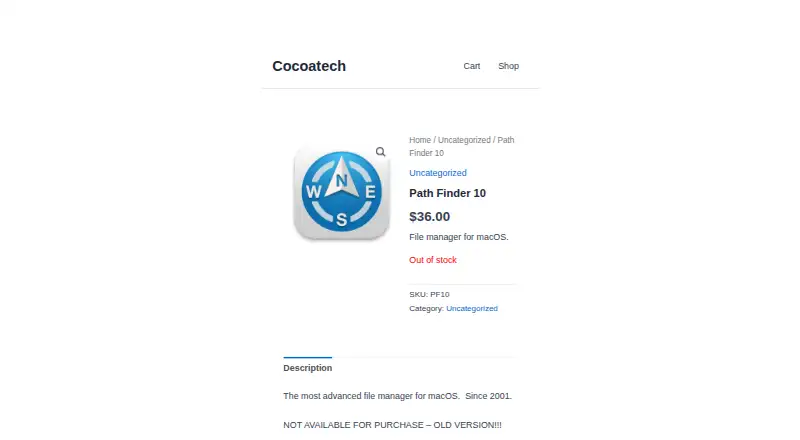
- The supplied older version is not available for purchase.
Our verdict on Path Finder
Path Finder is a paid desktop file manager for macOS that extends Finder with dual-pane browsing, tabs, reusable tab presets, batch renaming, archive creation and extraction, file comparison, FolderSync, secure deletion, copy queues, and Drop Stack. Cocoatech positions it for people managing large file collections, complex folder structures, software projects, creative assets, documents, and media libraries. It is best suited to Mac users who want a traditional power manager rather than a basic single-pane browsing experience.
The published offering includes a 30-day trial and no free plan. Its feature set is broad for local file management: batch renaming supports patterns, replacement, and sequences; FolderSync supports folder synchronization and merging; and file comparison, integrated Terminal access, archive tools, and secure deletion address more specialized workflows. Copy queues and Drop Stack are useful additions for organizing file transfers, while tabs and reusable presets can support repeatable folder layouts. The strongest reason to choose Path Finder is the depth of these file-operation tools in one macOS application.
Platform fit is focused rather than broad. Path Finder runs on macOS, supports Intel and Apple Silicon Macs, and can access iCloud Drive through macOS. Its listed ecosystem connections include iCloud Drive, Dropbox, AirDrop, and macOS Share. That makes it a natural choice for users already working within the Mac desktop environment. Users who need Windows or broader cross-platform coverage should choose an alternative instead. The supplied Path Finder 10 page identifies an older version that is not available for purchase, while Cocoatech support documentation refers to newer versions, so buyers should review the current product offering before choosing a release.
Your product? Our editors can test Path Finder in depth and publish a review, labelled as paid · from $149/mo →
Path Finder pricing
Path Finder fact sheet
| Free plan | No |
|---|---|
| Paid from | Not verified |
| Supported platforms | macOS |
| Dual-pane view | Yes |
| Tabbed interface | Yes |
| Batch rename | Yes |
| Archive support | Yes |
| Cloud storage access | Yes |
| Portable version | Not verified |
| Free trial | 30 days |
| Deployment | Desktop |
| Platforms | macOS |
| Support | Docs |
| Built for | Solo, Small business (editorial estimate) |
| Integrations | 4 integrations: iCloud Drive, Dropbox, AirDrop, macOS Share |
| Pricing | 30-day trial |
| Website | cocoatech.com |
| Facts checked | 20 Sep 2026 |
Path Finder integrations
Path Finder lists 4 integrations on its own site.
- iCloud Drive
- Dropbox
- AirDrop
- macOS Share
Alternatives to Path Finder
- Total CommanderA feature-rich file manager for Windows users who want power beyond Explorer.9.3
- DolphinA capable free file manager, especially for Linux and KDE-oriented desktops.9.1
- WinSCPA capable Windows file manager for secure transfers, automation, and synchronization.9.0



See all Path Finder alternatives →
Used Path Finder? Be the first to review it
The editor score above is our own research. What this page doesn't have yet is a reader's view — what you used Path Finder for, what worked and what didn't. No stars are seeded and no review is paid for; an editor reads every one before it appears.
Write a reviewTwo minutes · verified accounts only · read by an editor before it appears
Featured on iTechGuides

Path Finder is listed in our File Manager Software directory. Add the badge to your site — it links back to this page.
<a href="https://www.itechguides.com/products/path-finder/"><img src="https://www.itechguides.com/best/badge/path-finder.svg" alt="Featured on iTechGuides" width="230" height="46"></a>
Reviewed by iTechGuides Editors · Editorial team · Updated Sep 2026
Advertiser disclosure: iTechGuides is reader-supported. Vendors can pay for top positions in our rankings and for a place on other products' pages, and we may earn a commission when you click some links. Bought places stand at the number bought; this page and our disclosure say so. Paying vendors may get a fuller, more detailed review from our editors, and that review can change their score. How we rank.
Last updated · How we research and update