
PassFab 4EasyPartition
PassFab 4EasyPartition: A Windows-focused toolkit for partition changes, system migration, cloning, and recovery. Ranked #17 of 22 in Disk Partition Software by our editors (7.0/10); pricing: Paid; best for windows users focused on migration and recovery.
At a glance
- Editor score7.0 / 10
- PricingPaid
- Best forWindows users focused on migration and recovery
- Partition table supportBoth
- Facts checked22 Sep 2026
Where it wins
- Migrates Windows installations to another HDD or SSD
- Clones disks and partitions and converts MBR to GPT or GPT to MBR
- Recovers deleted or formatted partitions and repairs raw partitions
Where it doesn't
- Windows-only software with no free plan
- Some disk conversions use a PE environment
- Paid pricing is not presented as a single standard plan
Our verdict on PassFab 4EasyPartition
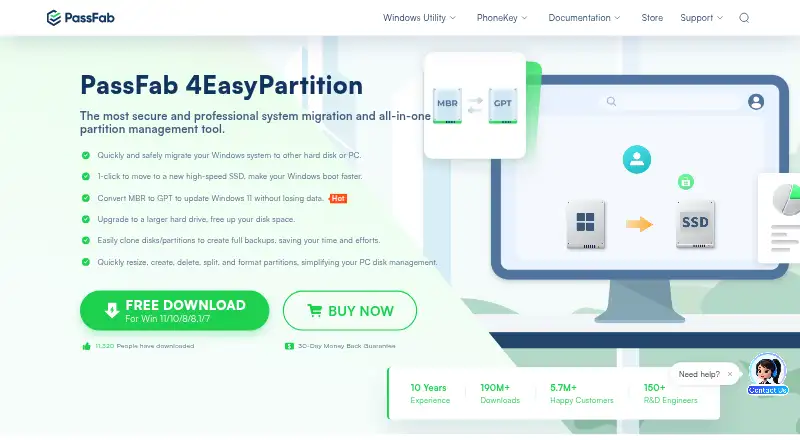
PassFab 4EasyPartition is a paid Windows utility for home and professional users who need to manage disk layouts, move Windows installations, or recover partition data. Its documented toolkit covers migration to another HDD or SSD, disk and partition cloning, MBR/GPT conversion, deleted or formatted partition recovery, and repairs for raw partitions and boot problems. It also handles routine layout work, including resizing, moving, creating, deleting, splitting, formatting, merging adjacent partitions, and changing drive letters.
The product’s strongest fit is migration and recovery. Windows users replacing a drive can use the documented migration and cloning functions, while users managing partition-table changes can work with both MBR and GPT disks. File-system support includes FAT12/16/32, exFAT, and NTFS. The vendor lists compatibility with Windows 7, 8, 8.1, 10, and 11, giving the utility a broad Windows-version scope without extending beyond that operating system.
PassFab 4EasyPartition is less suitable for buyers seeking a free partition manager or a clearly defined recurring plan structure. The product is paid, and the published store presentation uses discounted and comparison prices rather than one standard plan price. Some disk conversions are documented in a PE environment, so those workflows may involve a different operating context from ordinary Windows use. Choose it when Windows migration, cloning, partition repair, and recovery are central requirements; consider an alternative if you need support beyond Windows, a free plan, or simpler price comparison.
Your product? Our editors can test PassFab 4EasyPartition in depth and publish a review, labelled as paid · from $149/mo →
PassFab 4EasyPartition pricing
PassFab 4EasyPartition fact sheet
| Free plan | Not verified |
|---|---|
| Paid from | Not verified |
| Bootable media | Not verified |
| Partition table support | Both |
| Filesystem support | FAT12, FAT16, FAT32, exFAT, NTFS |
| Operating systems | Windows |
| Move partitions | Yes |
| Merge partitions | Yes |
| Money-back guarantee | 30 days |
| Deployment | Desktop |
| Platforms | Windows |
| Support | Docs, Community |
| Built for | Solo, Small business (editorial estimate) |
| Pricing | Paid (source) |
| Website | passfab.com |
| Facts checked | 22 Sep 2026 |
Alternatives to PassFab 4EasyPartition
- EaseUS Partition MasterA broad freemium toolkit for partition changes, cloning, migration, and recovery.9.4
- AOMEI Partition AssistantA Windows-focused partition manager with a free edition and lifetime paid options.9.2
- GPartedA free, open-source partition editor with unusually broad filesystem support.9.0


See all PassFab 4EasyPartition alternatives →
Used PassFab 4EasyPartition? Be the first to review it
The editor score above is our own research. What this page doesn't have yet is a reader's view — what you used PassFab 4EasyPartition for, what worked and what didn't. No stars are seeded and no review is paid for; an editor reads every one before it appears.
Write a reviewTwo minutes · verified accounts only · read by an editor before it appears
Featured on iTechGuides

PassFab 4EasyPartition is listed in our Disk Partition Software directory. Add the badge to your site — it links back to this page.
<a href="https://www.itechguides.com/products/passfab-4easypartition/"><img src="https://www.itechguides.com/best/badge/passfab-4easypartition.svg" alt="Featured on iTechGuides" width="230" height="46"></a>
Reviewed by iTechGuides Editors · Editorial team · Updated Oct 2026
Advertiser disclosure: iTechGuides is reader-supported. Vendors can pay for top positions in our rankings and for a place on other products' pages, and we may earn a commission when you click some links. Bought places stand at the number bought; this page and our disclosure say so. Paying vendors may get a fuller, more detailed review from our editors, and that review can change their score. How we rank.
Last updated · How we research and update