
Parallels DaaS
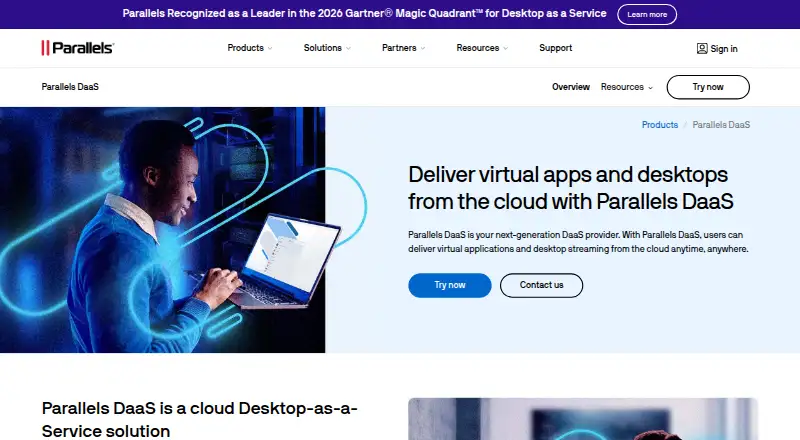
Parallels DaaS: Affordable pooled Windows desktops with autoscaling, scheduling and profile management. Ranked #7 of 23 in Desktop as a Service (DaaS) Providers by our editors (8.6/10); pricing: 14-day trial; best for organizations needing affordable pooled Windows desktops.
At a glance
- Editor score8.6 / 10
- Pricing14-day trial
- Best forOrganizations needing affordable pooled Windows desktops
- Free planNo
- Paid from$9/user/mo
- Facts checked23 Sep 2026
Where it wins
- Autoscaling and scheduling help manage virtual desktop availability.
- Profile management can retain selected settings across logoffs.
- Teams optimization, monitoring and session controls are built in.
Where it doesn't
- Windows-only desktops are non-persistent by default.
- A 15-user minimum applies to the annual named-user plan.
- A customer-managed Microsoft Azure subscription is also required.
Our verdict on Parallels DaaS
Parallels DaaS delivers cloud-hosted Windows desktops and applications for organizations that need remote workspaces managed through a web portal. It suits small, mid-market and enterprise teams looking for pooled desktops, with access through a browser or Microsoft Windows App on supported platforms. Workloads run in a customer-managed Microsoft Azure subscription, so this is not a standalone hosting purchase.
The published plan is a Named user license at $9 per user per month with annual billing and a 15-user minimum. A 14-day free trial is available. The Azure subscription is also required, so buyers should account for that alongside the license price. The plan highlights an annual subscription; it is not presented as a free plan. This pricing structure may suit organizations already planning to host workloads in Azure, but teams seeking a small, pay-as-you-go desktop purchase may find the minimum commitment a poor fit.
The operational feature set centers on pooled, non-persistent Windows desktops: virtual machine pools can autoscale, and scheduling controls availability. Changes reset at logoff by default, while profile management can preserve selected settings. Administrators also get image-template editing, real-time session viewing, disconnection and messaging, environment monitoring with outage alerts, and Teams conferencing optimization through the Windows App. Microsoft Entra ID and Microsoft Teams are among its integrations. Choose Parallels DaaS when those controls and Azure-based delivery align with your environment; consider alternatives if you need persistent desktops or an operating system beyond Windows.
Your product? Our editors can test Parallels DaaS in depth and publish a review, labelled as paid · from $149/mo →
Parallels DaaS pricing
All 1 Parallels DaaS plans and prices →
Parallels DaaS fact sheet
| Free plan | No |
|---|---|
| Paid from | $9/user/mo |
| Desktop OS options | Not verified |
| Persistent desktops | Not verified |
| Pooled desktops | Not verified |
| GPU desktops | Not verified |
| Bring your own license | Not verified |
| Deployment model | Not verified |
| Free trial | 14 days |
| Deployment | Cloud, Browser extension |
| Platforms | Web, Windows, macOS, iOS, Android |
| Support | Phone, Email, Docs · 24/7 |
| Built for | Small business, Mid-market, Enterprise (editorial estimate) |
| Integrations | 3 integrations: Microsoft Azure, Microsoft Entra ID, Microsoft Teams |
| Pricing | 14-day trial (source) |
| Website | parallels.com |
| Facts checked | 23 Sep 2026 |
Parallels DaaS integrations
Parallels DaaS lists 3 integrations on its own site.
- Microsoft Azure
- Microsoft Entra ID
- Microsoft Teams
Alternatives to Parallels DaaS
- Citrix DaaSA cloud-managed platform for delivering virtual Windows and Linux desktops and apps.9.4
- Azure Virtual DesktopA flexible Windows desktop service for organizations built around Azure and Microsoft tools.9.3
- Omnissa HorizonA flexible VDI platform for organizations that need control over desktops and published apps.9.2



See all Parallels DaaS alternatives →
Parallels DaaS vs the competition


Compare Parallels DaaS with any tool side by side →
Also Ranked In
Parallels DaaS is ranked in 3 of our directories.
Used Parallels DaaS? Be the first to review it
The editor score above is our own research. What this page doesn't have yet is a reader's view — what you used Parallels DaaS for, what worked and what didn't. No stars are seeded and no review is paid for; an editor reads every one before it appears.
Write a reviewTwo minutes · verified accounts only · read by an editor before it appears
Featured on iTechGuides

Parallels DaaS is listed in our Desktop as a Service (DaaS) Providers directory. Add the badge to your site — it links back to this page.
<a href="https://www.itechguides.com/products/parallels-daas/"><img src="https://www.itechguides.com/best/badge/parallels-daas.svg" alt="Featured on iTechGuides" width="230" height="46"></a>
Reviewed by iTechGuides Editors · Editorial team · Updated Oct 2026
Advertiser disclosure: iTechGuides is reader-supported. Vendors can pay for top positions in our rankings and for a place on other products' pages, and we may earn a commission when you click some links. Bought places stand at the number bought; this page and our disclosure say so. Paying vendors may get a fuller, more detailed review from our editors, and that review can change their score. How we rank.
Last updated · How we research and update