
PageStream
PageStream: A cross-platform layout tool with strong typography and long-document controls. Ranked #7 of 29 in Desktop Publishing Software by our editors (8.2/10); pricing: 14-day trial; best for cross-platform traditional page layout.
At a glance
- Editor score8.2 / 10
- Pricing14-day trial
- Best forCross-platform traditional page layout
- Free planNo
- Paid from$99.95 one-time
- Facts checked20 Sep 2026
Where it wins
- Runs on Windows, macOS, and Linux
- Strong typography, color, trapping, and print-production controls
- Organizes long documents with chapters and reusable master pages
Where it doesn't
- No verified integrations are listed
- Preflight is not included
- The Professional edition costs $149.95 one time
Our verdict on PageStream
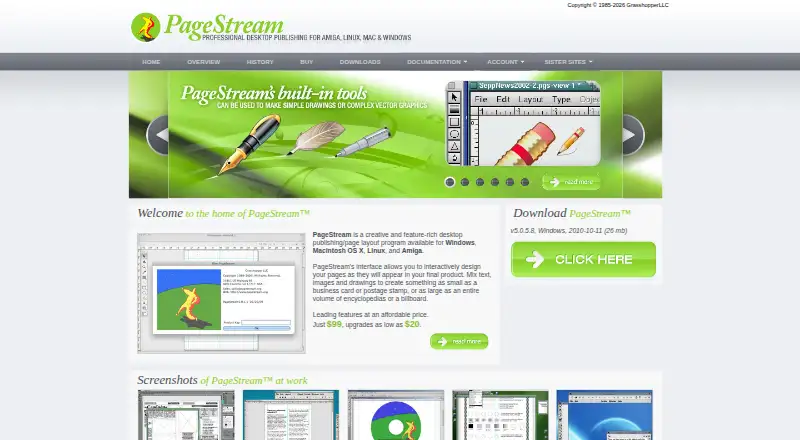
PageStream is a desktop publishing and page-layout application for creating newsletters, brochures, invitations, business cards, documentation, books, and other designed documents. It is aimed at beginners producing everyday publications as well as professional users who need detailed typography, drawing tools, color output, and long-document organization. Support for Windows, macOS, and Linux makes it a practical fit for teams or individuals working across desktop operating systems.
Its strongest area is page-layout depth. Documents can be organized into chapters, subchapters, and document-level sections with independent page numbering. Reusable master pages can be applied at document, chapter, and subchapter levels. Typography controls cover styles, kerning, tracking, leading, hyphenation, and paragraph formatting. The application also includes drawing, object manipulation, graphics placement, tables, text frames, and print-production controls such as trapping. Color handling includes CMYK, RGB, spot and process colors, Pantone, tint, knockout, and overprint controls.
Pricing is a one-time purchase rather than a recurring plan. PageStream 5.1 costs $99.95 and includes download access, while PageStream 5.1 Pro costs $149.95 and also includes download access. A 14-day trial is available. PDF export supports page-range selection, color or grayscale output, compression, and encoding controls. The trade-off is a narrower ecosystem: verified integrations and preflight are not included in the listed positioning, and the documentation is dated. Choose PageStream if cross-platform traditional layout, long documents, typography, and print controls matter most. Users who require verified integrations or preflight should choose another desktop publishing tool.
Your product? Our editors can test PageStream in depth and publish a review, labelled as paid · from $149/mo →
PageStream pricing
All 2 PageStream plans and prices →
PageStream fact sheet
| Free plan | No |
|---|---|
| Paid from | $99.95 one-time |
| Supported platforms | Windows, Macintosh OS X, Linux, Amiga |
| PDF export | Yes |
| EPUB export | Not verified |
| Master pages | Yes |
| Preflight tools | Not verified |
| Color management | Yes |
| Collaboration level | Not verified |
| Free trial | 14 days |
| Deployment | Desktop |
| Platforms | Windows, macOS, Linux |
| Support | Email, Community, Docs |
| Built for | Solo, Small business, Mid-market (editorial estimate) |
| Pricing | 14-day trial (source) |
| Website | pagestream.org |
| Facts checked | 20 Sep 2026 |
Alternatives to PageStream
- AffinityA broad desktop publishing suite for design, editing, layout, and print output without a subscription.9.4
- Adobe InDesignA focused choice for multipage layouts, typography, prepress, and PDF production.9.2
- QuarkXPressA full-featured desktop publisher for teams producing print and digital content.8.9


See all PageStream alternatives →
PageStream vs the competition
- PageStream vs Affinity
- PageStream vs Adobe InDesign
- PageStream vs QuarkXPress
- PageStream vs Scribus
- PageStream vs VivaDesigner
- PageStream vs Megal Publisher


Compare PageStream with any tool side by side →
Used PageStream? Be the first to review it
The editor score above is our own research. What this page doesn't have yet is a reader's view — what you used PageStream for, what worked and what didn't. No stars are seeded and no review is paid for; an editor reads every one before it appears.
Write a reviewTwo minutes · verified accounts only · read by an editor before it appears
Featured on iTechGuides

PageStream is listed in our Desktop Publishing Software directory. Add the badge to your site — it links back to this page.
<a href="https://www.itechguides.com/products/pagestream/"><img src="https://www.itechguides.com/best/badge/pagestream.svg" alt="Featured on iTechGuides" width="230" height="46"></a>
Reviewed by iTechGuides Editors · Editorial team · Updated Oct 2026
Advertiser disclosure: iTechGuides is reader-supported. Vendors can pay for top positions in our rankings and for a place on other products' pages, and we may earn a commission when you click some links. Bought places stand at the number bought; this page and our disclosure say so. Paying vendors may get a fuller, more detailed review from our editors, and that review can change their score. How we rank.
Last updated · How we research and update