Paddock
Paddock: A flexible Windows icon organizer with profiles, zones, sorting, and hotkeys. Ranked #20 of 47 in Desktop Organization Software by our editors (7.5/10); pricing: Free plan; best for windows users wanting free layout profiles.
At a glance
- Editor score7.5 / 10
- PricingFree plan
- Best forWindows users wanting free layout profiles
- Free planYes
- Paid fromFree
- Platform supportWindows_only
- Facts checked20 Sep 2026
Where it wins
- Resizable, styled zones group desktop icons clearly
- Profiles can be saved, switched, imported, and exported
- Sorting, roll-up, tray controls, and hotkeys aid daily organization
Where it doesn't
- Runs on Windows only
- Does not support multiple monitors
- Automatic organization rules are not available
Our verdict on Paddock
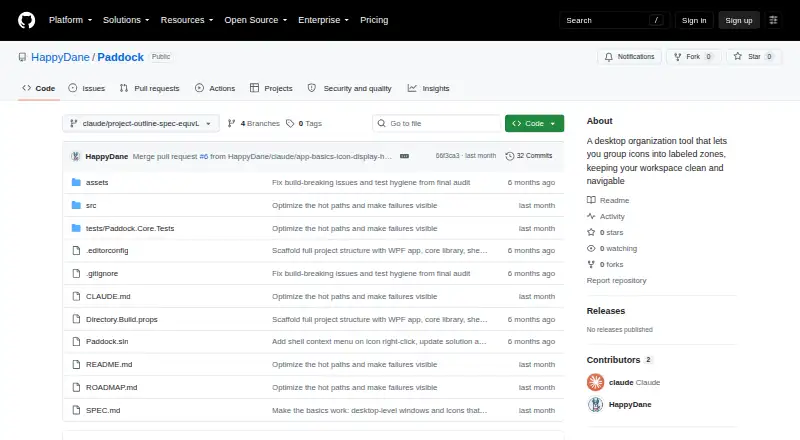
Paddock is a free, open-source desktop organization tool from HappyDane for individuals who want a cleaner, more navigable Windows desktop. It groups icons into customizable labeled zones that can be created, resized, renamed, styled, collapsed, and rearranged. Paddock supports Windows 10 and Windows 11, integrates with the Windows shell, and stores organized desktop items in dedicated folders. Its focus is straightforward visual organization rather than automation or broader cross-platform workspace management.
The strongest feature is its profile-based layout system. Users can save and switch named layouts, then import or export profiles for reuse. Within each layout, icons can be sorted by name, modified date, file type, or size, dragged between zones or returned to the desktop, and grouped into areas with adjustable transparency, background color, and corner radius. Roll-up collapses zones to title bars, while a tray control or hotkey can hide and show them. Optional Windows startup launch also supports a consistent desktop arrangement.
Paddock is a good fit for Windows users who prefer manual control over clearly separated desktop areas and want an open-source tool without a paid tier. It is less suitable for multi-monitor setups or users who expect automatic rules to reorganize icons as files change. The Windows-only scope also makes it unsuitable for mixed-platform workflows. Choose Paddock when saved visual layouts, sorting, and quick zone controls matter most; look elsewhere when multi-monitor support or rule-based organization is central to the workflow.
Your product? Our editors can test Paddock in depth and publish a review, labelled as paid · from $149/mo →
Paddock pricing
Paddock fact sheet
| Free plan | Yes |
|---|---|
| Paid from | Free |
| Platform support | Windows_only |
| Organization model | Fenced_areas |
| Automatic sorting | Not verified |
| Maximum containers | Not verified |
| Saved layouts | Yes |
| Multi-monitor support | No |
| Deployment | Desktop |
| Platforms | Windows |
| Support | Docs, Community |
| Built for | Solo, Small business (editorial estimate) |
| Pricing | Free plan |
| Website | github.com |
| Facts checked | 20 Sep 2026 |
Alternatives to Paddock
- AutoShelfDeep automated file sorting for Mac users who want precise control.9.4
- Desktop Frames+A flexible Windows desktop organizer with frames, profiles, rules, and search.9.3
- DeskBoxDeskBox combines automatic desktop organization with search, widgets, todos, and recovery tools.9.2


See all Paddock alternatives →
Used Paddock? Be the first to review it
The editor score above is our own research. What this page doesn't have yet is a reader's view — what you used Paddock for, what worked and what didn't. No stars are seeded and no review is paid for; an editor reads every one before it appears.
Write a reviewTwo minutes · verified accounts only · read by an editor before it appears
Featured on iTechGuides

Paddock is listed in our Desktop Organization Software directory. Add the badge to your site — it links back to this page.
<a href="https://www.itechguides.com/products/paddock/"><img src="https://www.itechguides.com/best/badge/paddock.svg" alt="Featured on iTechGuides" width="230" height="46"></a>
Reviewed by iTechGuides Editors · Editorial team · Updated Oct 2026
Advertiser disclosure: iTechGuides is reader-supported. Vendors can pay for top positions in our rankings and for a place on other products' pages, and we may earn a commission when you click some links. Bought places stand at the number bought; this page and our disclosure say so. Paying vendors may get a fuller, more detailed review from our editors, and that review can change their score. How we rank.
Last updated · How we research and update