PacketCheck
PacketCheck: A specialist Windows tool for detailed Layer 1–4 Ethernet/IP testing. Ranked #13 of 33 in Network Testing Software by our editors (7.9/10); pricing: Pricing on request; best for layer 1–4 Ethernet/IP test labs.
At a glance
- Editor score7.9 / 10
- PricingPricing on request
- Best forLayer 1–4 Ethernet/IP test labs
- DeploymentDesktop
- Founded1986 · Gaithersburg, Maryland, USA
- Facts checked20 Sep 2026
Where it wins
- Measures throughput, delay, packet loss, ordering, and bit errors
- Supports capture/playback and impairment injection for realistic scenarios
- Generates PDF and XML reports for test documentation
Where it doesn't
- Windows-only desktop deployment limits platform flexibility
- Throughput testing is specified up to 500 Mbps
- Pricing requires contacting sales for licensing information
Our verdict on PacketCheck
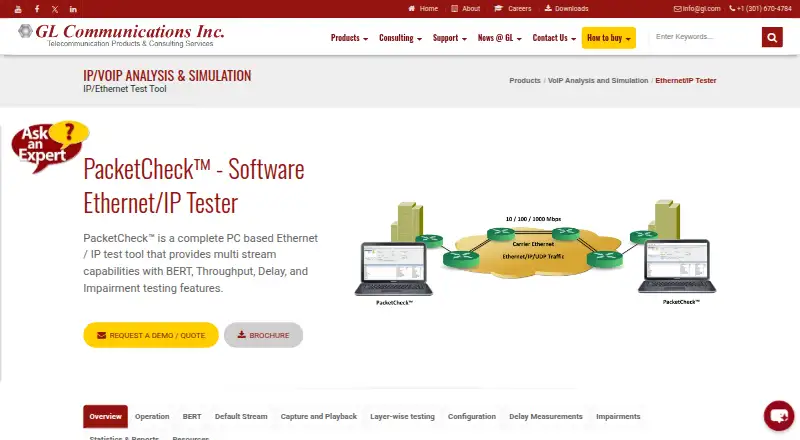
PacketCheck is a Windows desktop application for generating, receiving, analyzing, and impairing Ethernet/IP traffic across OSI Layers 1–4. It is aimed at network and telecom test labs evaluating LANs, WANs, switches, routers, links, and related infrastructure. Its protocol coverage includes Ethernet, IPv4, UDP, TCP, ICMP, VLAN, MPLS, and GTP, with both traffic-generation and analysis methods supported. GL Communications Inc., the vendor, has been established since 1986.
The testing scope is the product’s main strength. PacketCheck supports multi-stream Ethernet/IP traffic generation, bit-error-rate testing, throughput measurement up to 500 Mbps, one-way and round-trip delay measurement, and analysis of packet loss, out-of-sequence traffic, and errored packets. Labs can also capture and replay PCAP or PCAPNG traffic, modify bytes and bits through network impairment injection, and produce PDF or XML reports. Wireshark, GL PacketScan, and GL MAPS UMTS/LTE Simulators provide useful ecosystem connections for packet analysis and telecom simulation workflows.
Pricing is handled through a request-for-demo or quote path rather than published plan tiers, so buyers should expect a sales-led licensing process. PacketCheck’s Windows-only desktop deployment suits organizations standardizing on Windows test stations, but it is less suitable for teams requiring cross-platform operation. The product should appeal to engineers who need detailed Layer 1–4 measurements, protocol coverage, impairment scenarios, and formal reports in one specialist tool. Teams seeking a lightweight, browser-based testing workflow or a platform with broader operating-system support should consider an alternative.
Your product? Our editors can test PacketCheck in depth and publish a review, labelled as paid · from $149/mo →
PacketCheck pricing
PacketCheck fact sheet
| Free plan | Not verified |
|---|---|
| Paid from | Not verified |
| Deployment | Desktop |
| Test methods | Both |
| Protocol support | Ethernet, IPv4, UDP, TCP, ICMP, VLAN, MPLS, GTP |
| Distributed agents | Not verified |
| Scheduled tests | Not verified |
| API access | Not verified |
| Deployment | Desktop |
| Platforms | Windows |
| Support | Email, Phone |
| Built for | Mid-market, Enterprise (editorial estimate) |
| Integrations | 3 integrations: Wireshark, GL PacketScan, GL MAPS UMTS/LTE Simulators |
| Pricing | Pricing on request |
| Website | gl.com |
| Facts checked | 20 Sep 2026 |
PacketCheck integrations
PacketCheck lists 3 integrations on its own site.
- Wireshark
- GL PacketScan
- GL MAPS UMTS/LTE Simulators
Alternatives to PacketCheck
- Cisco ThousandEyesBroad enterprise coverage for testing networks, applications, traffic, routes, DNS, and topology.9.4
- NetBeezA wide-ranging platform for continuous, scheduled, and Wi-Fi network monitoring.9.2
- Forward EnterpriseA strong choice for modeling network behavior, testing changes, and tracing dependencies.9.0



See all PacketCheck alternatives →
Used PacketCheck? Be the first to review it
The editor score above is our own research. What this page doesn't have yet is a reader's view — what you used PacketCheck for, what worked and what didn't. No stars are seeded and no review is paid for; an editor reads every one before it appears.
Write a reviewTwo minutes · verified accounts only · read by an editor before it appears
Featured on iTechGuides

PacketCheck is listed in our Network Testing Software directory. Add the badge to your site — it links back to this page.
<a href="https://www.itechguides.com/products/packetcheck/"><img src="https://www.itechguides.com/best/badge/packetcheck.svg" alt="Featured on iTechGuides" width="230" height="46"></a>
Reviewed by iTechGuides Editors · Editorial team · Updated Oct 2026
Advertiser disclosure: iTechGuides is reader-supported. Vendors can pay for top positions in our rankings and for a place on other products' pages, and we may earn a commission when you click some links. Bought places stand at the number bought; this page and our disclosure say so. Paying vendors may get a fuller, more detailed review from our editors, and that review can change their score. How we rank.
Last updated · How we research and update