
P-Tux Label Designer
P-Tux Label Designer: A free, open-source desktop tool for accurate offline Brother P-touch label design. Ranked #33 of 35 in Barcode Labeling Software by our editors (6.0/10); pricing: Free plan; best for linux and macOS Brother P-touch users.
At a glance
- Editor score6.0 / 10
- PricingFree plan
- Best forLinux and macOS Brother P-touch users
- Free planYes
- Paid fromFree
- DeploymentDesktop
- Facts checked19 Sep 2026
Where it wins
- Direct USB printing through the open-source ptouch-print utility
- Inspectable .ptl templates support version control and offline editing
- WYSIWYG design includes image adjustments, PNG export, and 180 DPI accuracy
Where it doesn't
- Installation requires Python, PyQt6, and ptouch-print
- Direct printing is limited to compatible Brother P-touch USB printers
- The workflow is oriented to individual labels rather than batch operations
Our verdict on P-Tux Label Designer
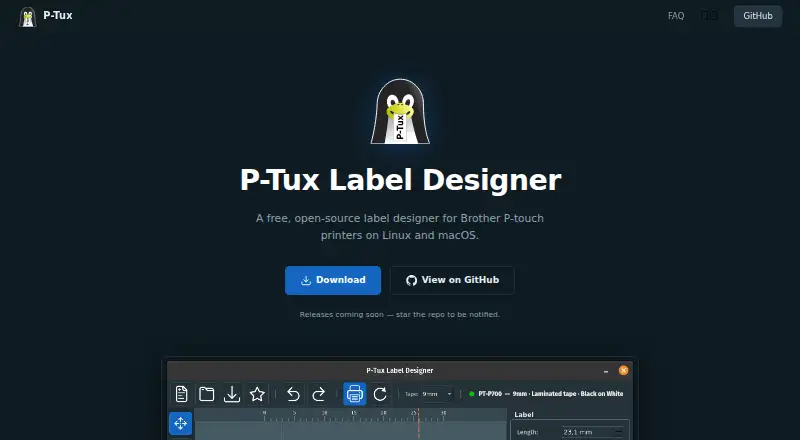
P-Tux Label Designer is a free, open-source desktop application for designing labels for Brother P-touch printers on Linux and macOS. It suits users who want to create labels without a browser, cloud account, or online service. Its WYSIWYG canvas supports multiple text items, custom fonts, sizes, styles, resizing, and rotation. Images can be imported and adjusted for brightness, contrast, and size, while ruler tabs, supplementary margins, and 180 DPI print-pixel accuracy help with precise layouts.
Its strongest fit is offline, inspectable label work. Designs can be edited without a connected printer, saved as .ptl gzipped JSON files, and managed as version-controllable templates. PNG export provides a separate way to share or reuse finished labels. Automatic or manual tape-width selection supports supported widths from 6 mm to 36 mm. English and French language support adds practical flexibility for desktop teams working in either language.
Printing depends on the open-source ptouch-print utility and compatible Brother P-touch USB printers, and installation requires Python, PyQt6, and ptouch-print. That makes the product a focused desktop option rather than a browser-based labeling service. Choose it for Linux or macOS workflows that value local editing, transparent template files, image-capable design, and direct P-touch output. Consider another tool if your operation centers on variable data, batch printing, or broader connected-system workflows.
Your product? Our editors can test P-Tux Label Designer in depth and publish a review, labelled as paid · from $149/mo →
P-Tux Label Designer pricing
P-Tux Label Designer fact sheet
| Free plan | Yes |
|---|---|
| Paid from | Free |
| Deployment | Desktop |
| Variable data | Not verified |
| Batch printing | Not verified |
| Data import | Not verified |
| API access | Not verified |
| Included users | Not verified |
| Print limit | Not verified |
| Deployment | Desktop |
| Platforms | Linux, macOS |
| Integrations | 1 integrations: ptouch-print |
| Pricing | Free plan |
| Website | p-tux.com |
| Facts checked | 19 Sep 2026 |
P-Tux Label Designer integrations
P-Tux Label Designer lists 1 integrations on its own site.
- ptouch-print
Alternatives to P-Tux Label Designer
- BarcodeLabelGenA free, open-source workflow for designing, importing, and printing barcode labels.9.4
- ZPLabA free, open-source ZPL editor with validation, variable data, and batch printing.9.3
- PrintSpiritA broad labeling toolkit for teams that need APIs, databases, and remote printing.9.1

See all P-Tux Label Designer alternatives →
Used P-Tux Label Designer? Be the first to review it
The editor score above is our own research. What this page doesn't have yet is a reader's view — what you used P-Tux Label Designer for, what worked and what didn't. No stars are seeded and no review is paid for; an editor reads every one before it appears.
Write a reviewTwo minutes · verified accounts only · read by an editor before it appears
Featured on iTechGuides

P-Tux Label Designer is listed in our Barcode Labeling Software directory. Add the badge to your site — it links back to this page.
<a href="https://www.itechguides.com/products/p-tux-label-designer/"><img src="https://www.itechguides.com/best/badge/p-tux-label-designer.svg" alt="Featured on iTechGuides" width="230" height="46"></a>
Reviewed by iTechGuides Editors · Editorial team · Updated Oct 2026
Advertiser disclosure: iTechGuides is reader-supported. Vendors can pay for top positions in our rankings and for a place on other products' pages, and we may earn a commission when you click some links. Bought places stand at the number bought; this page and our disclosure say so. Paying vendors may get a fuller, more detailed review from our editors, and that review can change their score. How we rank.
Last updated · How we research and update