oxGBC
oxGBC: A free, cross-platform GB/GBC emulator with strong visual and save-state controls. Ranked #8 of 23 in Game Boy Emulators by our editors (8.7/10); pricing: Free plan; best for cross-platform GB/GBC play with visual customization.
At a glance
- Editor score8.7 / 10
- PricingFree plan
- Best forCross-platform GB/GBC play with visual customization
- Free planYes
- Paid fromNone
- Supported systemsGame Boy; Game Boy Color
- Facts checked20 Sep 2026
Where it wins
- Supports Windows, macOS, Linux, Android, and browser play
- Offers multiple save slots, rewind, SRAM, and RTC emulation
- Adds remapping, shaders, filters, library scanning, and tile inspection
Where it doesn't
- Focuses only on Game Boy and Game Boy Color systems
- Link-cable emulation is not documented
- Netplay is not documented
Our verdict on oxGBC
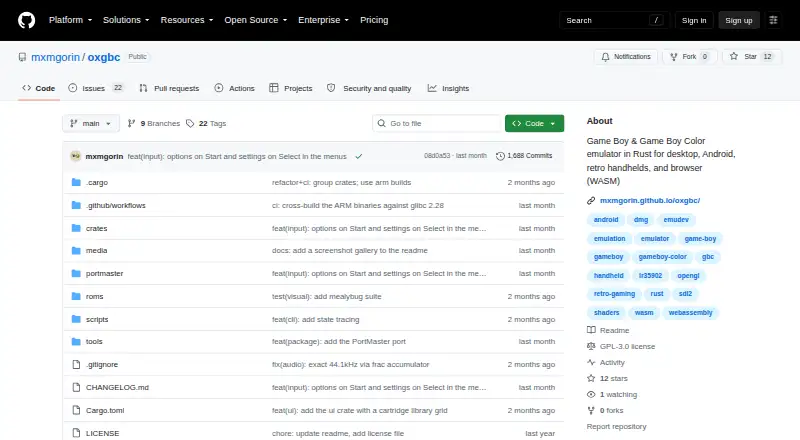
oxGBC is a Rust-based, open-source emulator for Game Boy and Game Boy Color software. It is aimed at players who want to run these systems across Windows, macOS, Linux, Android, or a browser, with consistent access to core emulation and configurable controls. The project is distributed under the GPLv3 license, and its free model makes it suitable for users seeking a no-cost emulator with source availability rather than a broader multi-system frontend.
Its strongest area is the combination of playback controls and visual customization. Save states support multiple slots, while configurable rewind can help with difficult sections or experimentation. Keyboard and gamepad controls can be remapped, and OpenGL shader support plus visual filters provide options for changing presentation. The ROM file browser and library scanning organize available software, while the tile viewer supports inspection of backgrounds and sprites. Battery-backed SRAM and MBC3 real-time-clock emulation also cover important save and timing behavior for supported games.
The platform range is a practical advantage: oxGBC offers desktop builds, an Android build, and a WebAssembly version for browser play. Its scope is intentionally narrow, however, with support centered on Game Boy and Game Boy Color rather than a wider collection of consoles. Link-cable emulation and netplay are not documented, so players looking for connected multiplayer features should choose another emulator. Pick oxGBC for cross-platform GB/GBC play, configurable visuals, save management, and inspection tools; look elsewhere if broader system coverage or documented online and link-based play is essential.
oxGBC pricing
oxGBC fact sheet
| Free plan | Yes |
|---|---|
| Paid from | None |
| Supported systems | Game Boy; Game Boy Color |
| Supported platforms | Windows; macOS; Linux; Android; WebAssembly/browser |
| Save states | Yes |
| Link cable emulation | Not verified |
| Netplay | Not verified |
| Real-time clock | Yes |
| Controller support | Yes |
| Deployment | Cloud, Desktop, Mobile |
| Platforms | Web, Windows, macOS, Linux, Android |
| Support | Community |
| Built for | Solo, Small business (editorial estimate) |
| Pricing | Free plan |
| Website | github.com |
| Facts checked | 20 Sep 2026 |
Alternatives to oxGBC
- SameBoyAccurate, feature-rich Game Boy emulation across desktop and iOS.9.4
- GearboyA broad, free emulator with strong save, link-cable and debugging features.9.3
- BGBA free Windows emulator with hardware-accurate timing and unusually deep debugging tools.9.2

oxGBC vs the competition
Compare oxGBC with any tool side by side →
Used oxGBC? Be the first to review it
The editor score above is our own research. What this page doesn't have yet is a reader's view — what you used oxGBC for, what worked and what didn't. No stars are seeded and no review is paid for; an editor reads every one before it appears.
Write a reviewTwo minutes · verified accounts only · read by an editor before it appears
Featured on iTechGuides

oxGBC is listed in our Game Boy Emulators directory. Add the badge to your site — it links back to this page.
<a href="https://www.itechguides.com/products/oxgbc/"><img src="https://www.itechguides.com/best/badge/oxgbc.svg" alt="Featured on iTechGuides" width="230" height="46"></a>
Guides on game boy emulators
Reviewed by iTechGuides Editors · Editorial team · Updated Oct 2026
Advertiser disclosure: iTechGuides is reader-supported. We may earn a commission when you click some links. How we rank.
Last updated · How we research and update