OptiTune
OptiTune: Affordable endpoint management with remote support, automation, and self-hosting. Ranked #23 of 40 in Remote Monitoring and Management Software by our editors (6.9/10); pricing: 30-day trial; best for affordable hybrid endpoint management.
At a glance
- Editor score6.9 / 10
- Pricing30-day trial
- Best forAffordable hybrid endpoint management
- Free planNo
- Paid from$3/device/mo
- Multi-tenant managementYes
- Founded2007 · Bellevue, Washington, USA
- Facts checked20 Sep 2026
Where it wins
- Starts at $1.95 per device monthly with annual billing
- Combines monitoring, updates, deployment, scripting, and inventory
- Offers cloud hosting or a self-hosted management server
Where it doesn't
- No free plan is available
- Annual pricing details are not specified
- Windows-focused update management limits its primary scope
Our verdict on OptiTune
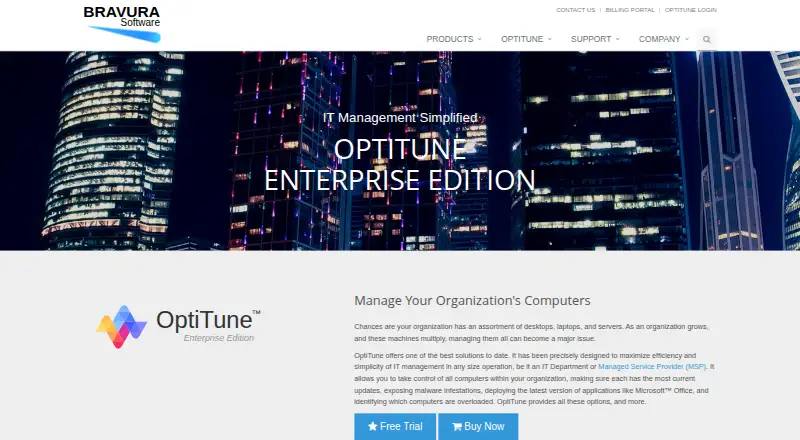
OptiTune is a remote monitoring and management platform for corporate IT departments and managed service providers. It combines remote desktop and assistance, monitoring, email or SMS alerting, Windows Updates management, application deployment, endpoint scripting, antivirus integration, performance monitoring, and hardware and software inventory. Administrators work through a web browser, while managed endpoints run the OptiTune agent. The platform supports web, Windows, macOS, Linux, iOS, and Android, with multi-tenant and unattended-access capabilities.
Pricing offers two Enterprise Edition options. The yearly license starts at $1.95 per device per month when billed annually and includes cloud hosting and free technical support. Monthly Billing costs $3 per device per month, is billed each month on actual usage, and also includes cloud hosting and free technical support. A 30-day free trial is available, while the product is otherwise paid software. The published plans make the monthly option suitable when usage varies, while annual billing provides the lower stated starting rate.
Its hybrid deployment model is the main differentiator: Bravura Software can host the management server, or an organization can self-host it on a private server or cloud virtual machine. REST API and PSA integrations connect OptiTune with MSP360 Backup, Windows Defender, CCleaner Business, Autotask, ConnectWise Manage, and HaloPSA. Choose OptiTune when remote support, Windows patch management, scripting, inventory, and deployment need to sit in one endpoint-management platform with self-hosting available. Organizations seeking a free plan or a less Windows-centered update-management focus should consider alternatives.
Your product? Our editors can test OptiTune in depth and publish a review, labelled as paid · from $149/mo →
OptiTune pricing
All 2 OptiTune plans and prices →
OptiTune fact sheet
| Free plan | No |
|---|---|
| Paid from | $3/device/mo |
| Managed endpoints | Not verified |
| Patch management | Yes |
| Unattended remote access | Yes |
| Script automation | Yes |
| Multi-tenant management | Yes |
| Deployment model | Hybrid |
| Supported operating systems | Windows XP, Vista, 7, 8, 8.1, 10, Windows Server 2003/2003 R2, 2008/2008 R2, 2012/2012 R2, 2016, 2019, and embedded Windows |
| Free trial | 30 days · no card needed |
| Deployment | Cloud, Self-hosted |
| Platforms | Web, Windows, macOS, Linux, iOS, Android |
| Compliance & security | 2FA |
| Support | Email, Phone |
| Built for | Small business, Mid-market, Enterprise (editorial estimate) |
| Integrations | 6 integrations: MSP360 Backup, Windows Defender, CCleaner Business, Autotask, ConnectWise Manage, HaloPSA See all → |
| Pricing | 30-day trial (source) |
| Website | bravurasoftware.com |
| Facts checked | 20 Sep 2026 |
OptiTune integrations
OptiTune lists 6 integrations on its own site.
- MSP360 Backup
- Windows Defender
- CCleaner Business
- Autotask
- ConnectWise Manage
- HaloPSA
See all OptiTune integrations →
Alternatives to OptiTune
- Kaseya VSAA broad hybrid RMM for established IT teams and managed service providers.9.2
- N-able N-sight RMMA broad cloud RMM platform for MSPs that also covers service operations.8.9
- Datto RMMA broad cloud RMM suite for MSPs that need monitoring, automation, and security response.8.9


See all OptiTune alternatives →
Used OptiTune? Be the first to review it
The editor score above is our own research. What this page doesn't have yet is a reader's view — what you used OptiTune for, what worked and what didn't. No stars are seeded and no review is paid for; an editor reads every one before it appears.
Write a reviewTwo minutes · verified accounts only · read by an editor before it appears
Featured on iTechGuides

OptiTune is listed in our Remote Monitoring and Management Software directory. Add the badge to your site — it links back to this page.
<a href="https://www.itechguides.com/products/optitune/"><img src="https://www.itechguides.com/best/badge/optitune.svg" alt="Featured on iTechGuides" width="230" height="46"></a>
Reviewed by iTechGuides Editors · Editorial team · Updated Oct 2026
Advertiser disclosure: iTechGuides is reader-supported. Vendors can pay for top positions in our rankings and for a place on other products' pages, and we may earn a commission when you click some links. Bought places stand at the number bought; this page and our disclosure say so. Paying vendors may get a fuller, more detailed review from our editors, and that review can change their score. How we rank.
Last updated · How we research and update