
optimizerDuck
optimizerDuck: A broad Windows optimizer with useful gaming settings, but not a dedicated graphics tuning suite. Ranked #25 of 34 in Game Graphics Optimization Software by our editors (6.7/10); pricing: Free plan; best for users cleaning and tuning Windows broadly.
At a glance
- Editor score6.7 / 10
- PricingFree plan
- Best forUsers cleaning and tuning Windows broadly
- Free planYes
- Paid fromFree
- Facts checked20 Sep 2026
Where it wins
- Reversible changes include safety ratings, local backups, and one-click revert.
- Covers GPU, power, privacy, services, startup, bloatware, and cache cleanup.
- Free, open-source, portable, and designed for compatible 64-bit Windows systems.
Where it doesn't
- No dedicated game-specific graphics profiles.
- No monitoring or game detection features.
- Windows-only support limits use to Windows 10 and Windows 11 64-bit.
Our verdict on optimizerDuck
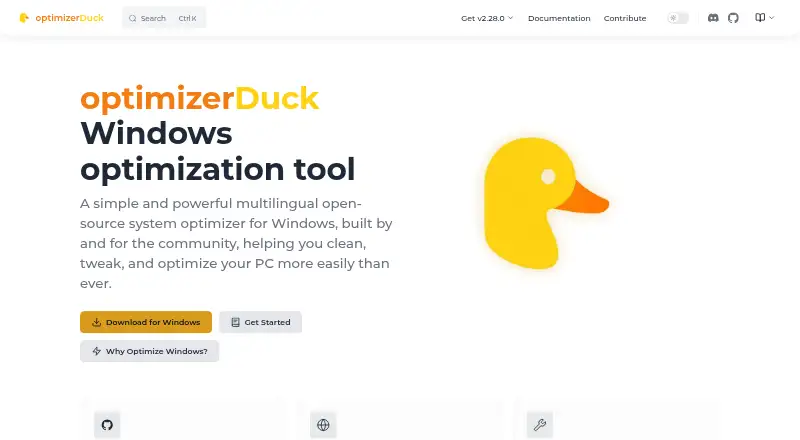
optimizerDuck is a free, open-source Windows utility for users who want one local interface for system optimization, privacy adjustments, gaming-related settings, and Windows customization. It runs as a portable desktop application on compatible 64-bit Windows systems and does not require installation. Its scope includes Windows performance, GPU, power, service, startup, scheduled task, bloatware, temporary-file, and cache management, making it a fit for broad Windows cleanup and tuning rather than narrowly focused graphics configuration.
The product’s strongest practical feature is its approach to changing system settings. Users can review safety ratings, apply selected optimizations, create local backups, and revert changes with one click. The gaming-related options cover Game Mode, mouse acceleration, fullscreen optimizations, and GPU scheduling. Bloatware scanning and removal, startup program management, scheduled task management, and cleanup tools extend the utility beyond gaming, while Windows interface and behavior customization adds another layer of control. These capabilities suit users who want to inspect and adjust several Windows areas from one tool.
For game graphics optimization specifically, optimizerDuck has a narrower fit. It offers gaming-related Windows settings, but its scope does not extend to dedicated game-specific graphics profiles, monitoring, or game detection. Users seeking broad Windows maintenance, privacy controls, reversible tweaks, and cleanup should find its feature mix more aligned with their needs. Users who primarily want per-game graphics management or graphics-focused monitoring should choose a product built around those functions instead.
Your product? Our editors can test optimizerDuck in depth and publish a review, labelled as paid · from $149/mo →
optimizerDuck pricing
optimizerDuck fact sheet
| Free plan | Yes |
|---|---|
| Paid from | Free |
| Auto recommendations | Not verified |
| Per-game profiles | Not verified |
| In-game overlay | Not verified |
| Game library scanning | Not verified |
| Supported platforms | Windows 10 and Windows 11 (64-bit) |
| Cloud profile sync | Not verified |
| Deployment | Desktop |
| Platforms | Windows |
| Support | Community, Docs |
| Built for | Solo, Small business (editorial estimate) |
| Pricing | Free plan |
| Website | optimizerduck.vercel.app |
| Facts checked | 20 Sep 2026 |
Alternatives to optimizerDuck
- HoneA broad Windows optimizer with presets, overlays, and a usable free tier.9.4
- GameShiftA free, open-source Windows optimizer with broad game detection and system controls.9.3
- PULSEA deep Windows tuning suite with broad free monitoring and paid optimization controls.9.2


See all optimizerDuck alternatives →
Used optimizerDuck? Be the first to review it
The editor score above is our own research. What this page doesn't have yet is a reader's view — what you used optimizerDuck for, what worked and what didn't. No stars are seeded and no review is paid for; an editor reads every one before it appears.
Write a reviewTwo minutes · verified accounts only · read by an editor before it appears
Featured on iTechGuides

optimizerDuck is listed in our Game Graphics Optimization Software directory. Add the badge to your site — it links back to this page.
<a href="https://www.itechguides.com/products/optimizerduck/"><img src="https://www.itechguides.com/best/badge/optimizerduck.svg" alt="Featured on iTechGuides" width="230" height="46"></a>
Reviewed by iTechGuides Editors · Editorial team · Updated Oct 2026
Advertiser disclosure: iTechGuides is reader-supported. Vendors can pay for top positions in our rankings and for a place on other products' pages, and we may earn a commission when you click some links. Bought places stand at the number bought; this page and our disclosure say so. Paying vendors may get a fuller, more detailed review from our editors, and that review can change their score. How we rank.
Last updated · How we research and update