
One Game Launcher
One Game Launcher: A free Windows launcher that unifies major PC stores and supports remote control. Ranked #29 of 40 in Game Library Managers by our editors (6.2/10); pricing: Free plan; best for remote-controlled PC game libraries.
At a glance
- Editor score6.2 / 10
- PricingFree plan
- Best forRemote-controlled PC game libraries
- Free planYes
- Store coverageMulti-store
- Facts checked20 Sep 2026
Where it wins
- Aggregates games from eight major PC storefronts
- Supports gamepad navigation and handheld PC use
- Offers local and remote APIs for custom control
Where it doesn't
- Windows is the only listed application platform
- Emulator management is outside its stated feature set
- Premium MYUI features are separate from the free core app
Our verdict on One Game Launcher
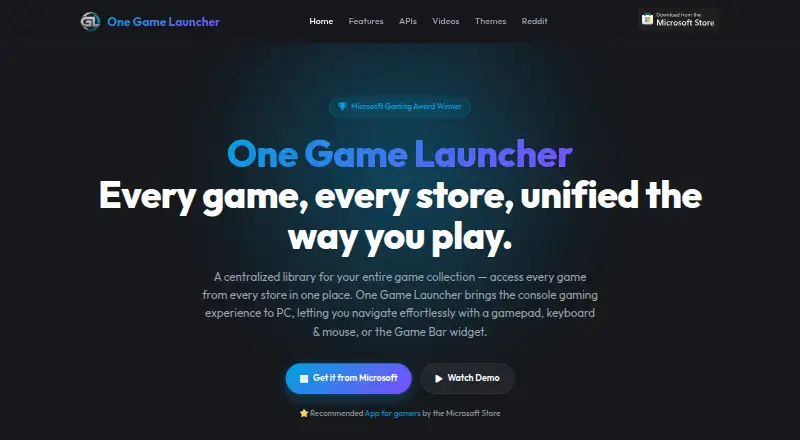
One Game Launcher brings games from Steam, Epic, EA, Origin, GOG, Ubisoft, Battle.net, and Xbox PC into one Windows library. It is aimed at PC players who want a single place to browse and launch games across multiple storefronts, including users with handheld PCs or a living-room-style setup. Games, apps, and URLs can also be added manually, extending the library beyond supported stores.
Its strongest distinction is remote control. The launcher supports gamepad, keyboard, and mouse navigation, with a Game Bar widget available in compact and desktop modes alongside a regular Start-menu app. The local API supports custom interfaces and integrations, while the Remote Launch API can fetch libraries and trigger launches from another device. That combination makes One Game Launcher a fit for users building a tailored front end or controlling a Windows game library remotely rather than simply replacing individual store clients.
The core application is free through the Microsoft Store, while MYUI is identified as a premium feature. Custom themes can include layouts, live wallpapers, and animated cover art, giving the interface more room for personalization. The trade-off is focus: One Game Launcher is centered on Windows PC storefront aggregation, controller navigation, and launching, not broader game-management workflows such as emulator organization. Choose it if multi-store access, controller-friendly browsing, and remote launching matter most; choose another category tool if you need an emulator-focused library or a platform beyond Windows.
Your product? Our editors can test One Game Launcher in depth and publish a review, labelled as paid · from $149/mo →
One Game Launcher pricing
One Game Launcher fact sheet
| Free plan | Yes |
|---|---|
| Paid from | Not verified |
| Store coverage | Multi-store |
| Emulator support | Not verified |
| Platform support | Windows |
| Controller support | Yes |
| Offline mode | Not verified |
| Metadata editing | Not verified |
| Cloud sync | Not verified |
| Deployment | Desktop |
| Platforms | Windows |
| Support | Community |
| Built for | Solo, Small business (editorial estimate) |
| Integrations | 8 integrations: Steam, Epic, EA, Origin, GOG, Ubisoft … |
| Pricing | Free plan |
| Website | ogl.app |
| Facts checked | 20 Sep 2026 |
One Game Launcher integrations
One Game Launcher lists 8 integrations on its own site.
- Steam
- Epic
- EA
- Origin
- GOG
- Ubisoft
- Battle.net
- Xbox PC
Alternatives to One Game Launcher
- LaunchBoxA polished Windows hub for storefront libraries, emulators, metadata, and controller-first browsing.8.9
- GOG GalaxyA free GOG-centered launcher with connected libraries, offline support, and community integrations.8.9
- LutrisA free Linux hub for storefront games, emulators, runners, and Steam libraries.8.8



See all One Game Launcher alternatives →
Used One Game Launcher? Be the first to review it
The editor score above is our own research. What this page doesn't have yet is a reader's view — what you used One Game Launcher for, what worked and what didn't. No stars are seeded and no review is paid for; an editor reads every one before it appears.
Write a reviewTwo minutes · verified accounts only · read by an editor before it appears
Featured on iTechGuides

One Game Launcher is listed in our Game Library Managers directory. Add the badge to your site — it links back to this page.
<a href="https://www.itechguides.com/products/one-game-launcher/"><img src="https://www.itechguides.com/best/badge/one-game-launcher.svg" alt="Featured on iTechGuides" width="230" height="46"></a>
Reviewed by iTechGuides Editors · Editorial team · Updated Oct 2026
Advertiser disclosure: iTechGuides is reader-supported. Vendors can pay for top positions in our rankings and for a place on other products' pages, and we may earn a commission when you click some links. Bought places stand at the number bought; this page and our disclosure say so. Paying vendors may get a fuller, more detailed review from our editors, and that review can change their score. How we rank.
Last updated · How we research and update