
OmniStudio
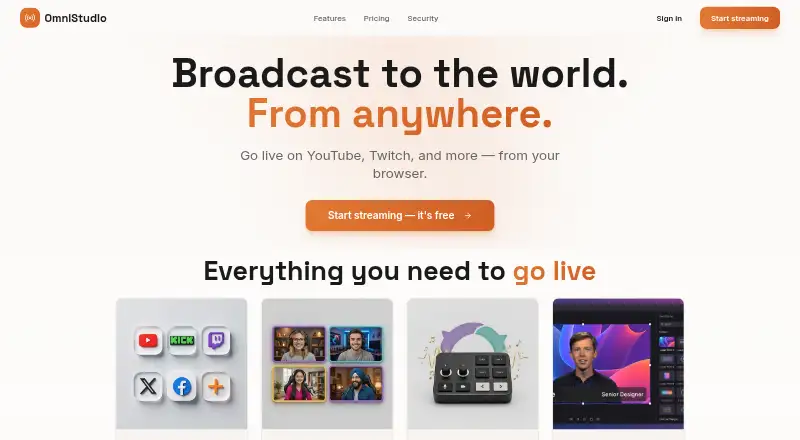
OmniStudio: A broad browser studio for multistreaming, guests, overlays, and paid-tier production. Ranked #37 of 44 in Game Streaming Software by our editors (6.0/10); pricing: Free plan; best for web creators wanting low-cost studio basics.
At a glance
- Editor score6.0 / 10
- PricingFree plan
- Best forWeb creators wanting low-cost studio basics
- Free planYes
- Max output resolution4k
- Facts checked20 Sep 2026
Where it wins
- Streams simultaneously to YouTube, Twitch, LinkedIn, and other destinations
- Browser guest links, layouts, overlays, chat, and screen sharing
- Free plan includes custom RTMP and 720p HD streaming
Where it doesn't
- Higher-resolution streaming and recording require paid tiers
- The platform is web-based rather than a desktop application
- Advanced production features are concentrated in the Podcasting tier
Our verdict on OmniStudio
OmniStudio is a browser-based live streaming studio for creators, podcasters, and teams that want to produce and distribute live content from the web. It combines simultaneous multistreaming with browser-based guest and co-host participation, custom layouts, branding controls, screen sharing, live chat overlays, and custom RTMP or RTMPS destinations. The Free plan covers 720p HD streaming, joint streaming, custom layouts, custom backgrounds and overlays, and custom RTMP streaming, making it a practical starting point for creators building a basic studio workflow.
The plan structure separates core broadcasting from higher-resolution production. Pro adds 1080p live streaming, 1080p recording, studio audio, saved comments for future streams, and 250GB of recording storage. Podcasting expands the ceiling with 6K recording, 4K live streaming, multi-audio tracks, a multi-camera switcher, and 1TB of recording storage. Across the platform, live scene switching, audio mixing, a media library, teleprompter, hotkeys, widgets, cloud relay encoding, and transcoding support a more organized production process. Recording and multi-camera production are paid-tier capabilities, so creators needing those features should assess the upgrade path rather than treating the Free plan as a complete production suite.
OmniStudio fits workflows centered on YouTube, Twitch, LinkedIn, X, Facebook, Vimeo, or custom RTMP destinations. Its web delivery and browser guest links can suit distributed teams and collaborative shows, while on-screen comments, lower thirds, logos, backgrounds, and overlays add useful broadcast controls without requiring a desktop application. It is a strong match for creators who value multistreaming and studio basics in one browser workspace. Creators who require desktop software or advanced recording and live-production capabilities without moving to a paid tier should consider a more specialized alternative.
Your product? Our editors can test OmniStudio in depth and publish a review, labelled as paid · from $149/mo →
OmniStudio pricing
All 3 OmniStudio plans and prices →
OmniStudio fact sheet
| Free plan | Yes |
|---|---|
| Paid from | Not verified |
| Max output resolution | 4k |
| Multistreaming | Yes |
| Hardware encoding | Not verified |
| Alerts and widgets | Yes |
| Custom RTMP output | Yes |
| Virtual camera | Not verified |
| Supported platforms | web |
| Deployment | Cloud |
| Platforms | Web |
| Compliance & security | SOC 2, GDPR |
| Support | |
| Built for | Solo, Small business, Mid-market (editorial estimate) |
| Integrations | 7 integrations: YouTube, Twitch, LinkedIn, X, Facebook, Vimeo … |
| Pricing | Free plan (source) |
| Website | omnistudio.live |
| Facts checked | 20 Sep 2026 |
OmniStudio integrations
OmniStudio lists 7 integrations on its own site.
- YouTube
- Twitch
- X
- Vimeo
- Custom RTMP
Alternatives to OmniStudio
- OBS StudioA flexible desktop studio with deep production tools and no software cost.9.4
- PRISM Live StudioA cross-platform encoder with scheduling, interaction tools, and six-channel multistreaming.9.1
- SplitCam MultistreamA free encoder for creators who want broad multistreaming without a cloud relay.9.0



See all OmniStudio alternatives →
Also Ranked In
OmniStudio is ranked in 2 of our directories.
Used OmniStudio? Be the first to review it
The editor score above is our own research. What this page doesn't have yet is a reader's view — what you used OmniStudio for, what worked and what didn't. No stars are seeded and no review is paid for; an editor reads every one before it appears.
Write a reviewTwo minutes · verified accounts only · read by an editor before it appears
Featured on iTechGuides

OmniStudio is listed in our Game Streaming Software directory. Add the badge to your site — it links back to this page.
<a href="https://www.itechguides.com/products/omnistudio/"><img src="https://www.itechguides.com/best/badge/omnistudio.svg" alt="Featured on iTechGuides" width="230" height="46"></a>
Reviewed by iTechGuides Editors · Editorial team · Updated Oct 2026
Advertiser disclosure: iTechGuides is reader-supported. Vendors can pay for top positions in our rankings and for a place on other products' pages, and we may earn a commission when you click some links. Bought places stand at the number bought; this page and our disclosure say so. Paying vendors may get a fuller, more detailed review from our editors, and that review can change their score. How we rank.
Last updated · How we research and update