
Odoo Restaurant
Odoo Restaurant: An open, flexible restaurant POS with kitchen displays and a free plan. Ranked #4 of 49 in Kitchen Display System Software by our editors (8.8/10); pricing: Free plan; best for restaurants wanting a flexible, low-cost open KDS.
At a glance
- Editor score8.8 / 10
- PricingFree plan
- Best forRestaurants wanting a flexible, low-cost open KDS
- Free planYes
- Station routingYes
- Facts checked23 Sep 2026
Where it wins
- Route POS orders to configurable kitchen and bar preparation displays
- Track stages with overdue timers and mark items or orders complete
- Free plan includes one app, unlimited users, and Odoo Online
Where it doesn't
- KDS is part of a broader POS suite, not a standalone display tool
- The free plan is limited to one app
- Expo capability is not established by the listed features
Our verdict on Odoo Restaurant
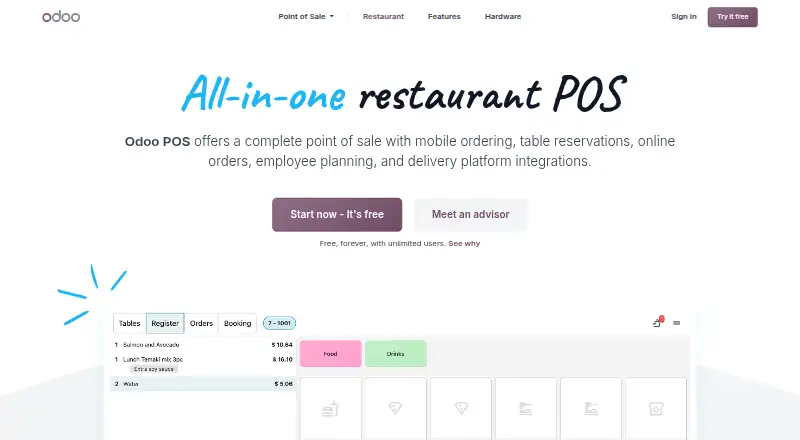
Odoo Restaurant combines restaurant point of sale with kitchen preparation displays, making it a fit for businesses that want order handling, kitchen progress tracking, and front-of-house workflows in one system. POS orders can go to configured displays such as a main kitchen or bar, with grouping by product category. The product is open source and available through Odoo Online or self-hosting, with web, desktop, and mobile platform options. Its wider restaurant workflows include floor plans, table assignment and transfers, kiosk or mobile self-ordering, and customer-facing order status screens.
The KDS workflow offers more than a basic order queue. Displays can be configured by POS, product category, and preparation stage; stages can use alert timers and visual indicators for overdue orders. Staff can mark individual items or whole orders complete, while kitchen and bar views support different preparation areas. A status screen shows orders ready or nearly ready for pickup. These controls suit restaurants that need adaptable preparation flows and visible progress. The listed capabilities do not establish a dedicated expo function, so operations centered on a specialized expo station should compare alternatives before choosing.
Odoo’s One App Free plan includes one app, unlimited users, and Odoo Online; Standard includes all apps and Odoo Online. That makes the free option relevant for a restaurant evaluating a single-app setup, while a broader restaurant workflow may call for Standard. Support channels include email and documentation. Choose Odoo Restaurant if you want an open KDS alongside POS and restaurant operations, with configurable stages and multiple deployment choices. It is less suited to buyers seeking only a standalone kitchen display or requiring confirmed expo functionality.
Your product? Our editors can test Odoo Restaurant in depth and publish a review, labelled as paid · from $149/mo →
Odoo Restaurant pricing
All 2 Odoo Restaurant plans and prices →
Odoo Restaurant fact sheet
| Free plan | Yes |
|---|---|
| Paid from | Not verified |
| Station routing | Yes |
| Order status tracking | Yes |
| Expo screen | Not verified |
| Display platforms | Tablet |
| Offline mode | Not verified |
| Deployment | Cloud |
| Maximum stations | Not verified |
| Deployment | Cloud, Self-hosted |
| Platforms | Web, Windows, macOS, Linux, iOS, Android |
| Support | Email, Docs |
| Built for | Small business, Mid-market, Enterprise (editorial estimate) |
| Pricing | Free plan (source) |
| Website | odoo.com |
| Facts checked | 23 Sep 2026 |
Alternatives to Odoo Restaurant
- Epson TrueOrder KDSA focused on-premise KDS for Epson-centered routing, expo, printing, and analytics.9.3
- Oracle MICROS Simphony KDSA specialized KDS for coordinating complex restaurant production workflows.9.1
- Clover Kitchen Display SystemA Clover-focused KDS for routing kitchen orders and tracking fulfillment on dedicated displays.8.9


See all Odoo Restaurant alternatives →
Odoo Restaurant vs the competition
- Odoo Restaurant vs Epson TrueOrder KDS
- Odoo Restaurant vs Oracle MICROS Simphony KDS
- Odoo Restaurant vs Clover Kitchen Display System
- Odoo Restaurant vs Crunchtime Kitchen
- Odoo Restaurant vs Epos Now
- Odoo Restaurant vs Lightspeed Restaurant



Compare Odoo Restaurant with any tool side by side →
Used Odoo Restaurant? Be the first to review it
The editor score above is our own research. What this page doesn't have yet is a reader's view — what you used Odoo Restaurant for, what worked and what didn't. No stars are seeded and no review is paid for; an editor reads every one before it appears.
Write a reviewTwo minutes · verified accounts only · read by an editor before it appears
Featured on iTechGuides

Odoo Restaurant is listed in our Kitchen Display System Software directory. Add the badge to your site — it links back to this page.
<a href="https://www.itechguides.com/products/odoo-restaurant/"><img src="https://www.itechguides.com/best/badge/odoo-restaurant.svg" alt="Featured on iTechGuides" width="230" height="46"></a>
Reviewed by iTechGuides Editors · Editorial team · Updated Oct 2026
Advertiser disclosure: iTechGuides is reader-supported. Vendors can pay for top positions in our rankings and for a place on other products' pages, and we may earn a commission when you click some links. Bought places stand at the number bought; this page and our disclosure say so. Paying vendors may get a fuller, more detailed review from our editors, and that review can change their score. How we rank.
Last updated · How we research and update