
Clover Kitchen Display System
Clover Kitchen Display System: A Clover-focused KDS for routing kitchen orders and tracking fulfillment on dedicated displays. Ranked #3 of 49 in Kitchen Display System Software by our editors (8.9/10); pricing: Paid; best for clover customers wanting dedicated KDS hardware.
At a glance
- Editor score8.9 / 10
- PricingPaid
- Best forClover customers wanting dedicated KDS hardware
- Free planNo
- Station routingYes
- Facts checked20 Sep 2026
Where it wins
- Routes items by kitchen area and consolidates online and on-premise orders
- Includes expo mode, fulfillment levels, and color-coded order statuses
- Adds prep-time reporting, runner printing, and optional bump bar support
Where it doesn't
- Requires a Clover Register, Table Service, or Counter Service plan
- Uses dedicated 14-inch or 24-inch display hardware
- Charges a recurring software fee per device
Our verdict on Clover Kitchen Display System
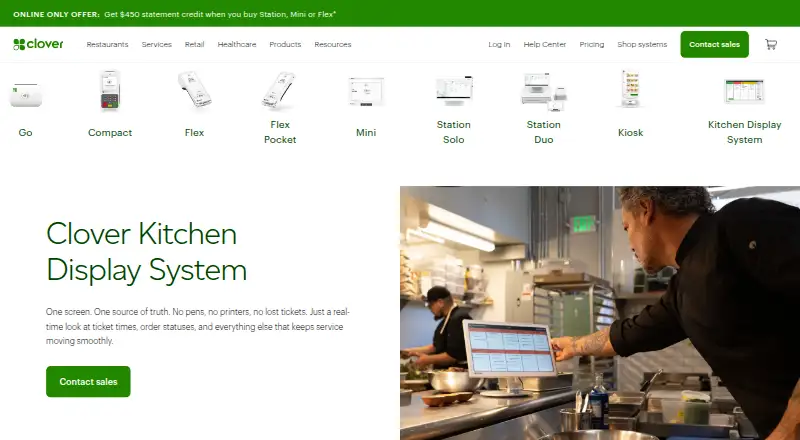
Clover Kitchen Display System is an employee-facing restaurant solution that replaces paper tickets with real-time digital order displays. It is intended for Clover merchants that need kitchen staff to receive and organize orders from front-of-house and online ordering channels. Its core workflow includes item-level routing, multi-level fulfillment, color-coded statuses, expo mode, runner-ticket printing, and consolidation of on-premise and third-party orders.
The product is sold through separate hardware and software plans for each display size: KDS 14-inch hardware, KDS 14-inch software, KDS 24-inch hardware, and KDS 24-inch software. The 24-inch hardware plan includes optional bump bar support, while the published product description states that the software carries a recurring fee per device. Merchants also need a Clover Register, Table Service Restaurant, or Counter Service Restaurant plan to purchase and use the KDS, making the overall setup part of a broader Clover restaurant configuration.
Its strongest fit is a Clover operation that needs dedicated kitchen screens with more structure than a simple order queue. Item-level routing can direct work to the right station, while expo mode, fulfillment levels, status colors, and reporting support coordination from preparation through completion. Runner-ticket printing provides a paper-based handoff option, and order consolidation brings multiple ordering channels into the kitchen workflow. Choose it if your restaurant already uses the required Clover plan and wants dedicated 14-inch or 24-inch displays. It is less suitable for businesses seeking a standalone KDS without Clover plan requirements or dedicated hardware.
Your product? Our editors can test Clover Kitchen Display System in depth and publish a review, labelled as paid · from $149/mo →
Clover Kitchen Display System pricing
All 4 Clover Kitchen Display System plans and prices →
Clover Kitchen Display System fact sheet
| Free plan | No |
|---|---|
| Paid from | Not verified |
| Station routing | Yes |
| Order status tracking | Yes |
| Expo screen | Yes |
| Display platforms | Dedicated |
| Offline mode | Not verified |
| Deployment | Cloud |
| Maximum stations | Not verified |
| Deployment | Cloud, Self-hosted |
| Compliance & security | PCI DSS |
| Support | Phone, Live chat, Docs · 24/7 |
| Built for | Small business (editorial estimate) |
| Pricing | Paid (source) |
| Website | clover.com |
| Facts checked | 20 Sep 2026 |
Alternatives to Clover Kitchen Display System
- Epson TrueOrder KDSA focused on-premise KDS for Epson-centered routing, expo, printing, and analytics.9.3
- Oracle MICROS Simphony KDSA specialized KDS for coordinating complex restaurant production workflows.9.1
- Odoo RestaurantAn open, flexible restaurant POS with kitchen displays and a free plan.8.8


See all Clover Kitchen Display System alternatives →
Clover Kitchen Display System vs the competition
- Clover Kitchen Display System vs Epson TrueOrder KDS
- Clover Kitchen Display System vs Oracle MICROS Simphony KDS
- Clover Kitchen Display System vs Odoo Restaurant
- Clover Kitchen Display System vs Crunchtime Kitchen
- Clover Kitchen Display System vs Epos Now
- Clover Kitchen Display System vs Lightspeed Restaurant



Compare Clover Kitchen Display System with any tool side by side →
Used Clover Kitchen Display System? Be the first to review it
The editor score above is our own research. What this page doesn't have yet is a reader's view — what you used Clover Kitchen Display System for, what worked and what didn't. No stars are seeded and no review is paid for; an editor reads every one before it appears.
Write a reviewTwo minutes · verified accounts only · read by an editor before it appears
Featured on iTechGuides

Clover Kitchen Display System is listed in our Kitchen Display System Software directory. Add the badge to your site — it links back to this page.
<a href="https://www.itechguides.com/products/clover-kitchen-display-system/"><img src="https://www.itechguides.com/best/badge/clover-kitchen-display-system.svg" alt="Featured on iTechGuides" width="230" height="46"></a>
Reviewed by iTechGuides Editors · Editorial team · Updated Oct 2026
Advertiser disclosure: iTechGuides is reader-supported. Vendors can pay for top positions in our rankings and for a place on other products' pages, and we may earn a commission when you click some links. Bought places stand at the number bought; this page and our disclosure say so. Paying vendors may get a fuller, more detailed review from our editors, and that review can change their score. How we rank.
Last updated · How we research and update