
ODA Drawings Explorer
ODA Drawings Explorer: A free cross-platform CAD utility for DWG repair, editing, and viewing. Ranked #8 of 32 in CAD Viewer Software by our editors (8.1/10); pricing: Free plan; best for free users needing DWG repair and editing.
At a glance
- Editor score8.1 / 10
- PricingFree plan
- Best forFree users needing DWG repair and editing
- Free planYes
- Paid fromFree
- Measurement toolsNo
- Founded1998 · Scottsdale, Arizona, United States
- Facts checked22 Sep 2026
Where it wins
- Recovers, audits, creates, saves, and prints DWG files
- Runs on Windows, macOS, Linux, and Android
- Edits entities, lines, arcs, layers, and drawing properties
Where it doesn't
- No measurement tools
- No markup or annotation features
- No sharing or collaboration features
Our verdict on ODA Drawings Explorer
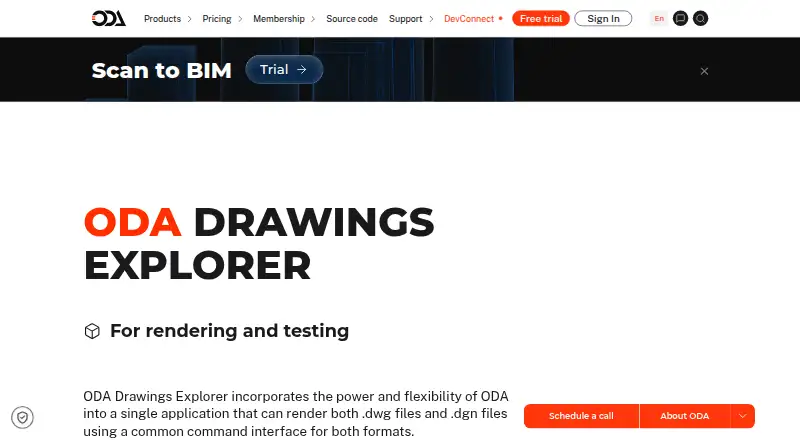
ODA Drawings Explorer is a free CAD application for viewing, rendering, testing, repairing, auditing, creating, and editing DWG and DGN drawings. It is suited to engineers, designers, developers, and other users who need a standalone utility for working with CAD files across desktop and mobile platforms. The application supports loading, saving, printing, and rendering, along with zoom, pan, orbit, and preset 3D views. It also includes undo and redo for DWG files.
The published offering is free, with no paid Drawings Explorer tier described. It runs on Windows, macOS, Linux, and Android, giving users a broad platform choice. Its ecosystem includes ODA Architecture integration and .NET TX plug-ins for Windows. Interface options include menus, toolbars, a command window, and customizable CUI interfaces, which can suit users who prefer different working styles. DGN files can be imported into DWG files, while DWG files can be recovered and audited when damaged.
Its strongest focus is practical DWG maintenance and editing rather than review workflows. Users can create new DWG files and edit entity, line, arc, and layer properties, making it useful for file correction and direct drawing changes. The product does not include measurement tools, markup or annotation, sharing, collaboration, or DXF support. Choose it for free cross-platform DWG and DGN work, especially repair, auditing, property editing, and 3D navigation. Choose another CAD viewer when measurements, annotations, team review, collaboration, or DXF files are central requirements.
Your product? Our editors can test ODA Drawings Explorer in depth and publish a review, labelled as paid · from $149/mo →
ODA Drawings Explorer pricing
ODA Drawings Explorer fact sheet
| Free plan | Yes |
|---|---|
| Paid from | Free |
| DWG support | Yes |
| Measurement tools | No |
| Markup and annotation | No |
| Sharing and collaboration | No |
| Platforms | Cross_platform |
| DXF support | No |
| Deployment | Desktop, Mobile |
| Platforms | Windows, macOS, Linux, Android |
| Support | Community, Docs |
| Built for | Solo, Small business, Mid-market, Enterprise (editorial estimate) |
| Integrations | 2 integrations: ODA Architecture integration, .NET TX plug-ins for Windows |
| Pricing | Free plan (source) |
| Website | opendesign.com |
| Facts checked | 22 Sep 2026 |
ODA Drawings Explorer integrations
ODA Drawings Explorer lists 2 integrations on its own site.
- ODA Architecture integration
- .NET TX plug-ins for Windows
Alternatives to ODA Drawings Explorer
- Autodesk ViewerA capable free viewer for browser-based design review, measurement, markup, and sharing.9.2
- Autodesk Design ReviewA mature free Windows viewer for design review, comparison, measurement, and markups.9.0
- Autodesk DWG TrueViewA capable free Windows viewer for DWG and DXF files, with measurement and conversion tools.8.8


See all ODA Drawings Explorer alternatives →
ODA Drawings Explorer vs the competition
- ODA Drawings Explorer vs Autodesk Viewer
- ODA Drawings Explorer vs Autodesk Design Review
- ODA Drawings Explorer vs Autodesk DWG TrueView
- ODA Drawings Explorer vs Bentley View
- ODA Drawings Explorer vs ABViewer
- ODA Drawings Explorer vs ODA Viewer



Compare ODA Drawings Explorer with any tool side by side →
Used ODA Drawings Explorer? Be the first to review it
The editor score above is our own research. What this page doesn't have yet is a reader's view — what you used ODA Drawings Explorer for, what worked and what didn't. No stars are seeded and no review is paid for; an editor reads every one before it appears.
Write a reviewTwo minutes · verified accounts only · read by an editor before it appears
Featured on iTechGuides

ODA Drawings Explorer is listed in our CAD Viewer Software directory. Add the badge to your site — it links back to this page.
<a href="https://www.itechguides.com/products/oda-drawings-explorer/"><img src="https://www.itechguides.com/best/badge/oda-drawings-explorer.svg" alt="Featured on iTechGuides" width="230" height="46"></a>
Reviewed by iTechGuides Editors · Editorial team · Updated Oct 2026
Advertiser disclosure: iTechGuides is reader-supported. Vendors can pay for top positions in our rankings and for a place on other products' pages, and we may earn a commission when you click some links. Bought places stand at the number bought; this page and our disclosure say so. Paying vendors may get a fuller, more detailed review from our editors, and that review can change their score. How we rank.
Last updated · How we research and update