
Autodesk DWG TrueView
Autodesk DWG TrueView: A capable free Windows viewer for DWG and DXF files, with measurement and conversion tools. Ranked #3 of 32 in CAD Viewer Software by our editors (8.8/10); pricing: Free plan; best for free DWG-focused Windows users.
At a glance
- Editor score8.8 / 10
- PricingFree plan
- Best forFree DWG-focused Windows users
- Free planYes
- Paid fromFree
- Measurement toolsYes
- Facts checked22 Sep 2026
Where it wins
- Views 2D and 3D DWG files plus DXF files
- Measures distance, area, radius, angle, volume, and more
- Converts DWG files for compatibility with earlier AutoCAD versions
Where it doesn't
- Windows-only desktop software
- Does not provide markup or annotation tools
- Cannot modify or save drawing files
Our verdict on Autodesk DWG TrueView
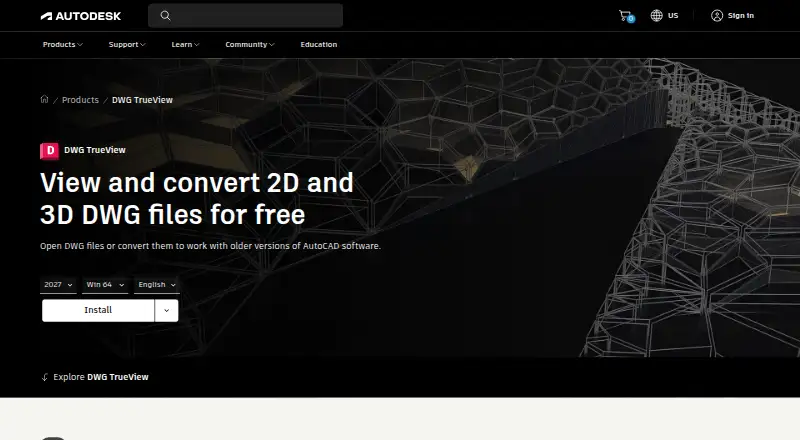
Autodesk DWG TrueView is a free Windows desktop application for opening and reviewing 2D and 3D DWG drawings. It also supports DXF viewing and is aimed at users who need to inspect CAD files, check geometry, manage drawing visibility, or prepare files for sharing without editing the underlying design. Its DWG conversion tools are useful when compatibility with earlier AutoCAD versions matters, while plotting and publishing support extends its role beyond basic file viewing.
The standout feature is its range of viewing and measurement controls. Users can pan, zoom, and switch among named, parallel, and perspective views. Layer controls support freezing and hiding layers, and object snaps include endpoints, midpoints, intersections, centers, and tangents. Measurement commands cover distance, area, radius, angle, volume, and other geometric properties. The software can also preview, plot, and publish drawings, giving reviewers several ways to inspect and output CAD content without a paid plan.
Its main boundary is the distinction between review and editing. Autodesk describes DWG TrueView as a viewing, publishing, and conversion product; it does not modify or save drawing files, and annotation or markup tools are not part of the application. That makes it a sensible choice for free DWG-focused review on Windows, especially when version conversion and detailed geometry checks are priorities. Teams that need to mark up drawings, annotate changes, or modify designs should choose a product built for those tasks instead.
Your product? Our editors can test Autodesk DWG TrueView in depth and publish a review, labelled as paid · from $149/mo →
Autodesk DWG TrueView pricing
All 1 Autodesk DWG TrueView plans and prices →
Autodesk DWG TrueView fact sheet
| Free plan | Yes |
|---|---|
| Paid from | Free |
| DWG support | Yes |
| Measurement tools | Yes |
| Markup and annotation | No |
| Sharing and collaboration | Not verified |
| Platforms | Desktop |
| DXF support | Yes |
| Deployment | Desktop |
| Platforms | Windows |
| Support | Community, Docs |
| Built for | Solo, Small business, Mid-market, Enterprise (editorial estimate) |
| Pricing | Free plan (source) |
| Website | autodesk.com |
| Facts checked | 22 Sep 2026 |
Alternatives to Autodesk DWG TrueView
- Autodesk ViewerA capable free viewer for browser-based design review, measurement, markup, and sharing.9.2
- Autodesk Design ReviewA mature free Windows viewer for design review, comparison, measurement, and markups.9.0
- Bentley ViewA capable free Windows viewer for complex CAD review, measurement, analysis, and scaled printing.8.7



See all Autodesk DWG TrueView alternatives →
Autodesk DWG TrueView vs the competition
- Autodesk DWG TrueView vs Autodesk Viewer
- Autodesk DWG TrueView vs Autodesk Design Review
- Autodesk DWG TrueView vs Bentley View
- Autodesk DWG TrueView vs ABViewer
- Autodesk DWG TrueView vs ODA Viewer
- Autodesk DWG TrueView vs VariCAD Viewer


Compare Autodesk DWG TrueView with any tool side by side →
Used Autodesk DWG TrueView? Be the first to review it
The editor score above is our own research. What this page doesn't have yet is a reader's view — what you used Autodesk DWG TrueView for, what worked and what didn't. No stars are seeded and no review is paid for; an editor reads every one before it appears.
Write a reviewTwo minutes · verified accounts only · read by an editor before it appears
Featured on iTechGuides

Autodesk DWG TrueView is listed in our CAD Viewer Software directory. Add the badge to your site — it links back to this page.
<a href="https://www.itechguides.com/products/autodesk-dwg-trueview/"><img src="https://www.itechguides.com/best/badge/autodesk-dwg-trueview.svg" alt="Featured on iTechGuides" width="230" height="46"></a>
Reviewed by iTechGuides Editors · Editorial team · Updated Oct 2026
Advertiser disclosure: iTechGuides is reader-supported. Vendors can pay for top positions in our rankings and for a place on other products' pages, and we may earn a commission when you click some links. Bought places stand at the number bought; this page and our disclosure say so. Paying vendors may get a fuller, more detailed review from our editors, and that review can change their score. How we rank.
Last updated · How we research and update