OCRFeeder
OCRFeeder: A free desktop OCR editor with strong layout tools and limited platform reach. Ranked #5 of 40 in OCR Software by our editors (8.3/10); pricing: Free plan; best for open-source desktop OCR editing.
At a glance
- Editor score8.3 / 10
- PricingFree plan
- Best forOpen-source desktop OCR editing
- Free planYes
- Paid fromFree
- Facts checked23 Sep 2026
Where it wins
- Automatic layout analysis separates graphics and text
- PDF import, image cleaning, and bounding-box editing
- Free, open-source desktop app with command-line access
Where it doesn't
- Desktop-only platform coverage
- ODT is the main export format
- Integrations and broader ecosystem support are limited
Our verdict on OCRFeeder
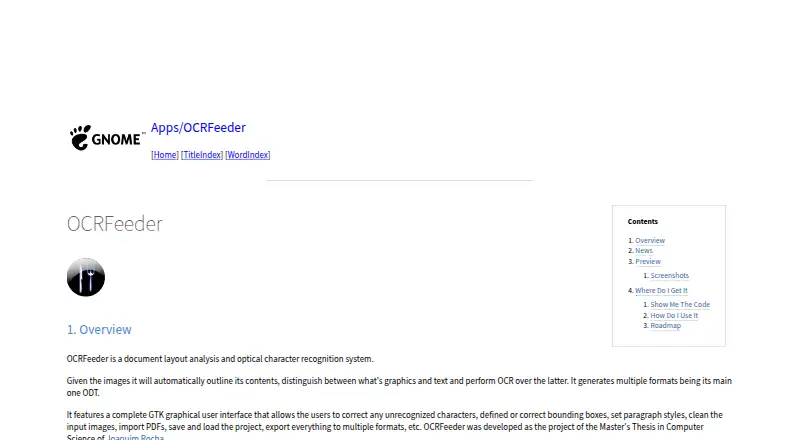
OCRFeeder is a free, open-source desktop application for turning images and imported PDFs into structured, editable documents. It suits users who need to inspect and correct OCR results rather than only extract plain text. The application analyzes page layouts, distinguishes graphics from text, recognizes text in images, and provides tools for character correction, bounding-box adjustment, paragraph styling, and image cleaning. Its GTK interface, project save and load features, and command-line interface support both interactive and repeatable document workflows.
The main strength is the depth of its document-editing workflow. PDF import brings existing documents into the process, while layout analysis helps organize recognized content. Users can adjust recognition results and page structure before exporting, with ODT as the main output format alongside other export options. This makes OCRFeeder a practical fit for people who need editable, structured documents and control over page-level corrections. It is less suitable for buyers seeking a cloud service, browser-based collaboration, or a wide range of connected business integrations.
OCRFeeder is distributed under the GNU GPL and has no paid tiers, so its model is straightforward for individuals and teams that prefer free software. Its scope is deliberately desktop-focused: the published platform coverage is desktop, and the feature set centers on OCR, document analysis, correction, and export rather than a larger online ecosystem. Choose it when open-source licensing, local document work, and layout correction matter most. Choose an alternative when broader platform coverage, extensive integrations, or a different primary export workflow is more important than desktop editing control.
Your product? Our editors can test OCRFeeder in depth and publish a review, labelled as paid · from $149/mo →
OCRFeeder pricing
OCRFeeder fact sheet
| Free plan | Yes |
|---|---|
| Paid from | Free |
| Searchable PDF | Not verified |
| Word export | Not verified |
| Handwriting OCR | Not verified |
| Supported languages | Not verified |
| Monthly page limit | Not verified |
| Primary platform | Desktop |
| Supported inputs | Both |
| Deployment | Desktop |
| Platforms | Linux |
| Support | Docs |
| Built for | Solo, Small business (editorial estimate) |
| Pricing | Free plan |
| Website | wiki.gnome.org |
| Facts checked | 23 Sep 2026 |
Alternatives to OCRFeeder
- PaddleOCRA developer-focused OCR toolkit with multilingual, handwriting, and document parsing workflows.9.3
- Tesseract OCRA mature, developer-focused OCR engine with broad outputs and self-hosting flexibility.9.1
- ABBYY FineReader PDFA broad desktop PDF suite for OCR, editing, conversion, forms, and document control.9.0

See all OCRFeeder alternatives →
OCRFeeder vs the competition
- OCRFeeder vs PaddleOCR
- OCRFeeder vs Tesseract OCR
- OCRFeeder vs ABBYY FineReader PDF
- OCRFeeder vs ABBYY Screenshot Reader
- OCRFeeder vs GNU Ocrad
- OCRFeeder vs docTR


Compare OCRFeeder with any tool side by side →
Also Ranked In
OCRFeeder is ranked in 2 of our directories.
Used OCRFeeder? Be the first to review it
The editor score above is our own research. What this page doesn't have yet is a reader's view — what you used OCRFeeder for, what worked and what didn't. No stars are seeded and no review is paid for; an editor reads every one before it appears.
Write a reviewTwo minutes · verified accounts only · read by an editor before it appears
Featured on iTechGuides

OCRFeeder is listed in our OCR Software directory. Add the badge to your site — it links back to this page.
<a href="https://www.itechguides.com/products/ocrfeeder/"><img src="https://www.itechguides.com/best/badge/ocrfeeder.svg" alt="Featured on iTechGuides" width="230" height="46"></a>
Reviewed by iTechGuides Editors · Editorial team · Updated Oct 2026
Advertiser disclosure: iTechGuides is reader-supported. Vendors can pay for top positions in our rankings and for a place on other products' pages, and we may earn a commission when you click some links. Bought places stand at the number bought; this page and our disclosure say so. Paying vendors may get a fuller, more detailed review from our editors, and that review can change their score. How we rank.
Last updated · How we research and update