Ninja
Ninja: Fast, dependency-aware build execution for projects with generated build files. Ranked #22 of 42 in Build Automation Software by our editors (7.5/10); pricing: Free plan; best for fast low-level build execution.
At a glance
- Editor score7.5 / 10
- PricingFree plan
- Best forFast low-level build execution
- Free planYes
- Paid fromFree
- Facts checked22 Sep 2026
Where it wins
- Incremental dependency-based rebuilds reduce unnecessary command execution.
- Parallel commands and buffered output support fast, readable builds.
- CMake and GN integrations connect it to higher-level build systems.
Where it doesn't
- Ninja is not a complete project configuration language.
- It does not provide artifact packaging.
- Its low-level design requires generated build files from another system.
Our verdict on Ninja
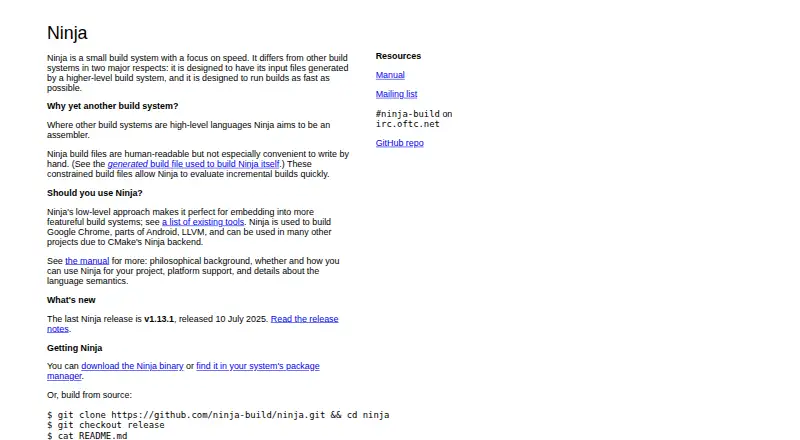
Ninja is a small, low-level build system for executing generated build files quickly. It evaluates dependency graphs, identifies outputs that are out of date, and runs the required commands, generally in parallel. Its audience is developers and build engineers working with higher-level configuration systems such as CMake or GN, rather than teams seeking a standalone project configuration environment. Ninja supports Windows, macOS, Linux, and web platforms, and is distributed as open-source software.
Its strongest area is incremental execution. Ninja tracks file dependencies and modification times, handles explicit, implicit, order-only, and dynamically discovered dependencies, and processes C/C++ dependency files and compiler dependency information. It can rebuild outputs when the generating command line changes, manage multiple explicit and implicit outputs, and inspect the build graph. Compilation database generation is also available, which can support tooling that needs a structured view of compile commands. Parallel command execution and buffered output make its execution model suited to projects where avoiding redundant work matters.
Ninja fits best when another tool already defines the project and generates the build files. CMake and GN integrations provide established paths into that workflow, while Ninja handles dependency evaluation and command execution at a lower level. It is a focused choice for fast, multi-platform build execution, not for artifact packaging or a broad configuration-and-release workflow. Choose Ninja when incremental rebuild detection, parallel execution, compiler dependency handling, graph inspection, and compilation database generation are central requirements. Choose a broader build system when project configuration and packaging need to be handled in the same product.
Your product? Our editors can test Ninja in depth and publish a review, labelled as paid · from $149/mo →
Ninja pricing
Ninja fact sheet
| Free plan | Yes |
|---|---|
| Paid from | Free |
| Build as code | Yes |
| Dependency locking | Not verified |
| Build caching | Not verified |
| Remote execution | Not verified |
| Artifact packaging | Not verified |
| Supported operating systems | Multi-platform |
| Deployment | Self-hosted |
| Platforms | Linux, macOS, Windows |
| Support | Community, Docs |
| Built for | Solo, Small business, Mid-market, Enterprise (editorial estimate) |
| Integrations | 2 integrations: CMake, GN |
| Pricing | Free plan |
| Website | ninja-build.org |
| Facts checked | 22 Sep 2026 |
Ninja integrations
Ninja lists 2 integrations on its own site.
- CMake
- GN
Alternatives to Ninja
- BazelA powerful open-source choice for large polyglot builds and remote execution.9.4
- PantsA capable open-source choice for monorepos that need precise caching and dependency handling.9.3
- NxA capable choice for JavaScript monorepos that need affected builds and managed CI scaling.9.1



Used Ninja? Be the first to review it
The editor score above is our own research. What this page doesn't have yet is a reader's view — what you used Ninja for, what worked and what didn't. No stars are seeded and no review is paid for; an editor reads every one before it appears.
Write a reviewTwo minutes · verified accounts only · read by an editor before it appears
Featured on iTechGuides

Ninja is listed in our Build Automation Software directory. Add the badge to your site — it links back to this page.
<a href="https://www.itechguides.com/products/ninja/"><img src="https://www.itechguides.com/best/badge/ninja.svg" alt="Featured on iTechGuides" width="230" height="46"></a>
Reviewed by iTechGuides Editors · Editorial team · Updated Oct 2026
Advertiser disclosure: iTechGuides is reader-supported. Vendors can pay for top positions in our rankings and for a place on other products' pages, and we may earn a commission when you click some links. Bought places stand at the number bought; this page and our disclosure say so. Paying vendors may get a fuller, more detailed review from our editors, and that review can change their score. How we rank.
Last updated · How we research and update