NeuralCam Live
NeuralCam Live: A Mac-only virtual camera with free styles and paid AI image enhancements. Ranked #35 of 41 in Webcam Software by our editors (4.8/10); pricing: Free plan; best for mac users wanting AI image enhancement for calls.
At a glance
- Editor score4.8 / 10
- PricingFree plan
- Best forMac users wanting AI image enhancement for calls
- Free planYes
- Paid from$4.99/mo
- Virtual cameraYes
- Facts checked24 Sep 2026
Where it wins
- Sharpens and enhances contrast in video-call camera feeds
- Adds background blur, low-light enhancement and video styles
- Can reuse saved enhancement settings when a call app starts
Where it doesn't
- The Mac version is described for Apple Silicon Macs
- Free access is limited to Default Styles and Head Bubble
- AI Enhance and other advanced effects require Plus
Our verdict on NeuralCam Live
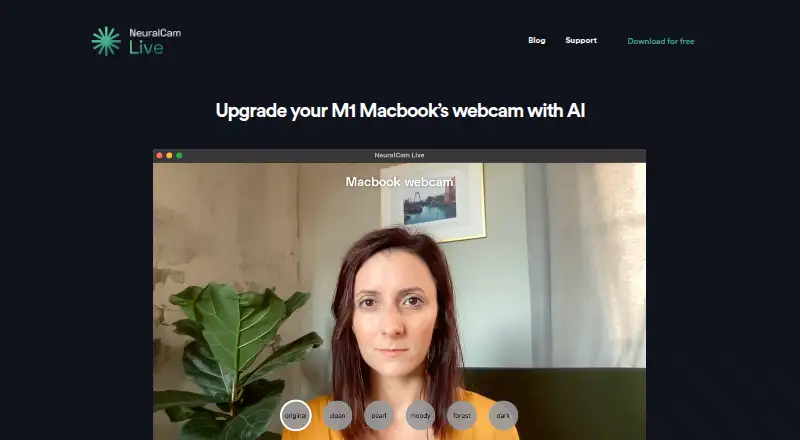
NeuralCam Live is a virtual webcam app for Mac that enhances a MacBook’s built-in camera for video calls. It is aimed at solo users and small teams who want image adjustments and visual effects without switching away from their call app’s camera selection. Choose NeuralCam Live as the camera in a video-call app, then apply sharpening, contrast enhancement, background blur, color styles or low-light denoising. Its face-tracked Head Bubble effect adds a distinct background treatment. The Mac version is described for Apple Silicon Macs, so it is a focused choice for that platform rather than a cross-platform webcam utility.
The feature set is centered on improving the camera feed rather than managing meetings or recording. Saved enhancement settings can start automatically with a video-call app, which may suit people who prefer their chosen look to carry over between calls. The main reason to consider it is the combination of image enhancement and call-focused effects in a virtual camera feed. Buyers looking for broader webcam workflows should weigh that narrow focus: the stated features emphasize visual processing, not recording or other meeting tools.
NeuralCam Live has a Free plan with Default Styles and Head Bubble. Plus adds AI Enhance, Additional Video Styles, Pro Background Blur and Low Light Mode. The vendor’s 2021 launch post stated a Plus price of $4.99 per month; buyers should treat that as the launch-post price rather than assume it reflects current pricing. Pick NeuralCam Live if you use a compatible Mac and want these camera enhancements for calls, especially if the free effects are enough. Look elsewhere if you need a Windows version or a webcam tool centered on broader meeting capabilities.
Your product? Our editors can test NeuralCam Live in depth and publish a review, labelled as paid · from $149/mo →
NeuralCam Live pricing
All 2 NeuralCam Live plans and prices →
NeuralCam Live fact sheet
| Free plan | Yes |
|---|---|
| Paid from | $4.99/mo |
| Virtual camera | Yes |
| Background tools | Blur |
| Video effects | Yes |
| Camera controls | Not verified |
| Webcam recording | Not verified |
| Supported platforms | macos |
| Deployment | Desktop |
| Platforms | macOS |
| Support | Email, Docs |
| Built for | Solo, Small business (editorial estimate) |
| Pricing | Free plan (source) |
| Website | neural.cam |
| Facts checked | 24 Sep 2026 |
Alternatives to NeuralCam Live
- NVIDIA BroadcastA free Windows tool for RTX users who want AI audio cleanup and webcam effects.9.2
- SplitCam MultistreamA free encoder for scene-based production, virtual cameras, audio mixing and multistreaming.8.8
- ManyCamA flexible webcam studio for layered scenes, streaming, audio routing, and video calls.8.5



See all NeuralCam Live alternatives →
Used NeuralCam Live? Be the first to review it
The editor score above is our own research. What this page doesn't have yet is a reader's view — what you used NeuralCam Live for, what worked and what didn't. No stars are seeded and no review is paid for; an editor reads every one before it appears.
Write a reviewTwo minutes · verified accounts only · read by an editor before it appears
Featured on iTechGuides

NeuralCam Live is listed in our Webcam Software directory. Add the badge to your site — it links back to this page.
<a href="https://www.itechguides.com/products/neuralcam-live/"><img src="https://www.itechguides.com/best/badge/neuralcam-live.svg" alt="Featured on iTechGuides" width="230" height="46"></a>
Reviewed by iTechGuides Editors · Editorial team · Updated Oct 2026
Advertiser disclosure: iTechGuides is reader-supported. Vendors can pay for top positions in our rankings and for a place on other products' pages, and we may earn a commission when you click some links. Bought places stand at the number bought; this page and our disclosure say so. Paying vendors may get a fuller, more detailed review from our editors, and that review can change their score. How we rank.
Last updated · How we research and update