
NetStat Agent
NetStat Agent: A broad, affordable Windows diagnostic utility with a one-time license. Ranked #32 of 37 in Network Diagnostic Software by our editors (5.3/10); pricing: Paid; best for affordable Windows network utility.
At a glance
- Editor score5.3 / 10
- PricingPaid
- Best forAffordable Windows network utility
- Free planNo
- Paid from$34.95 one-time
- Path visualizationYes
- Facts checked22 Sep 2026
Where it wins
- Covers DNS, ping, traceroute, pathping, Whois, and HTTP checks
- Monitors TCP, UDP, and IPv6 connections with logging
- One-time $34.95 license includes free updates and email support
Where it doesn't
- Windows-only desktop software
- No free plan is listed
- Support is provided by email
Our verdict on NetStat Agent
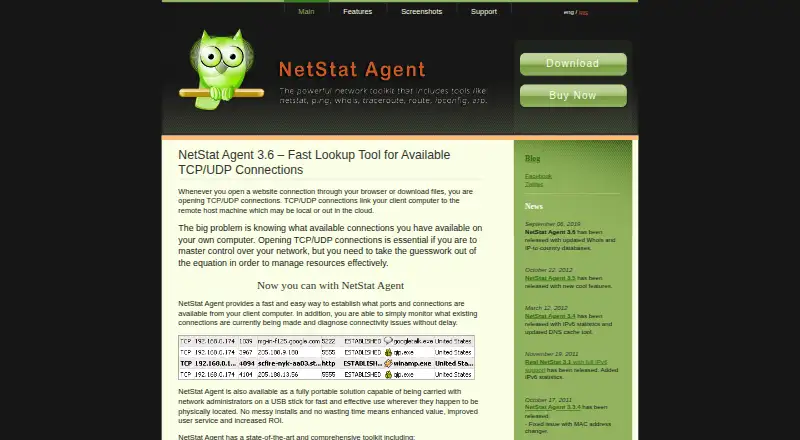
NetStat Agent is a Windows desktop utility for monitoring local TCP and UDP connections and diagnosing network connectivity. It brings netstat-style connection visibility together with DNS and NSLookup queries, ping, traceroute, pathping, IP configuration, DHCP management, ARP tools, routing controls, Whois, HTTP checks, and network statistics. Its audience is Windows network administrators and users who need host testing, route inspection, and basic network-management controls from a graphical interface. A portable edition is also available for use from removable storage.
The published plan is straightforward: NetStat Agent costs $34.95 as a one-time purchase. The plan includes free updates, a fully functional unrestricted copy, and free and priority technical support by email. There is no recurring subscription in the listed plan, which makes the product a practical fit for solo users, small teams, and mid-market environments seeking a broad desktop toolkit without ongoing license charges. The product is described as try-before-you-buy, while the purchase page lists the current one-time price.
Its strongest feature is breadth within a local Windows workflow. Users can inspect active TCP, UDP, and IPv6 connections, review or modify IP routes, monitor and edit the ARP cache, manage DHCP and IP configuration, and create TCP/IP logs and HTML reports. Path visualization, DNS diagnostics, and reporting extend it beyond a basic connection viewer. The main trade-off is platform scope: it is designed for Windows and deployed as desktop software, so organizations needing a cross-platform or broader shared monitoring approach should choose an alternative. NetStat Agent suits buyers who want many foundational diagnostics in one paid utility; it is less appropriate when Windows support is not sufficient.
Your product? Our editors can test NetStat Agent in depth and publish a review, labelled as paid · from $149/mo →
NetStat Agent pricing
All 1 NetStat Agent plans and prices →
NetStat Agent fact sheet
| Free plan | No |
|---|---|
| Paid from | $34.95 one-time |
| Deployment | Desktop |
| Path visualization | Yes |
| DNS diagnostics | Yes |
| Packet-loss analysis | Not verified |
| Command-line interface | Not verified |
| Target limit | Not verified |
| Supported platforms | Windows |
| Deployment | Desktop |
| Platforms | Windows |
| Support | |
| Built for | Solo, Small business, Mid-market (editorial estimate) |
| Pricing | Paid (source) |
| Website | netstatagent.com |
| Facts checked | 22 Sep 2026 |
Alternatives to NetStat Agent
- GlobalpingA broad, open-source toolkit for diagnosing network behavior across global locations.9.4
- RIPE AtlasA free platform for distributed measurements, path analysis, and public Internet reachability data.9.2
- PingPlotterA focused tool for tracking latency, packet loss, jitter, and network paths.9.0



See all NetStat Agent alternatives →
Used NetStat Agent? Be the first to review it
The editor score above is our own research. What this page doesn't have yet is a reader's view — what you used NetStat Agent for, what worked and what didn't. No stars are seeded and no review is paid for; an editor reads every one before it appears.
Write a reviewTwo minutes · verified accounts only · read by an editor before it appears
Featured on iTechGuides

NetStat Agent is listed in our Network Diagnostic Software directory. Add the badge to your site — it links back to this page.
<a href="https://www.itechguides.com/products/netstat-agent/"><img src="https://www.itechguides.com/best/badge/netstat-agent.svg" alt="Featured on iTechGuides" width="230" height="46"></a>
Reviewed by iTechGuides Editors · Editorial team · Updated Oct 2026
Advertiser disclosure: iTechGuides is reader-supported. Vendors can pay for top positions in our rankings and for a place on other products' pages, and we may earn a commission when you click some links. Bought places stand at the number bought; this page and our disclosure say so. Paying vendors may get a fuller, more detailed review from our editors, and that review can change their score. How we rank.
Last updated · How we research and update