
Neolocus AI
Neolocus AI: A focused sketch-to-image tool with practical architectural workflows and flexible credit plans. Ranked #13 of 29 in AI Sketch-to-Image Generators by our editors (7.9/10); pricing: Free plan; best for affordable architectural sketch rendering.
At a glance
- Editor score7.9 / 10
- PricingFree plan
- Best forAffordable architectural sketch rendering
- Free planYes
- Paid from$39/mo
- Sketch inputYes
- Facts checked22 Sep 2026
Where it wins
- Renders interiors from sketches and exteriors from 3D-space screenshots
- Brush edits, style transfer, object removal, and 4K upscaling
- Integrates with SketchUp, Revit, Enscape, and Lumion
Where it doesn't
- The Free Plan is limited to 30 credits
- Starter provides 200 credits rather than unlimited generations
- Available as a web platform only
Our verdict on Neolocus AI
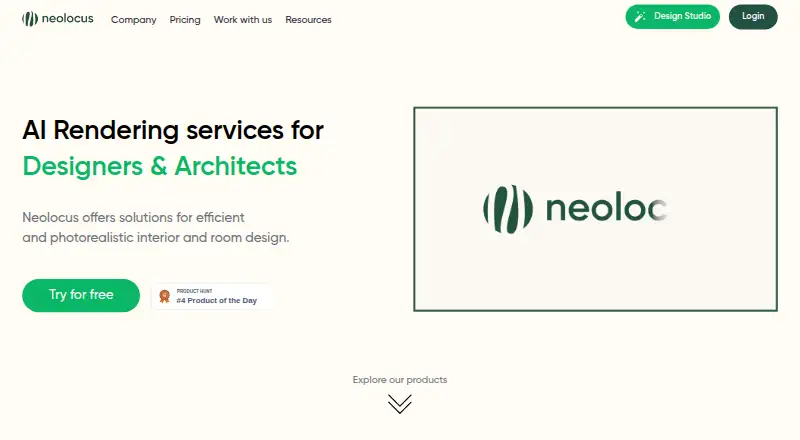
Neolocus AI is a generative spatial-design platform for interior designers and architects. It turns uploaded sketches, 3D-space screenshots, and existing renders into interior and exterior visualizations. Users can upload JPG, PNG, or WEBP images, adjust room, style, and rendering parameters, generate multiple results, save them to a gallery, and download images, including 4K versions. Its focus is architectural ideation and presentation rather than general-purpose image generation.
Pricing is structured around credits and paid access. The Free Plan includes 30 credits with no credit card required. The Starter Plan costs $18 for 200 credits and adds premium features plus watermark-free output. The Pro Plan costs $39 per month and includes unlimited generations, premium features, watermark-free output, priority generation speed, and a commercial license. This makes the free tier suitable for limited exploration, while Starter fits occasional project work and Pro is aimed at sustained professional production.
The standout feature set is the combination of sketch rendering and targeted visual refinement. Neolocus AI supports style transfer from reference renders, selective image modification through a brush tool and prompt, removal of small render issues, tiling, facade or wall modification, multiple rendering modes, and style parameters. Integrations with SketchUp, Revit, Enscape, and Lumion also suit established architectural workflows. Choose Neolocus AI if you need affordable interior and exterior concept rendering with controlled edits and architectural software connections. Choose an alternative if you need a native desktop application or a broader creative tool outside spatial design.
Questions about Neolocus AI
Does Neolocus AI have a free plan? Yes, there is a free plan; paid plans start at $39/mo (Pro Plan).
How much does Neolocus AI cost? Neolocus AI lists 2 paid plans; the lowest is Pro Plan at $39/mo.
What does Neolocus AI run on? Web. It runs in the cloud.
What does Neolocus AI integrate with? 4 integrations: SketchUp, Revit, Enscape and Lumion.
Who is Neolocus AI built for? Small businesses, mid-market companies and enterprises (our editorial estimate).
Your product? Our editors can test Neolocus AI in depth and publish a review, labelled as paid · from $149/mo →
Neolocus AI pricing
All 3 Neolocus AI plans and prices →
Neolocus AI fact sheet
| Free plan | Yes |
|---|---|
| Paid from | $39/mo |
| Sketch input | Yes |
| Wireframe input | Not verified |
| Image-to-image | Yes |
| Included image credits | 200 /mo |
| Output formats | Not verified |
| API access | Not verified |
| Deployment | Cloud |
| Platforms | Web |
| Support | Email, Docs |
| Built for | Small business, Mid-market, Enterprise (editorial estimate) |
| Integrations | 4 integrations: SketchUp, Revit, Enscape, Lumion |
| Pricing | Free plan (source) |
| Website | neolocus.ai |
| Facts checked | 22 Sep 2026 |
Neolocus AI integrations
Neolocus AI lists 4 integrations on its own site.
- SketchUp
- Revit
- Enscape
- Lumion
Alternatives to Neolocus AI
- VizcomA broad sketch-to-3D workflow with collaboration and Autodesk Fusion integration.9.4
- LookX AIA focused sketch-to-render platform with strong architecture tools and flexible paid plans.9.2
- mnml.aiA flexible AI renderer for architecture teams, in the browser and inside SketchUp, Revit and Rhino.9.0



See all Neolocus AI alternatives →
Used Neolocus AI? Be the first to review it
The editor score above is our own research. What this page doesn't have yet is a reader's view — what you used Neolocus AI for, what worked and what didn't. No stars are seeded and no review is paid for; an editor reads every one before it appears.
Write a reviewTwo minutes · verified accounts only · read by an editor before it appears
Featured on iTechGuides

Neolocus AI is listed in our AI Sketch-to-Image Generators directory. Add the badge to your site — it links back to this page.
<a href="https://www.itechguides.com/products/neolocus-ai/"><img src="https://www.itechguides.com/best/badge/neolocus-ai.svg" alt="Featured on iTechGuides" width="230" height="46"></a>
Reviewed by iTechGuides Editors · Editorial team · Updated Nov 2026
Advertiser disclosure: iTechGuides is reader-supported. Vendors can pay for top positions in our rankings and for a place on other products' pages, and we may earn a commission when you click some links. Bought places stand at the number bought; this page and our disclosure say so. Paying vendors may get a fuller, more detailed review from our editors, and that review can change their score. How we rank.
Last updated · How we research and update