
Vizcom
Vizcom: A design-focused AI workspace for turning sketches into rendered product concepts. Ranked #16 of 28 in AI Art Generators by our editors (7.7/10); pricing: Free plan; best for product designers turning sketches into renders.
At a glance
- Editor score7.7 / 10
- PricingFree plan
- Best forProduct designers turning sketches into renders
- Free planYes
- Image-to-imageYes
- Facts checked20 Sep 2026
Where it wins
- Sketch-to-render generation with real-time Live Render feedback
- 3D views, design variations, contextual visualization, and animation
- Professional includes 4K exports, privacy, and multi-image generation
Where it doesn't
- Professional costs $49 per user per month
- Advanced collaboration and access controls are reserved for Enterprise
- Its feature set is focused on product and 3D design workflows
Our verdict on Vizcom
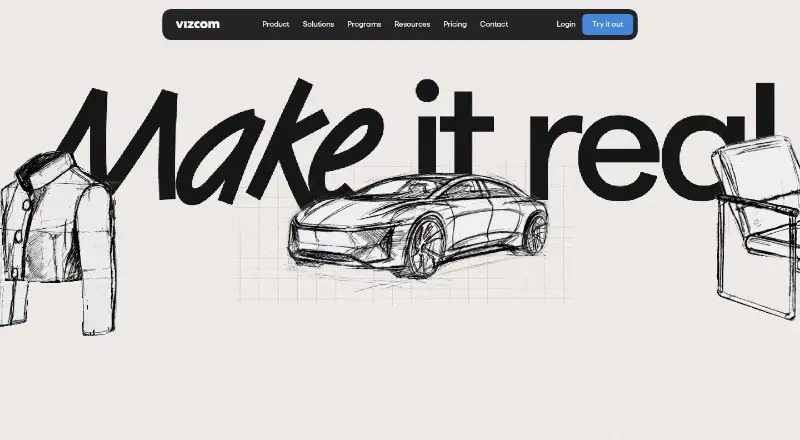
Vizcom is an AI-assisted design platform for turning sketches into rendered product concepts and 3D views. It combines sketching, prompting, rendering, material and color exploration, design variations, contextual visualization, 3D model workflows, animation, and collaboration. The product is aimed at industrial design, footwear, apparel, automotive, gaming, furniture, consumer products, and enterprise design teams. It runs on the web, Windows, and macOS, making it suitable for product designers who want to move from early drawings toward visual concepts.
The Starter plan is free at $0 per user per month and includes basic AI creation tools, standard render speeds, unlimited file viewers, and community support. Professional costs $49 per user per month and adds 20,000 credits, a priority render queue, multi-image generation, 4K exports, Live Render, and full design privacy. Education is free at $0 per user per month and includes 15,000 credits, a priority render queue, credit add-ons, and exclusive community access. Enterprise adds the highest usage limits, fastest renders, unlimited seats and teams, advanced export options, audit and access logs, and Single Sign-On. The pricing page also lists an annual option with a 30% saving.
Vizcom’s main strength is its concentration on visual product development rather than general-purpose image generation. Users can generate and refine concepts from sketches, place drawings on photos for contextual visualization, rotate 3D views, and explore multiple design directions. Professional is the clearest fit for individuals and teams needing higher-resolution output, private work, and faster iteration. Enterprise suits organizations that need team scale and administrative controls. Buyers seeking a broad, general image generator may prefer a less design-specific tool, while product teams focused on sketches, renders, and 3D workflows should find Vizcom’s scope a close match.
Your product? Our editors can test Vizcom in depth and publish a review, labelled as paid · from $149/mo →
Vizcom pricing
All 4 Vizcom plans and prices →
Vizcom fact sheet
| Free plan | Yes |
|---|---|
| Paid from | Not verified |
| Image-to-image | Yes |
| Commercial use | Yes |
| Inpainting/outpainting | Not verified |
| Output resolution | Ultra |
| Monthly credits | 20000 credits/mo |
| Private generation | Yes |
| Platforms | Not verified |
| Deployment | Cloud, Desktop |
| Platforms | Web, Windows, macOS |
| Compliance & security | SOC 2, ISO 27001, GDPR, SSO/SAML, 2FA |
| Support | Email, Community, Docs |
| Built for | Solo, Small business, Mid-market, Enterprise (editorial estimate) |
| Pricing | Free plan (source) |
| Website | vizcom.com |
| Facts checked | 20 Sep 2026 |
Alternatives to Vizcom
- Adobe FireflyA broad Firefly and Adobe workflow for generating, editing, and refining visual content.9.4
- RecraftA flexible AI studio for generating, editing, and exporting raster and vector visuals.9.3
- Leonardo.AiA flexible AI art workspace for high-volume creators, custom models, and API workflows.9.1



Also Ranked In
Vizcom is ranked in 2 of our directories.
Used Vizcom? Be the first to review it
The editor score above is our own research. What this page doesn't have yet is a reader's view — what you used Vizcom for, what worked and what didn't. No stars are seeded and no review is paid for; an editor reads every one before it appears.
Write a reviewTwo minutes · verified accounts only · read by an editor before it appears
Featured on iTechGuides

Vizcom is listed in our AI Art Generators directory. Add the badge to your site — it links back to this page.
<a href="https://www.itechguides.com/products/vizcom/"><img src="https://www.itechguides.com/best/badge/vizcom.svg" alt="Featured on iTechGuides" width="230" height="46"></a>
Reviewed by iTechGuides Editors · Editorial team · Updated Oct 2026
Advertiser disclosure: iTechGuides is reader-supported. Vendors can pay for top positions in our rankings and for a place on other products' pages, and we may earn a commission when you click some links. Bought places stand at the number bought; this page and our disclosure say so. Paying vendors may get a fuller, more detailed review from our editors, and that review can change their score. How we rank.
Last updated · How we research and update