
Mynor AI
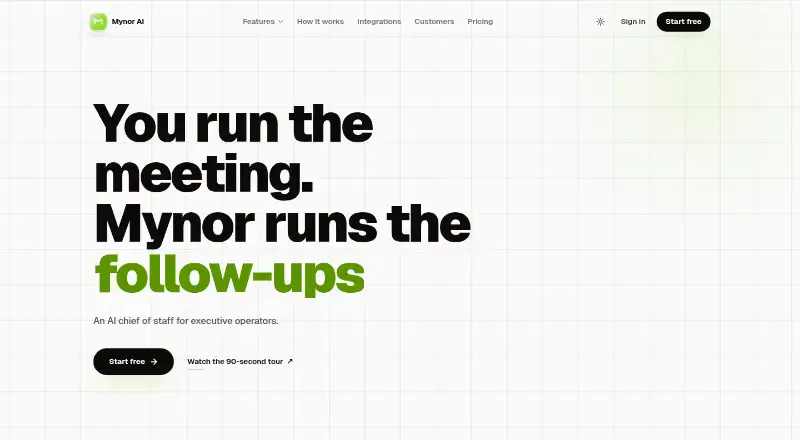
Mynor AI: Mynor AI turns meeting conversations into planned work, follow-ups and calendar blocks. Ranked #18 of 27 in AI Calendar Assistants by our editors (7.5/10); pricing: 7-day trial; best for meeting-heavy teams needing deep AI follow-through.
At a glance
- Editor score7.5 / 10
- Pricing7-day trial
- Best forMeeting-heavy teams needing deep AI follow-through
- Free planNo
- Automatic schedulingYes
- Facts checked20 Sep 2026
Where it wins
- Automatically time-blocks work and replans when priorities change
- Extracts decisions, owners and deadlines from meeting conversations
- Connects Gmail, calendars, meetings, Slack and Teams in one workspace
Where it doesn't
- Paid product with no free plan
- Web-only access may not suit teams needing native apps
- Its broad workflow may exceed the needs of simple scheduling teams
Our verdict on Mynor AI
Mynor AI is an AI chief-of-staff platform for executive operators and teams whose work centers on meetings and follow-through. It joins meetings, captures decisions and action items, turns conversations into tasks, drafts follow-up emails and links commitments to calendar planning. The product combines automatic time-blocking for meetings, tasks and deep work with focus-time protection, priority replanning and natural-language weekly planning.
Its main distinction is the breadth of its meeting intelligence. Mynor can extract tasks, owners and deadlines from conversations, produce summaries with transcript-linked decisions and action items, and support cross-meeting search and question answering. An AI Kanban board organizes commitments into lanes, while project-risk monitoring and meeting briefings extend the workflow beyond the calendar. Integrations include Gmail, Google Calendar, Google Meet, Zoom, Slack and Microsoft Teams, making it suited to teams that already spread work across communication and meeting tools.
The published plans show a paid, per-seat model with a 7-day trial and no free plan. Mynor is available on the web, so teams should assess whether that access model fits their working habits. It is a strong choice for meeting-heavy groups that need planning, accountability and follow-up in one system. Teams seeking only basic calendar scheduling, or those that prefer a free product, may find its broader workflow unnecessary.
Your product? Our editors can test Mynor AI in depth and publish a review, labelled as paid · from $149/mo →
Mynor AI pricing
Mynor AI fact sheet
| Free plan | No |
|---|---|
| Paid from | Not verified |
| Automatic scheduling | Yes |
| Task management | Yes |
| Priority replanning | Yes |
| Multiple calendars | Not verified |
| Planning input | Natural language |
| Supported platforms | Web |
| Free trial | 7 days |
| Deployment | Cloud |
| Platforms | Web |
| Support | |
| Built for | Solo, Small business, Mid-market (editorial estimate) |
| Integrations | 6 integrations: Gmail, Google Calendar, Google Meet, Zoom, Slack, Microsoft Teams |
| Pricing | 7-day trial (source) |
| Website | mynor.ai |
| Facts checked | 20 Sep 2026 |
Mynor AI integrations
Mynor AI lists 6 integrations on its own site.
- Gmail
- Google Calendar
- Google Meet
- Zoom
- Slack
- Microsoft Teams
Alternatives to Mynor AI
- MotionA broad AI planner for people who want scheduling, tasks, meetings, and projects together.9.4
- MorgenA broad calendar and task workspace for coordinating schedules across tools.9.2
- FlowSavvyA flexible automatic scheduler with a useful free plan and affordable Pro tier.9.1



See all Mynor AI alternatives →
Used Mynor AI? Be the first to review it
The editor score above is our own research. What this page doesn't have yet is a reader's view — what you used Mynor AI for, what worked and what didn't. No stars are seeded and no review is paid for; an editor reads every one before it appears.
Write a reviewTwo minutes · verified accounts only · read by an editor before it appears
Featured on iTechGuides

Mynor AI is listed in our AI Calendar Assistants directory. Add the badge to your site — it links back to this page.
<a href="https://www.itechguides.com/products/mynor-ai/"><img src="https://www.itechguides.com/best/badge/mynor-ai.svg" alt="Featured on iTechGuides" width="230" height="46"></a>
Reviewed by iTechGuides Editors · Editorial team · Updated Oct 2026
Advertiser disclosure: iTechGuides is reader-supported. Vendors can pay for top positions in our rankings and for a place on other products' pages, and we may earn a commission when you click some links. Bought places stand at the number bought; this page and our disclosure say so. Paying vendors may get a fuller, more detailed review from our editors, and that review can change their score. How we rank.
Last updated · How we research and update